


What Is Nextcloud? The Open-Source Content Collaboration Platform That Puts Data Truly in the Hands of Enterprises
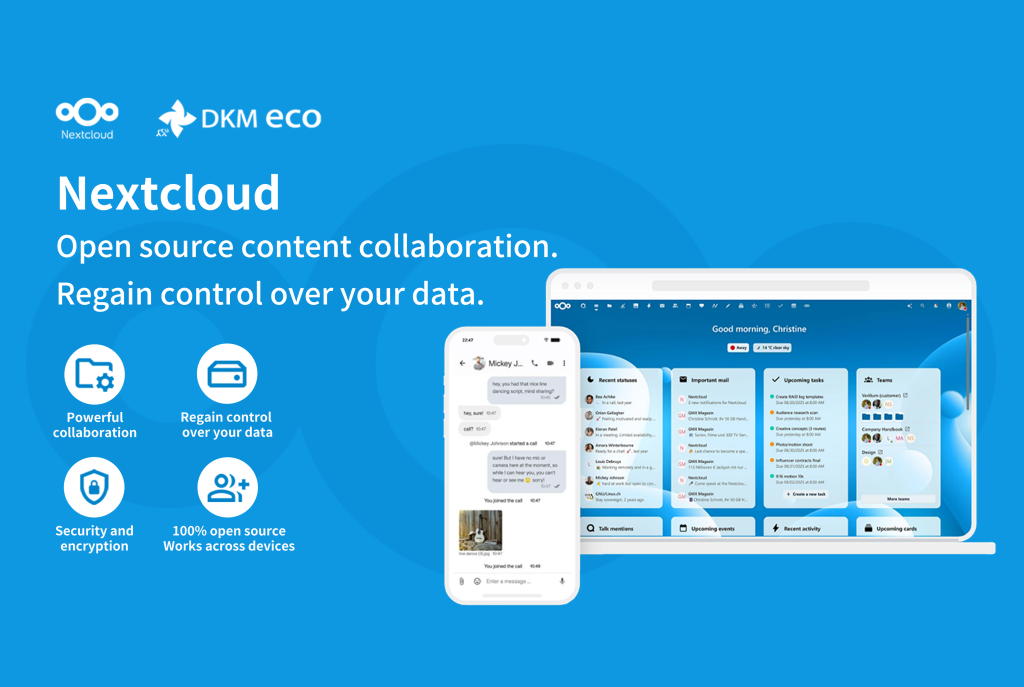
Nextcloud offers an open-source, fully self-hosted enterprise-grade content collaboration platform that allows data to reside on your own servers, without ever passing through any third party.
There are many enterprise collaboration tools available on the market, and in most cases, off-the-shelf SaaS products are sufficient.
However, some enterprises face different circumstances: data cannot be stored on third-party servers, regulations require local data storage, or the consequences of a core data breach would be unbearable.
For such enterprises, Nextcloud offers an open-source, fully self-hosted enterprise-grade content collaboration platform that allows data to reside on your own servers, without ever passing through any third party.
What Kind of Enterprises Need Nextcloud?
Based on the industries DKM ECO has served, not every enterprise needs self-hosted deployment, but the following scenarios are worth considering:
- Financial industry: Customer asset information, transaction records, and risk control data are highly sensitive, and regulators impose strict requirements on data storage and access.
- Healthcare sector: Patient medical records, diagnostic reports, and genetic data are protected by privacy regulations. Data breaches not only result in massive fines but can also trigger a crisis of trust.
- Legal services: Case files and client communication records involve professional confidentiality obligations, and law firms have near-exacting requirements for data security.
- Government and public institutions: Government data concerns public interest, and data sovereignty and autonomous control are rigid requirements.
- Research institutions: Experimental data, research findings, and patent documents need to be strictly confidential before publication.
- High-tech enterprises: Source code and algorithm models; Manufacturing industry: product design blueprints, process parameters, and supply chain information are all core competitive advantages—once leaked, the damage may be irreversible.
Moreover, the current international landscape is prompting more and more enterprises to reassess their reliance on overseas SaaS services. The uncertainties of geopolitics, the tightening of export control policies by other countries, and access restrictions on certain international services in specific regions all serve as reminders to enterprises: hosting core business data with overseas service providers may pose risks of service disruption or compliance issues.
In contrast, Nextcloud’s self-hosted collaboration platform is not constrained by these factors—data is stored on servers controlled by the enterprise itself, and service continuity and availability are entirely in your own hands. From a business continuity perspective, this is also a form of risk hedging.
Platform Overview: What Is Nextcloud?
As an open-source enterprise collaboration platform from Germany, Nextcloud is designed specifically for self-hosted deployment. Currently, it has been deployed over 400,000 times worldwide, with enterprise users including the German Federal Government, the French National Gendarmerie, Deutsche Telekom, and other institutions. As a 100% open-source project, its code is fully transparent and can be audited by anyone.
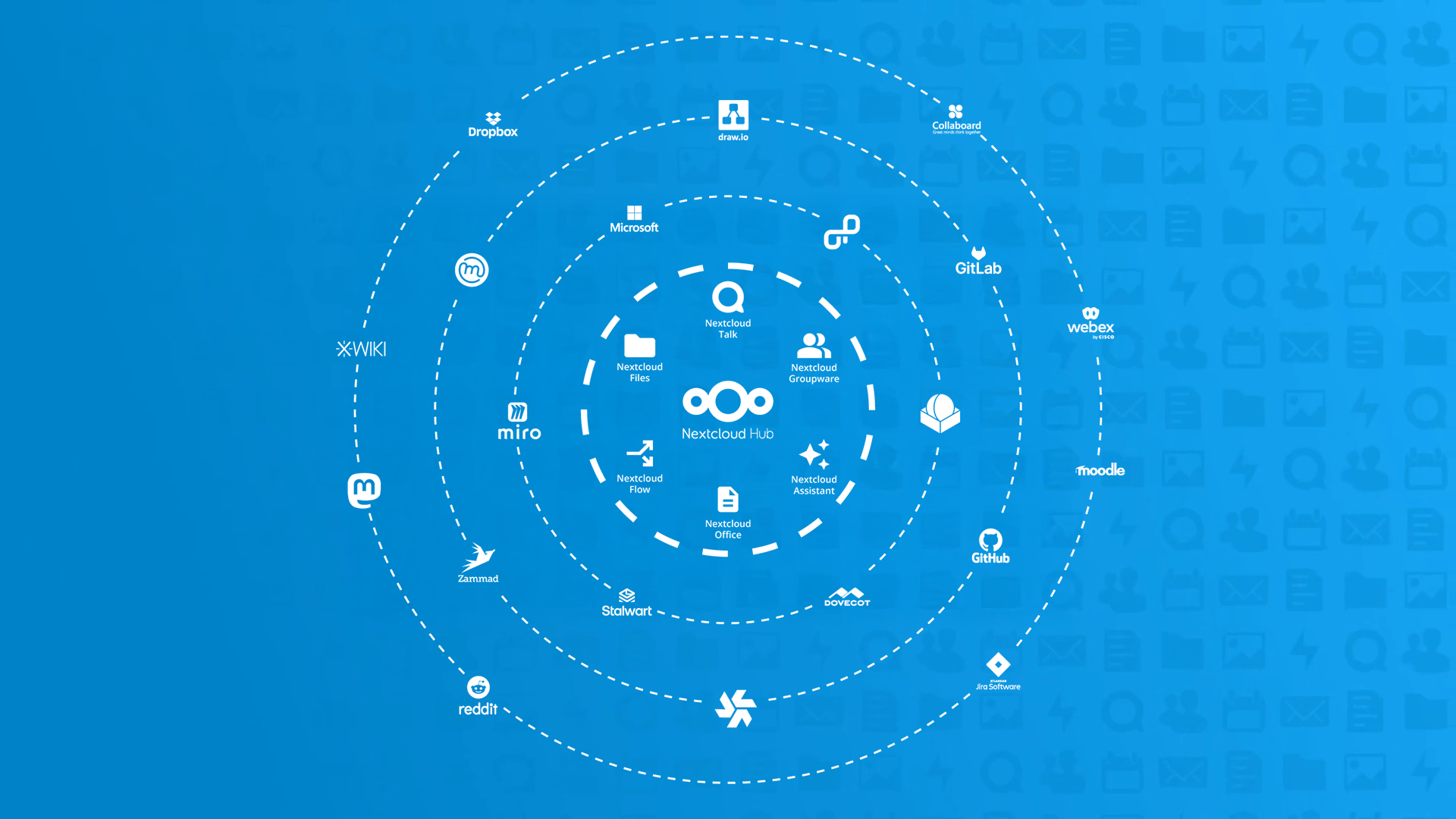
Many people hearing about Nextcloud for the first time assume it’s a “self-hosted cloud drive.” In reality, Nextcloud’s complete product name is Nextcloud Hub. As an all-in-one digital workspace, it primarily consists of the following six core modules:
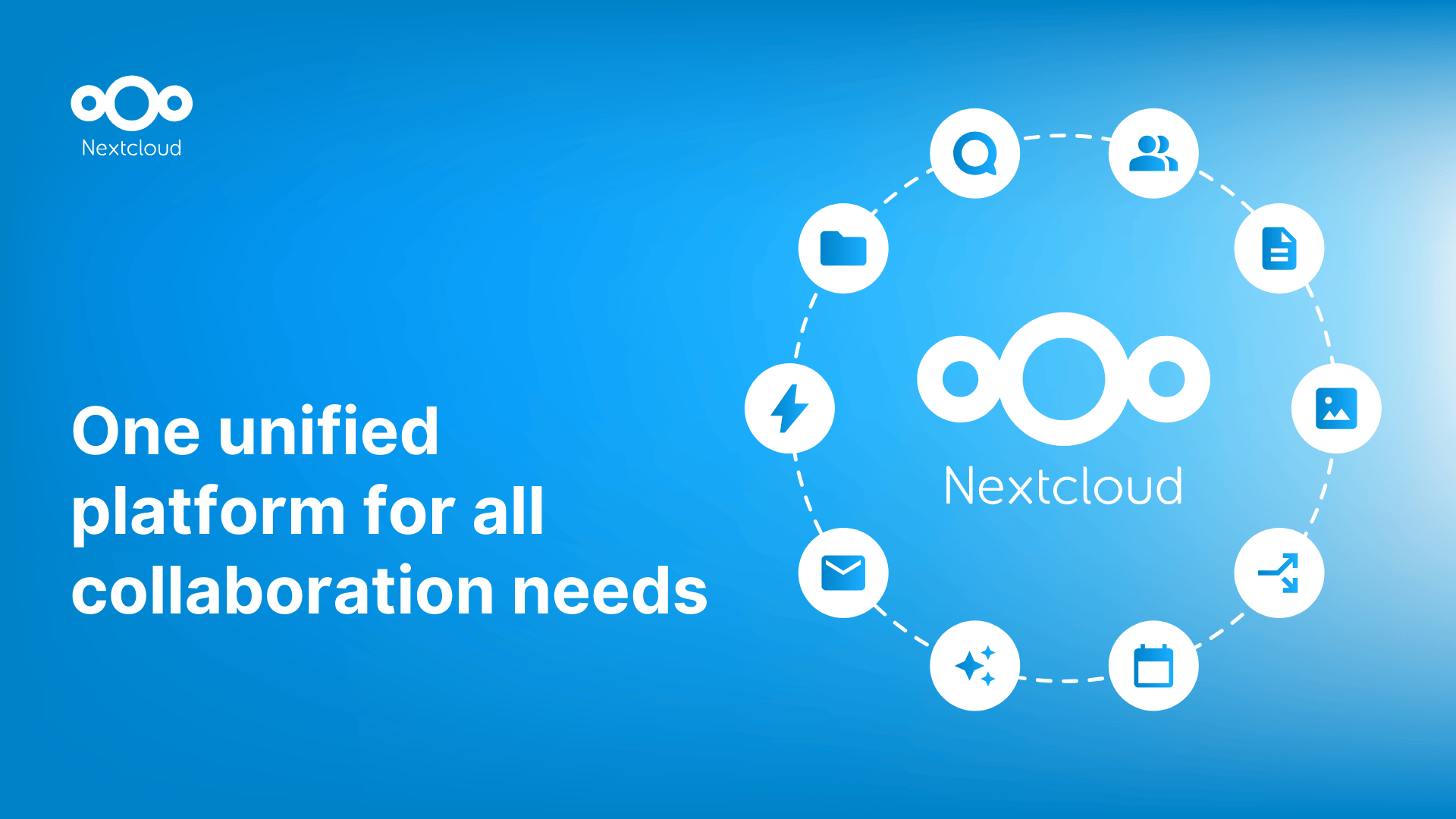
- Nextcloud Files handles file synchronization and sharing
- Nextcloud Office provides online document collaboration components
- Nextcloud Talk manages video conferencing and instant messaging
- Nextcloud Groupware integrates email, calendar, contacts, and task management
- Nextcloud Assistant is the built-in AI intelligent assistant
- Nextcloud Flow provides workflow automation capabilities
This means enterprises can replace multiple scattered tools with a single system, reducing the risk of data flowing between different platforms while also lowering management complexity.
Core Features: What Can Nextcloud Do?
Next, DKM ECO will walk you through Nextcloud’s core features in detail. After reading this section, you’ll find that self-hosted deployment doesn’t mean compromising on functionality—Nextcloud’s capabilities are on par with mainstream SaaS collaboration platforms.
01. File Management: More Than Just Storage—The Core of Enterprise Data
Nextcloud Files is the foundation of the entire platform, but it goes far beyond simply “putting files up there.”
👉 In terms of multi-device access, Nextcloud covers the Web, Windows/Mac/Linux desktop clients, and iOS and Android mobile apps.
Whether employees are in the office, at home, or traveling for business, they can access the latest files. The desktop client can sync cloud folders to local storage, with offline edits automatically uploaded; the mobile app supports automatic backup of photos and videos—captured and stored instantly without taking up phone storage.
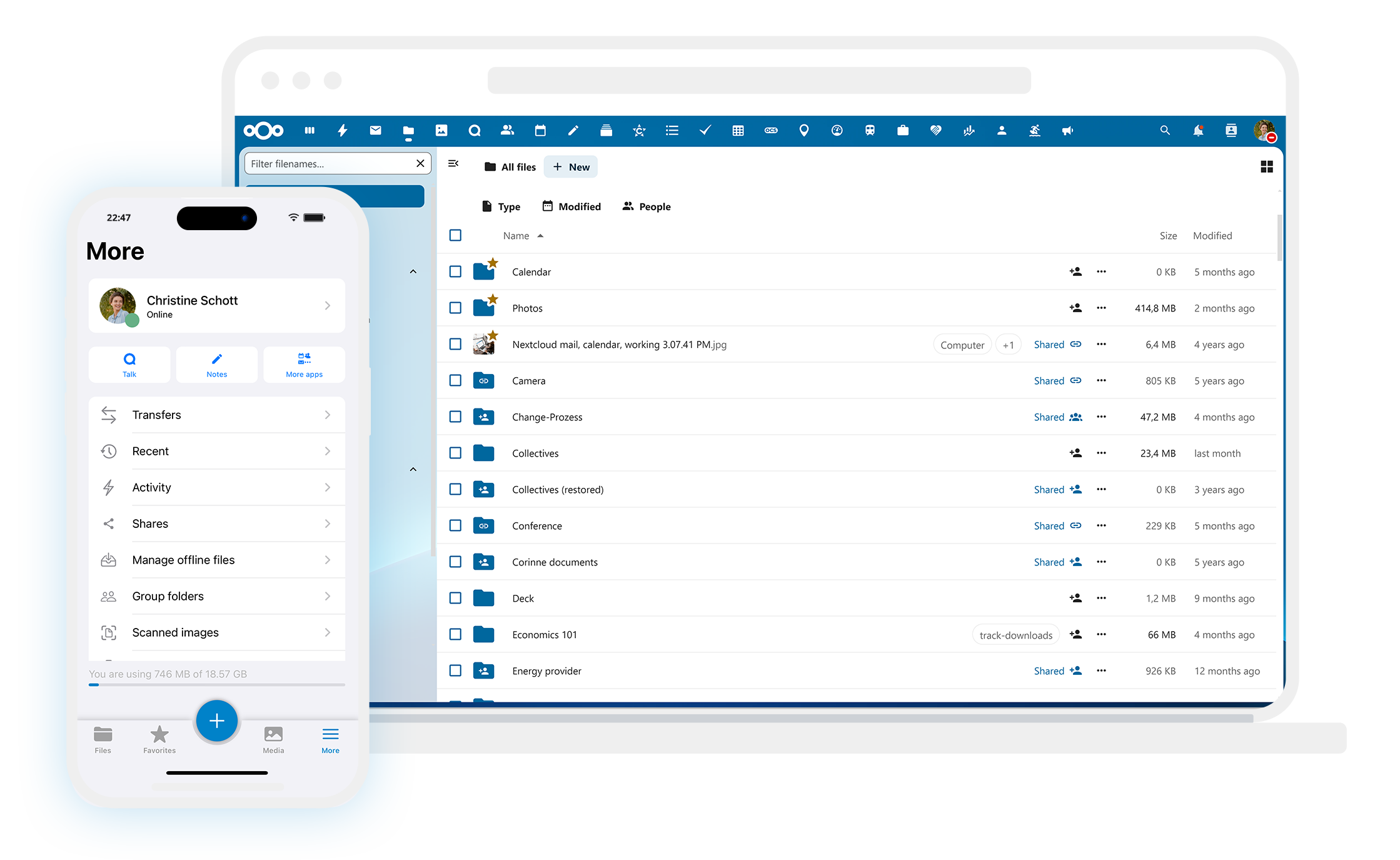
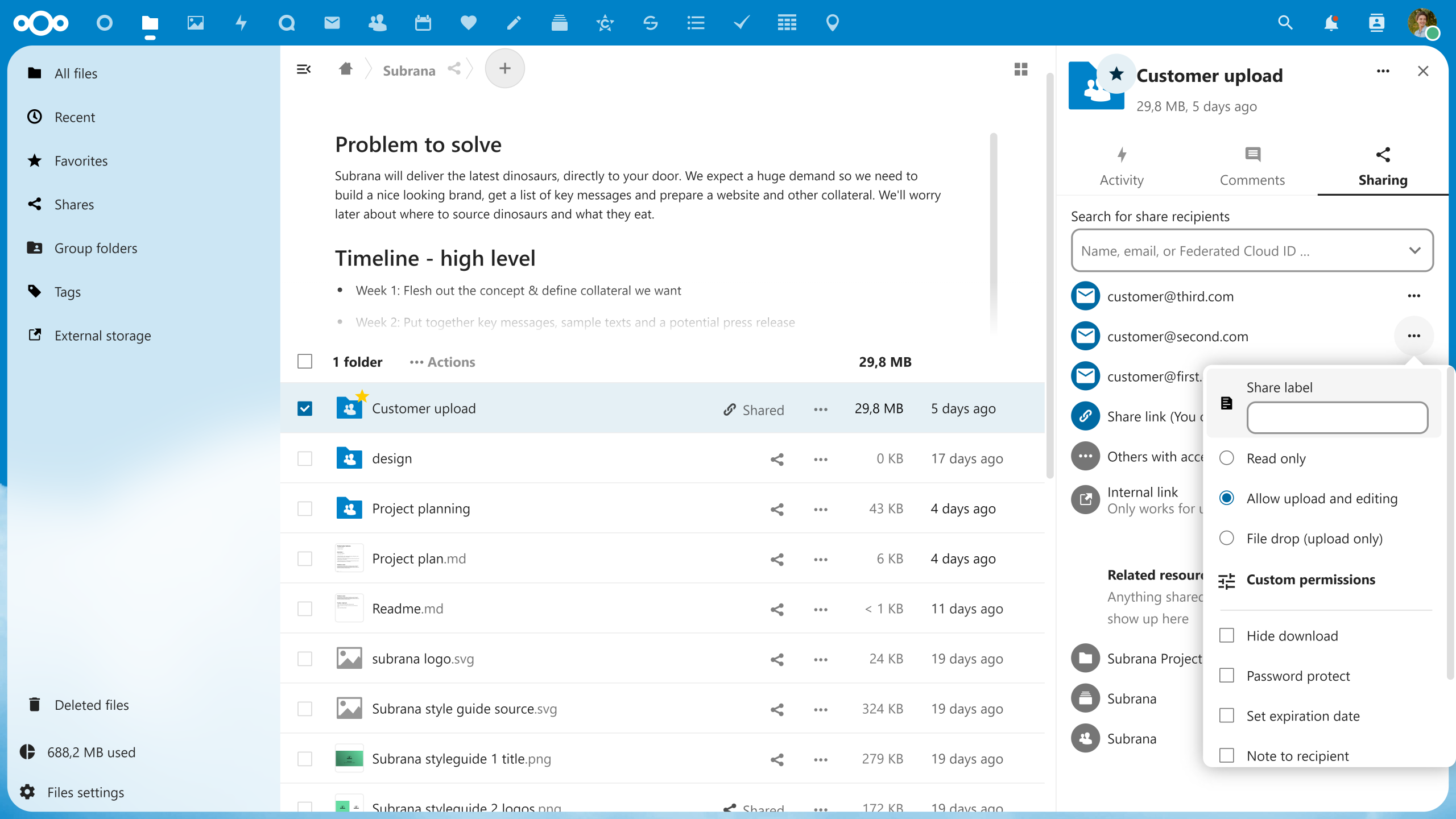
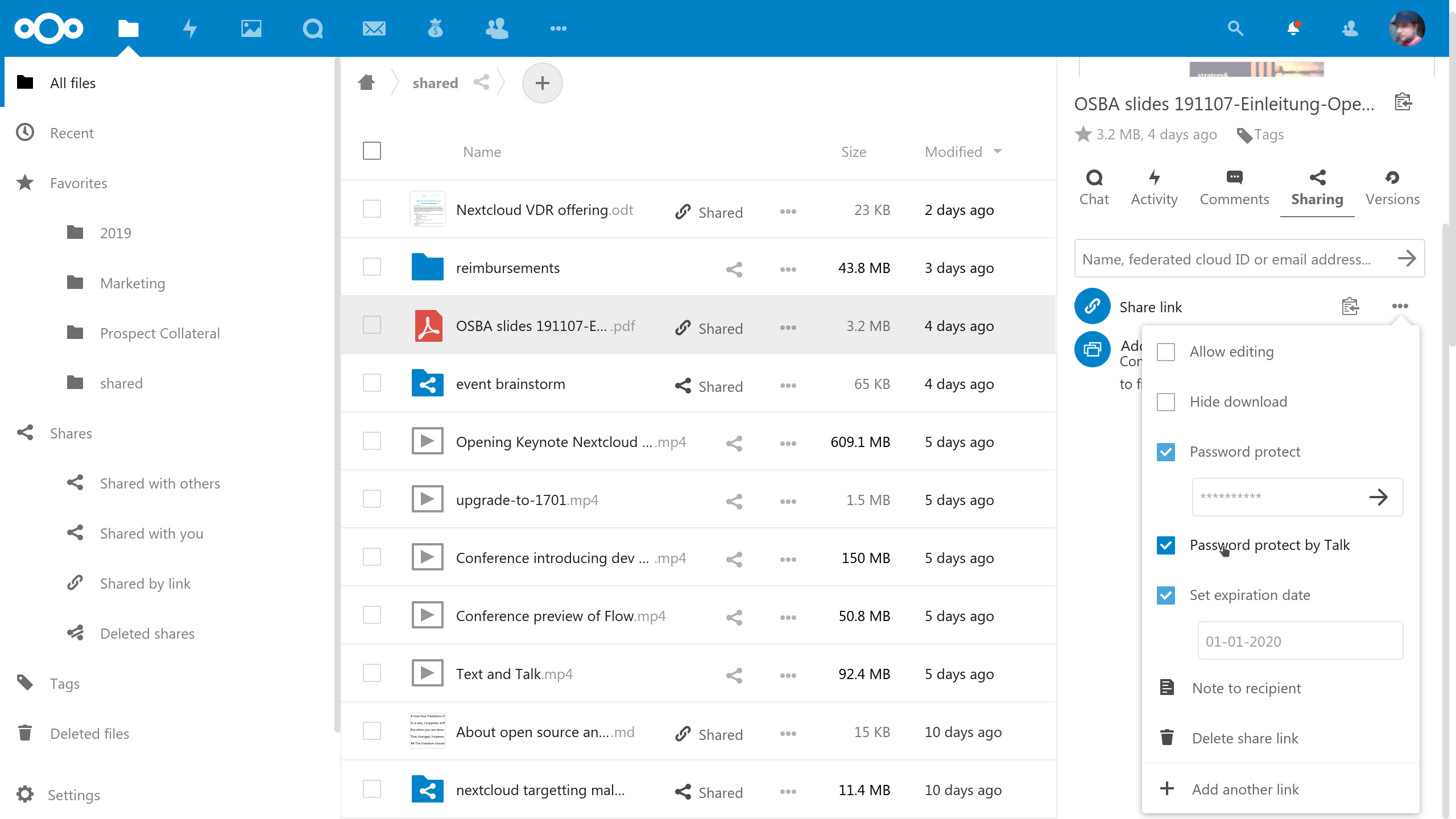
👉 In terms of file sharing, Nextcloud provides a rich and flexible set of mechanisms: internal sharing can be configured by user, group, or team with granular control over who can view, edit, or download. External sharing generates public links to send to clients or partners, with options to set password protection, expiration dates, and download limits.
👉 For scenarios requiring receiving external files, the secure File Drop feature allows you to create an upload portal where external parties can submit files, but they cannot see any other contents in the folder. Additionally, the file commenting feature lets team members leave comments directly on files, reducing the hassle of sending emails back and forth.
👉 Version control is an indispensable capability for enterprise-grade file management. Nextcloud retains a complete version history, allowing instant rollback from accidental edits or deletions. The file locking feature prevents conflicts from simultaneous multi-user editing, the trash bin mechanism ensures deleted files can be recovered, and data retention policies allow enterprises to automatically clean up or forcefully retain specific files according to rules.
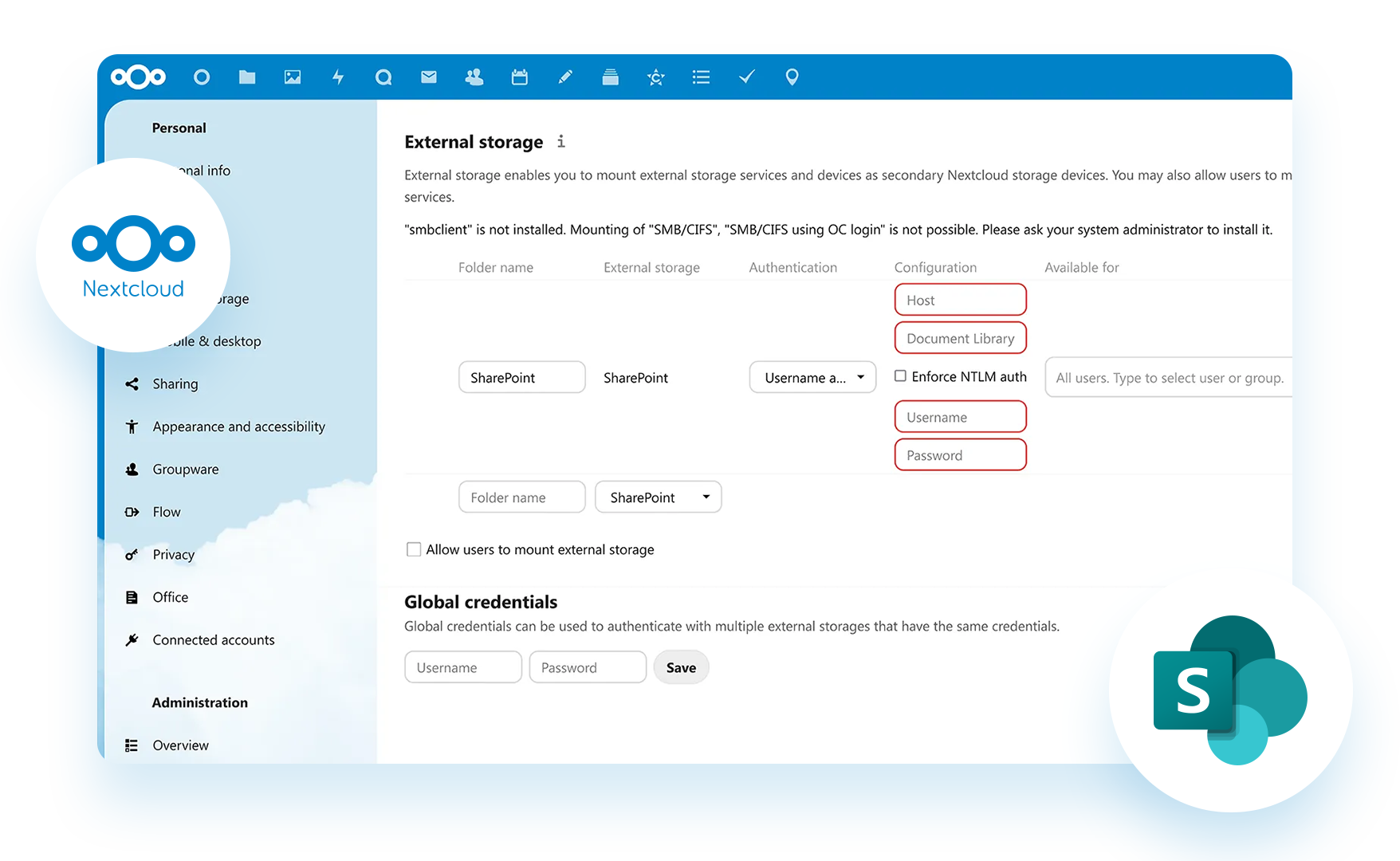
👉 It’s worth mentioning that Nextcloud can integrate with an enterprise’s existing storage infrastructure. Whether it’s Windows network drives, SharePoint, FTP servers, NFS, or Amazon S3 and other object storage services, Nextcloud can mount them directly as a unified access layer without the need to migrate data.
This way, employees only need a single entry point to access files that were previously scattered across different locations.
02. Document Collaboration: Real-Time Multi-User Editing, Say Goodbye to Version Chaos
Nextcloud Office is the platform’s built-in online office suite, based on LibreOffice technology, enabling teams to edit documents directly in the browser.
👉 Format compatibility is the baseline for online office work. Nextcloud supports not only mainstream document formats, including Microsoft Office formats such as .docx, .xlsx, and .pptx, as well as open formats like .odt and .ods, but also PDF preview and annotation.
This means that when you receive a Word or Excel file from a client, you can open and edit it directly in the browser without worrying about formatting issues.
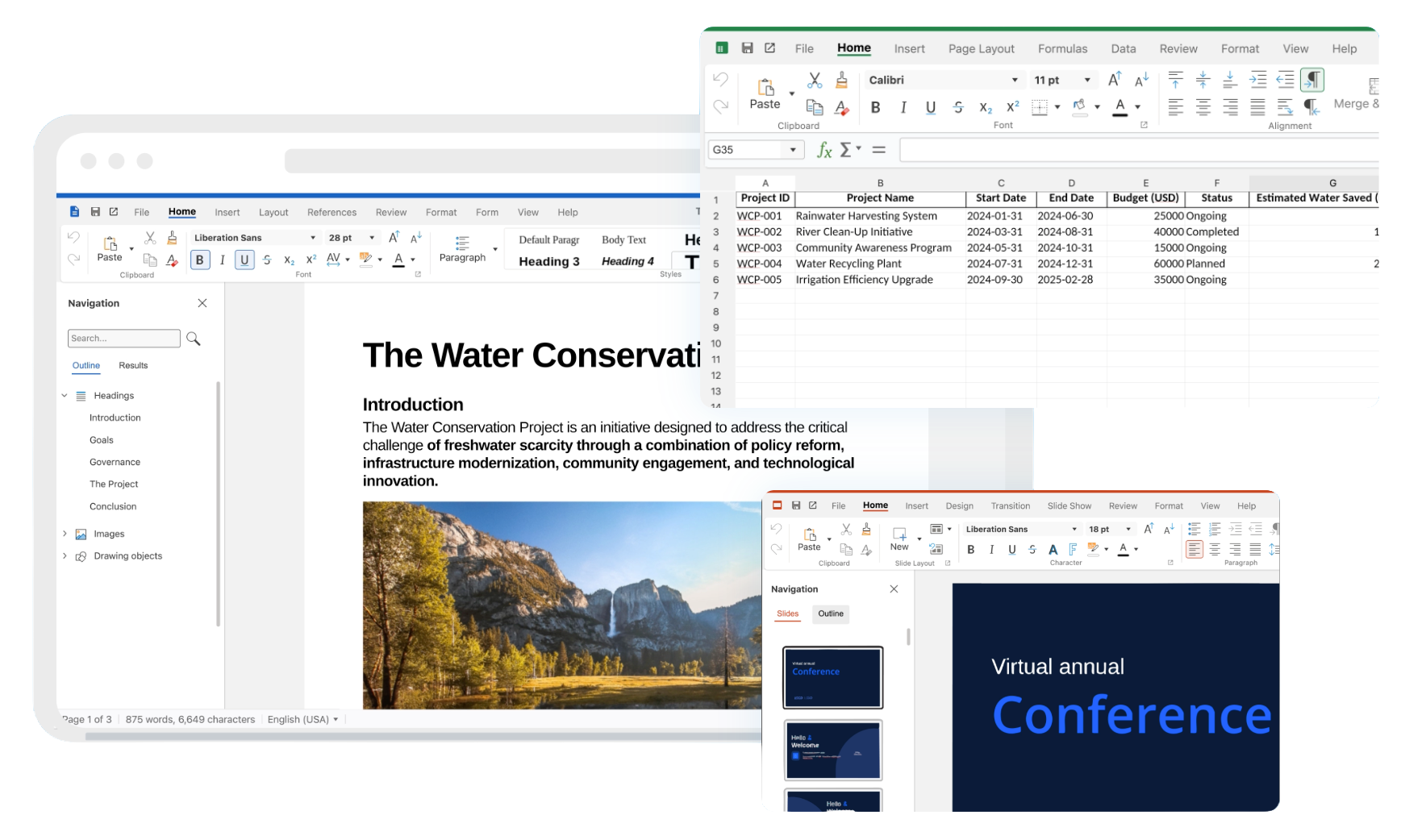
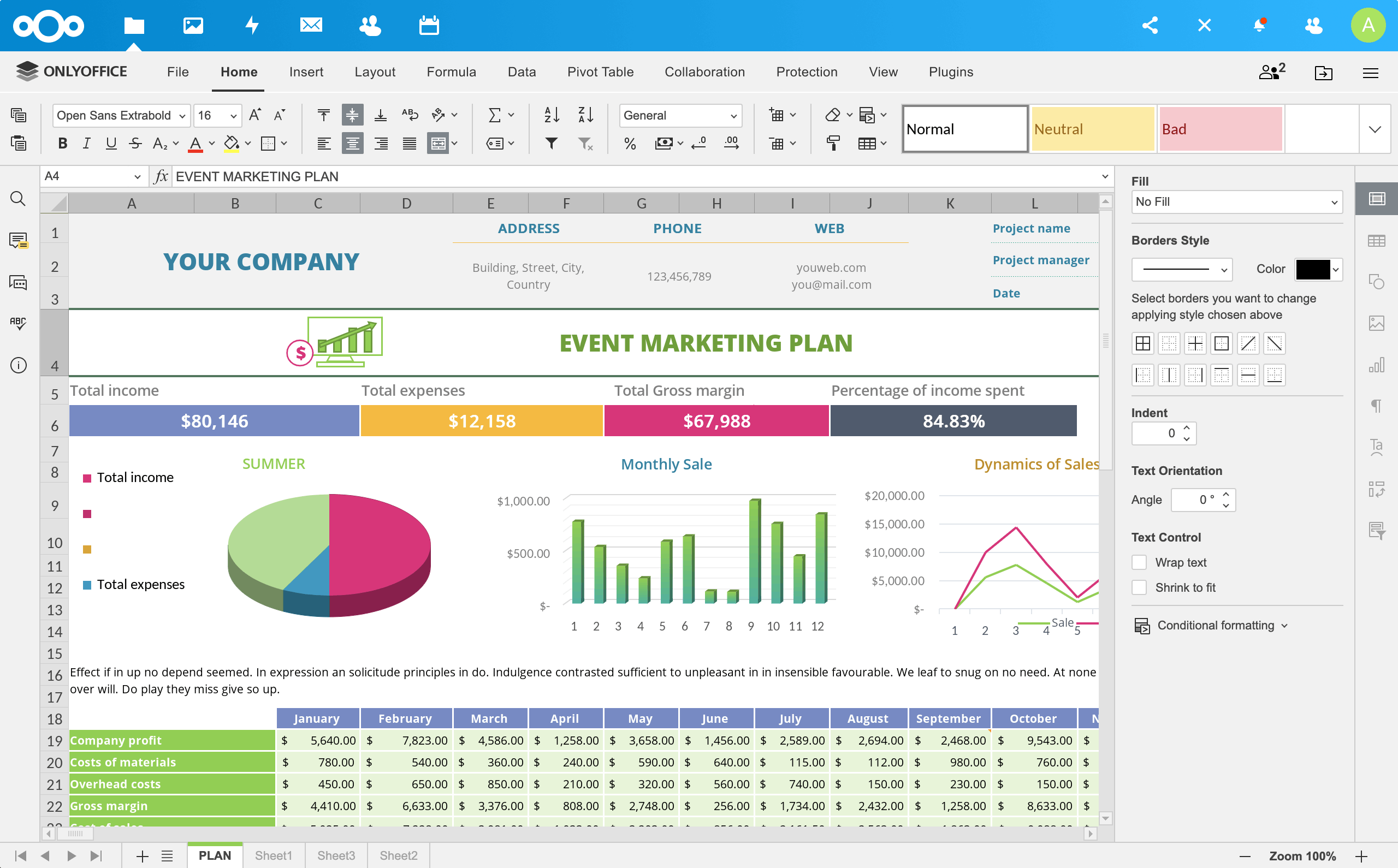
👉 What truly boosts efficiency is the real-time collaboration capability. In Nextcloud Office, multiple people can simultaneously edit the same document, with each person’s cursor position displayed in real time and distinguished by different colors. The built-in commenting and annotation features allow discussions to happen directly within the document, eliminating the need to switch to other tools.
This way, you’ll never have to send “Final_Version_v3_revised_again.docx” back and forth via email or instant messaging apps again.
👉 Even more thoughtfully, Nextcloud also offers flexibility in choosing office suites. In addition to the default Collabora Online (based on LibreOffice, open-source and free), enterprises can opt for ONLYOFFICE (with an interface closer to the Microsoft Office style and excellent compatibility), or even connect to an enterprise’s self-hosted Microsoft Office Online Server.
👉 Additionally, the built-in document templates cover common scenarios such as meeting minutes, invoices, and presentations, and also support uploading custom enterprise templates to maintain brand consistency.
03. Audio & Video Communication: Private, Secure, and Fully Featured
As a fully self-hosted communication solution, Nextcloud Talk stores all audio/video data and chat logs on the enterprise’s own servers, without going through any third party.
👉 For audio and video calls, Nextcloud Talk supports H.264/H.265 encoded HD video, covering one-on-one calls, group calls, and large meetings. Call content supports end-to-end encryption to ensure absolute privacy. The screen sharing feature makes it easy to present documents, products, or code.
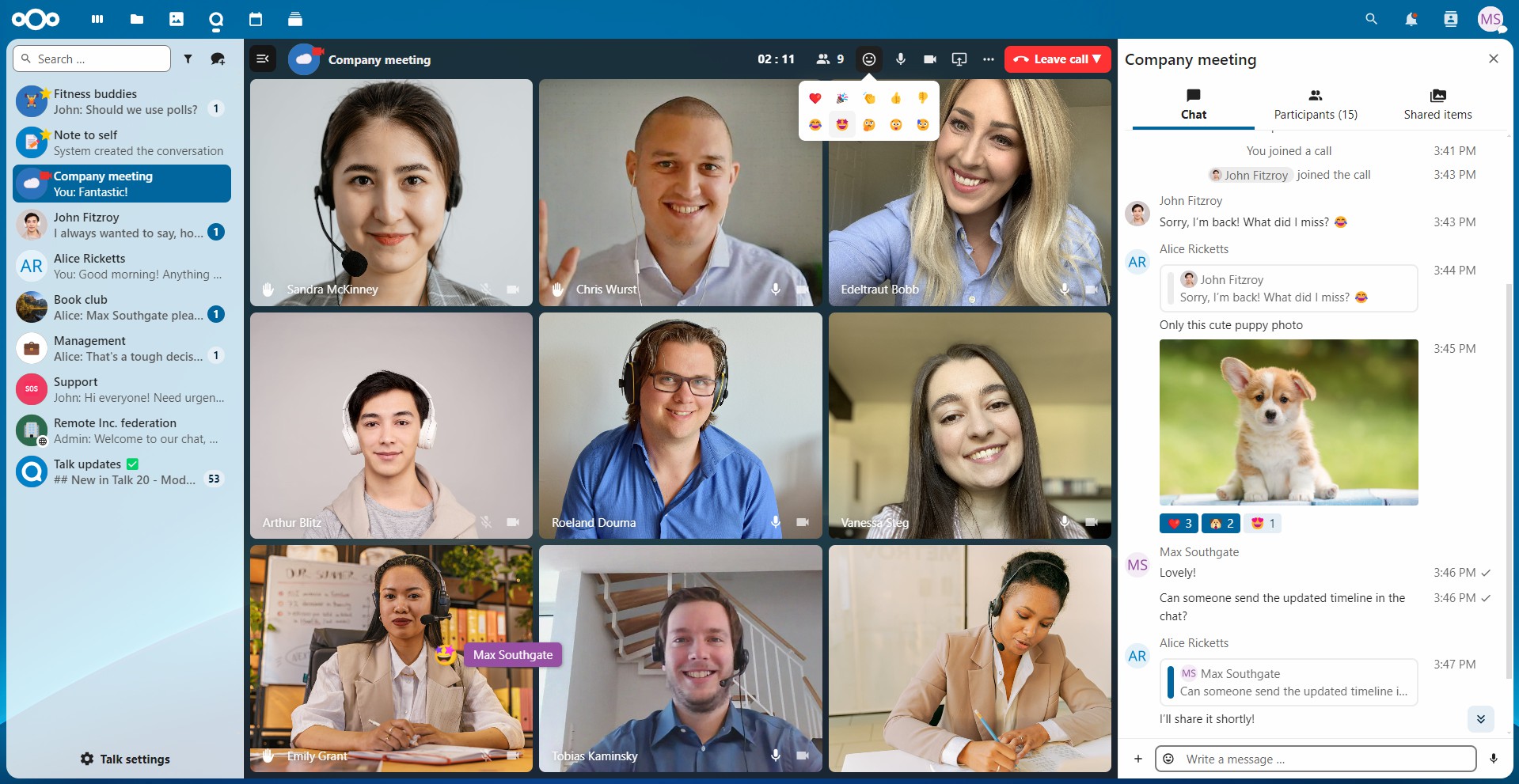
👉 In terms of meeting experience, Nextcloud Talk provides enterprise-grade feature support:
- Meeting recording allows recording of meeting content for non-attendees to review later, with all participants being notified and their consent obtained before recording begins.
- Lobby/waiting room lets participants enter a waiting area first, with the host controlling when the meeting officially starts.
- Breakout rooms are suitable for splitting large meetings into small group discussions before returning to the main meeting.
- Raise hand lets participants express their desire to speak in an orderly manner.
- Emoji reactions allow quick expression of attitudes without interrupting the speaker.
- At the end of the meeting, each person’s speaking duration is displayed for meeting management purposes.
👉 As an instant messaging tool, Nextcloud Talk is equally full-featured. It supports not only private chats, group chats, and public channels, but also text messages, voice messages, files, and location sharing. Features such as read receipts, @mentions, Markdown formatting, and message editing (within 6 hours of sending) are all available.
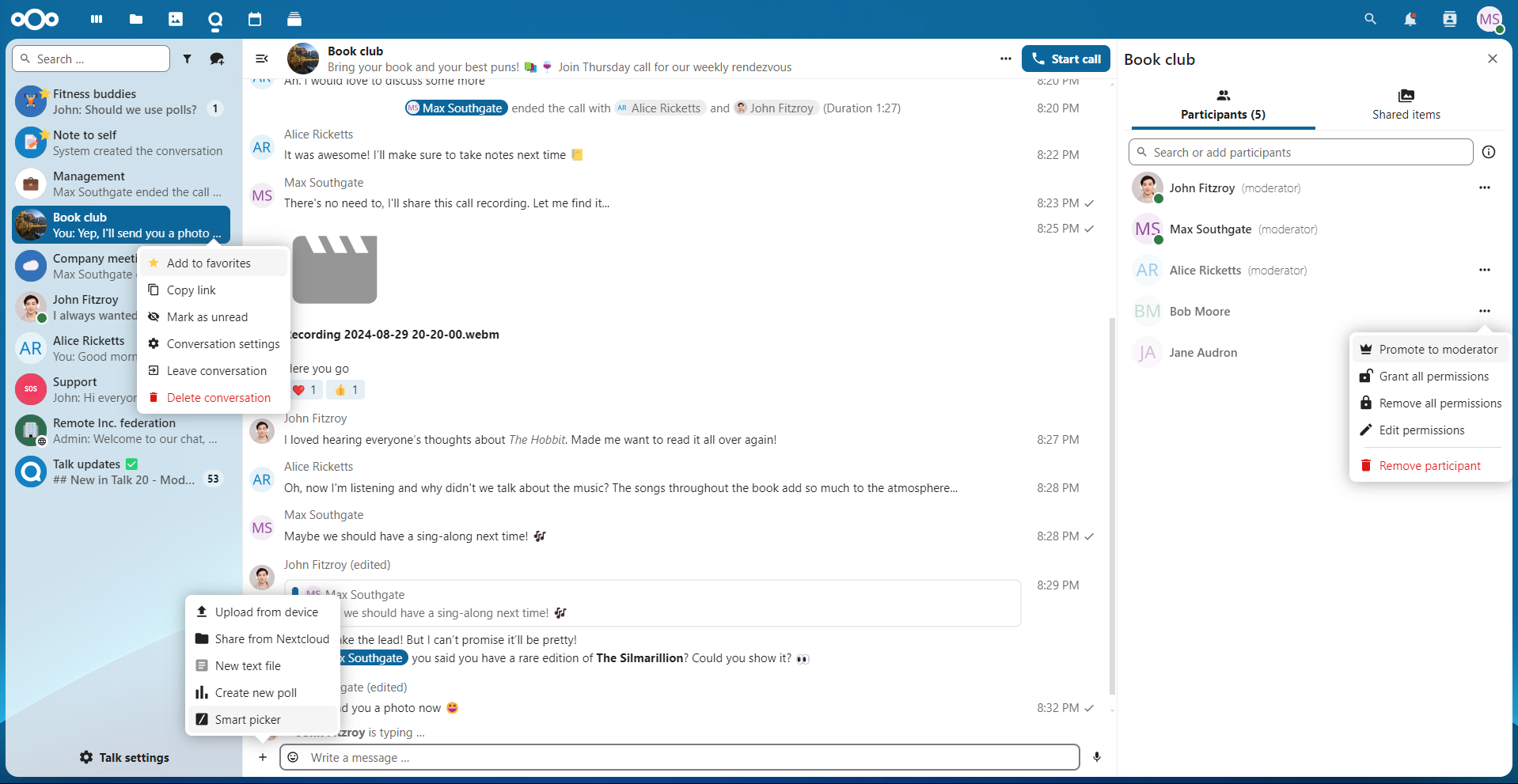
👉 For large organizations, Nextcloud also provides a high-performance backend supporting hundreds or even thousands of simultaneous meeting or webinar participants. Furthermore, SIP gateway integration allows users to dial into meetings via traditional phone lines, and cross-platform bridging enables interoperability with Microsoft Teams, Slack, IRC, Matrix, and more.
👉 Another highlight of Nextcloud Talk is its deep integration with other Nextcloud functional modules:
- When sharing files in chat, recipients can directly preview or edit them online.
- When creating a calendar event, a matching meeting room link can be generated with one click.
- When sharing sensitive files, “video verification” can be enabled—recipients must confirm their identity via a video call before gaining access.
04. Scheduling & Collaboration: Email, Calendar, and Tasks All Connected
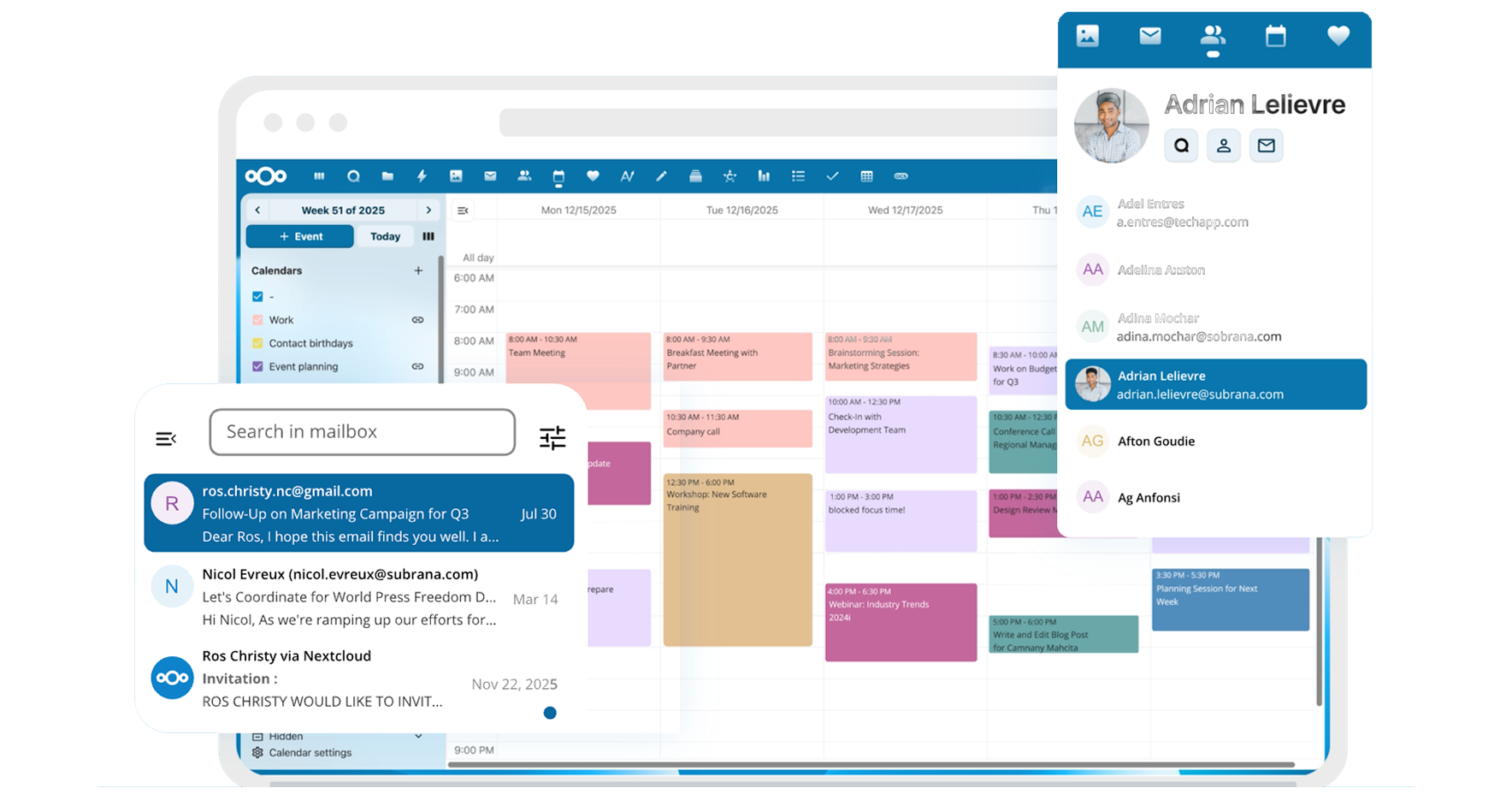
Nextcloud Groupware brings together the tools needed for daily office work, with each component interconnected rather than operating in isolation.
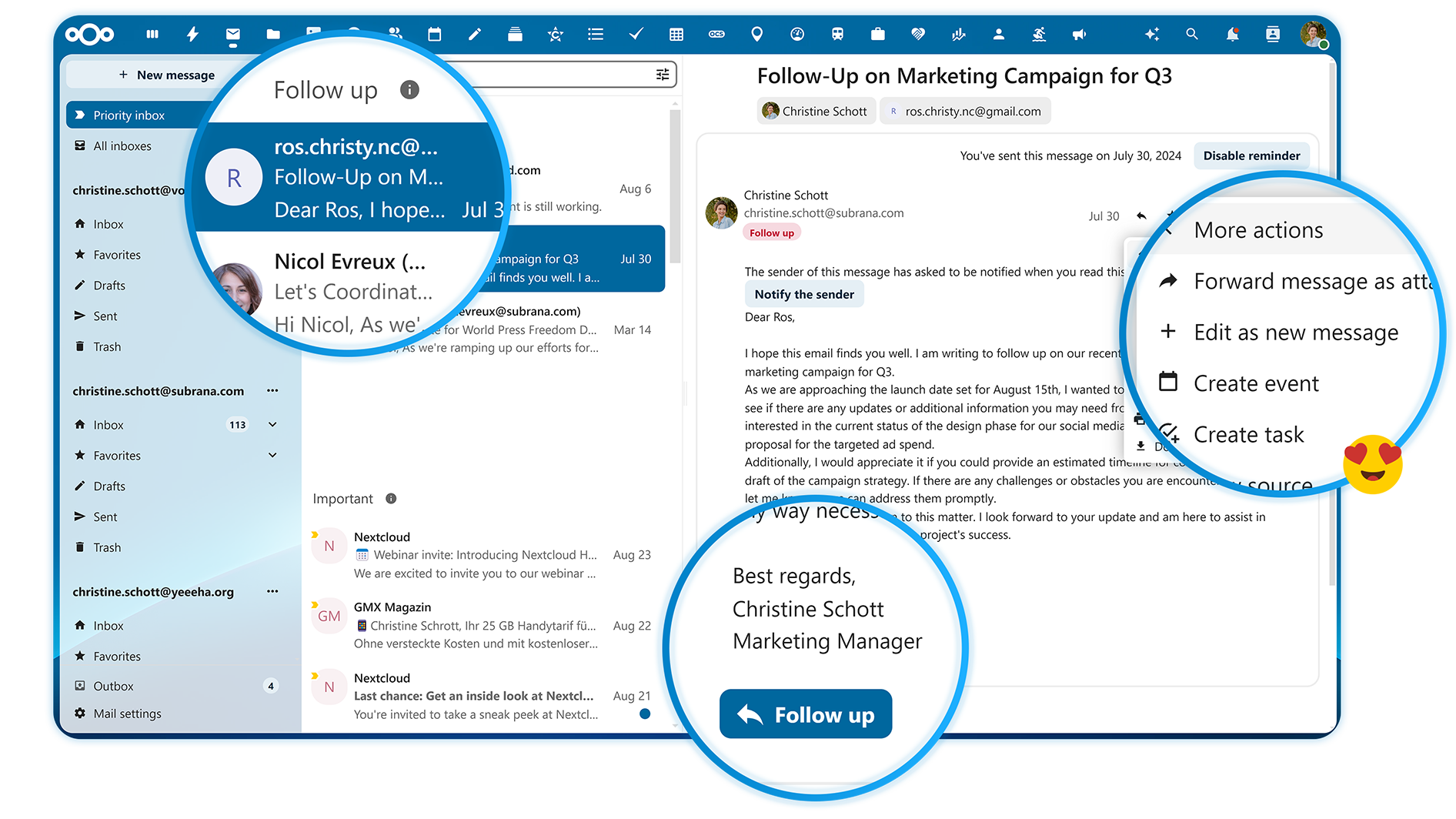
👉 As a modern email client, Nextcloud Mail supports connecting to an enterprise’s existing IMAP/SMTP email servers without needing to change email addresses. It supports unified management of multiple email accounts, and the shared mailbox feature allows teams to share a single mailbox (such as hr@company.com) for collaborative handling.
In terms of security, S/MIME digital signatures and encryption can verify sender identity and protect email content, and GPG end-to-end encryption is also supported via the Mailvelope extension. Features like smart classification, drag-and-drop archiving, and email thread views make email management more efficient, while maintaining compatibility with Outlook and Gmail.
👉 Nextcloud Calendar helps teams schedule time efficiently. Beyond basic personal calendars, team calendars, and shared calendars, it also provides practical meeting scheduling features: view members’ availability, initiate polls to choose the best meeting time, and automatically generate Talk meeting links when creating events.
Additionally, support for the CalDAV protocol means it can sync with Outlook, Apple Calendar, Google Calendar, and more. The out-of-office status feature can automatically notify colleagues and designate a delegate.
👉 Nextcloud Deck provides kanban-style task management with a card-based interface similar to Trello. Task cards can be assigned to members, given due dates, tagged, linked to files, equipped with checklists, and annotated with comments. Integration with the calendar means task due dates automatically appear in the schedule, so nothing gets overlooked.
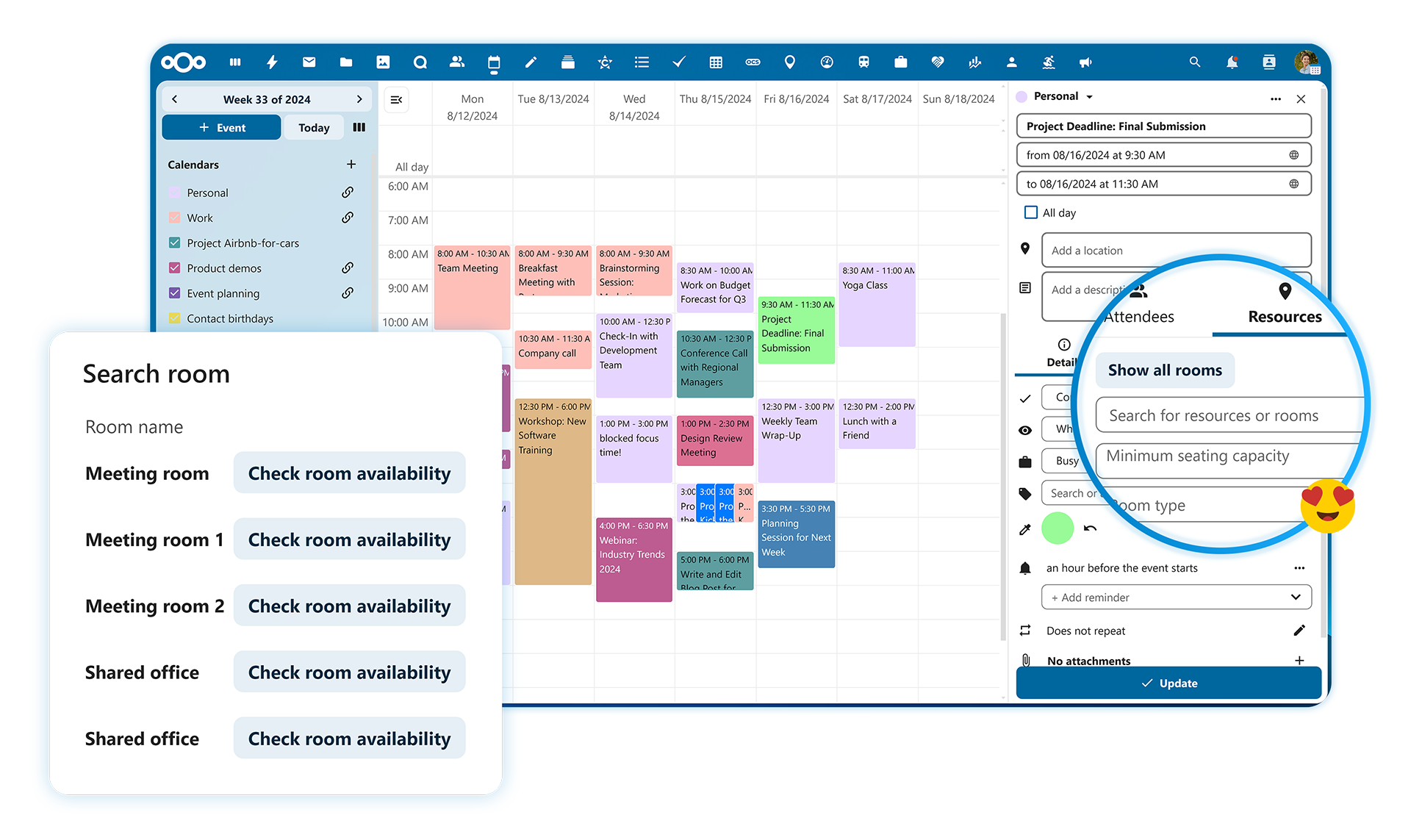
These tools share a unified user system and permission management, with data interoperability. For example, you can directly convert a chat message into a task card, or attach related files to a calendar event. The seamless experience delivered by this integration is something that piecing together multiple standalone tools simply cannot match.
05. AI Assistant: Intelligent Office Work, with Data Staying In-House
As the industry’s first localized AI assistant built into a collaboration platform, the unique aspect of Nextcloud Assistant lies in its perfect combination of AI capabilities with data privacy.
👉 Unlike most AI services, Nextcloud Assistant can run entirely on the enterprise’s own servers. It supports local deployment of multiple large language models (LLMs), with data never leaving the enterprise environment. Documents, emails, and chat logs are not used to train AI models.
Of course, enterprises can also choose to connect to external AI services (such as OpenAI), with the specific approach decided by the enterprise itself. This means enterprises can enjoy the efficiency gains brought by AI without worrying about sensitive data being leaked to third parties.
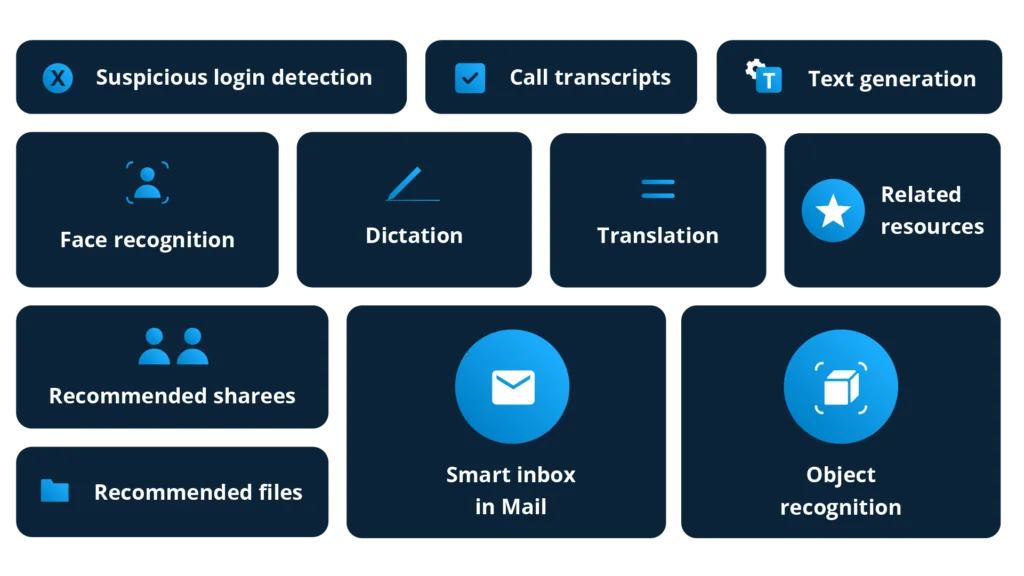
👉 In terms of specific capabilities, Nextcloud Assistant covers common needs in office scenarios:
- Text generation and rewriting helps draft emails, generate reports, polish copy, and expand or condense content.
- Content summarization can generate one-click summaries of long documents, email threads, and meeting notes.
- Translation supports multi-language translation.
- Speech-to-text allows uploading audio files or live recording, with automatic transcription.
- Image generation can create illustrations based on text descriptions.
- Most notably, the smart Q&A feature (Context Chat) can answer questions based on the enterprise’s own document library, with the AI able to understand your contracts, reports, manuals, and more.
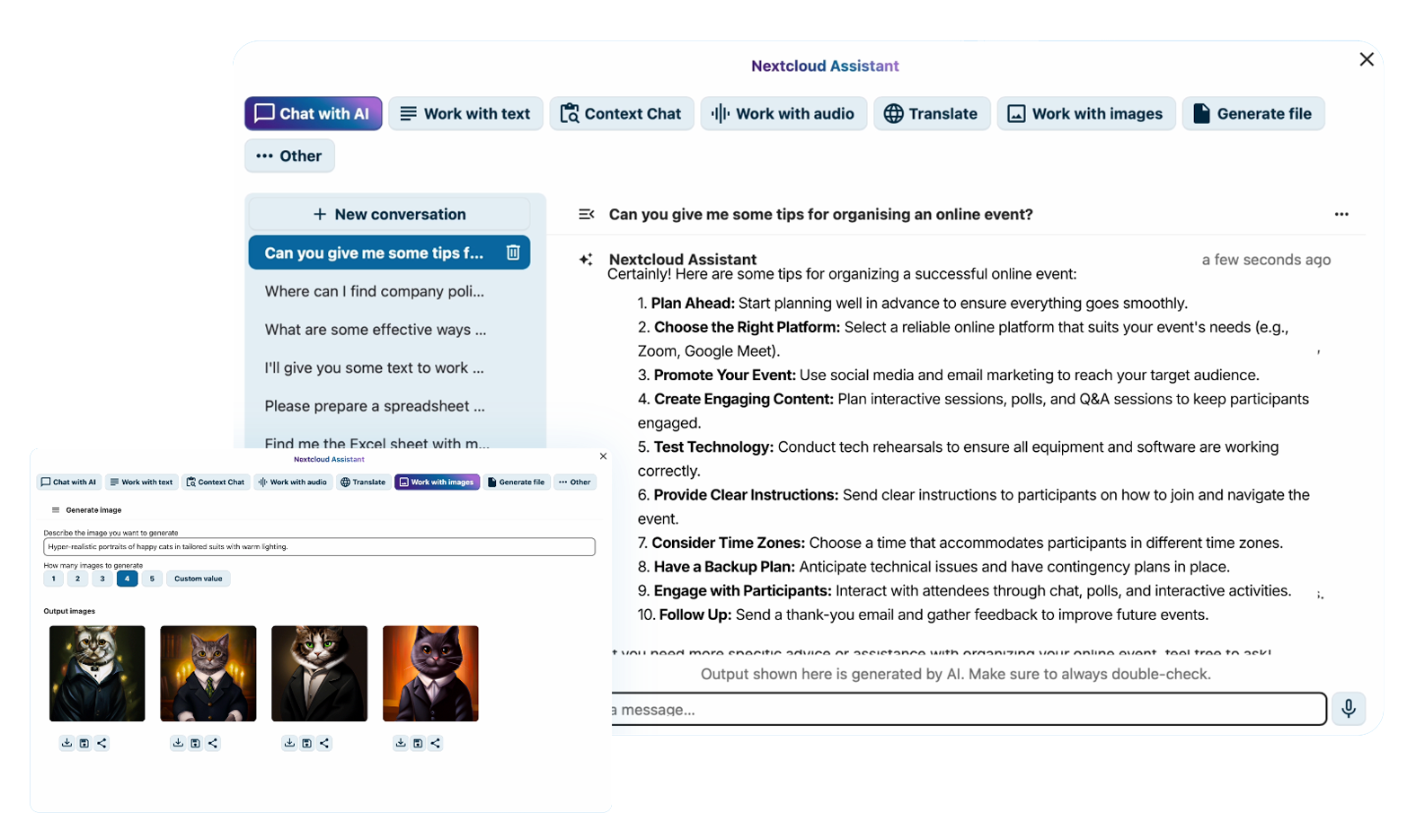
👉 Even better, Nextcloud Assistant isn’t a standalone application—it’s woven into every corner of the platform:
- In email, you can generate reply suggestions with one click.
- While editing documents, you can invoke AI to polish or rewrite selected paragraphs.
- In Talk chats, it can automatically summarize unread messages or generate meeting minutes.
- In any input field, typing “/” lets you quickly access various AI features through Smart Picker.
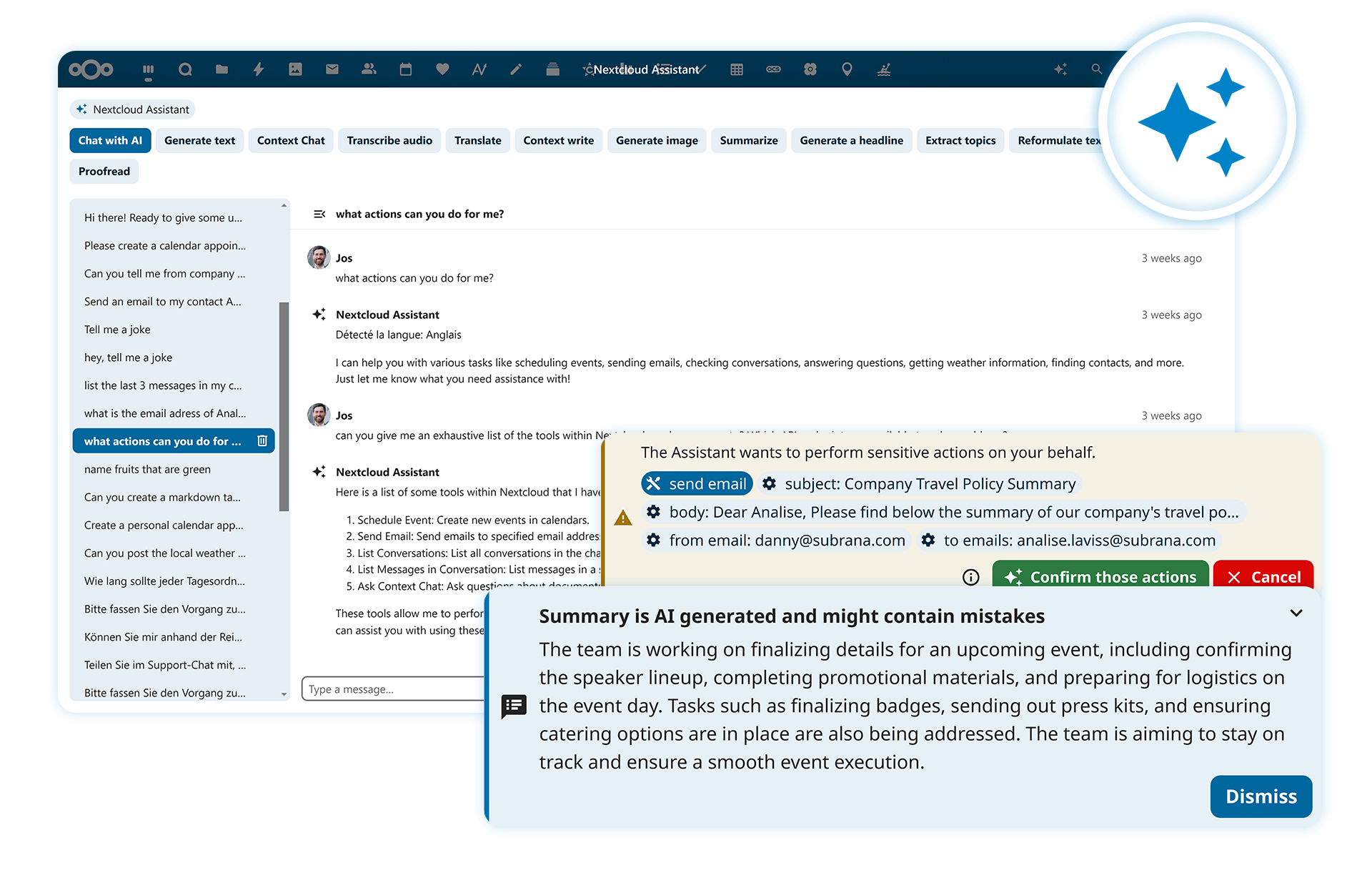
👉 Additionally, the latest Nextcloud version introduces AI Agent capabilities, allowing AI to execute tasks on behalf of users, such as sending emails and chat messages, creating files and folders, scheduling calendar events, and more—achieving workflow automation while maintaining data privacy.
06. Automation & Security: Let Rules Do the Gatekeeping for You
Nextcloud Flow is designed to provide intuitive automation tools that help enterprises reduce repetitive operations and strengthen data governance.
👉 For workflow automation, enterprises can set up various trigger conditions and automated actions. For example, files uploaded to a specific folder are automatically tagged, certain file types are automatically moved to designated locations, files with specific tags have their sharing scope automatically restricted, and contract file uploads automatically trigger an approval workflow.
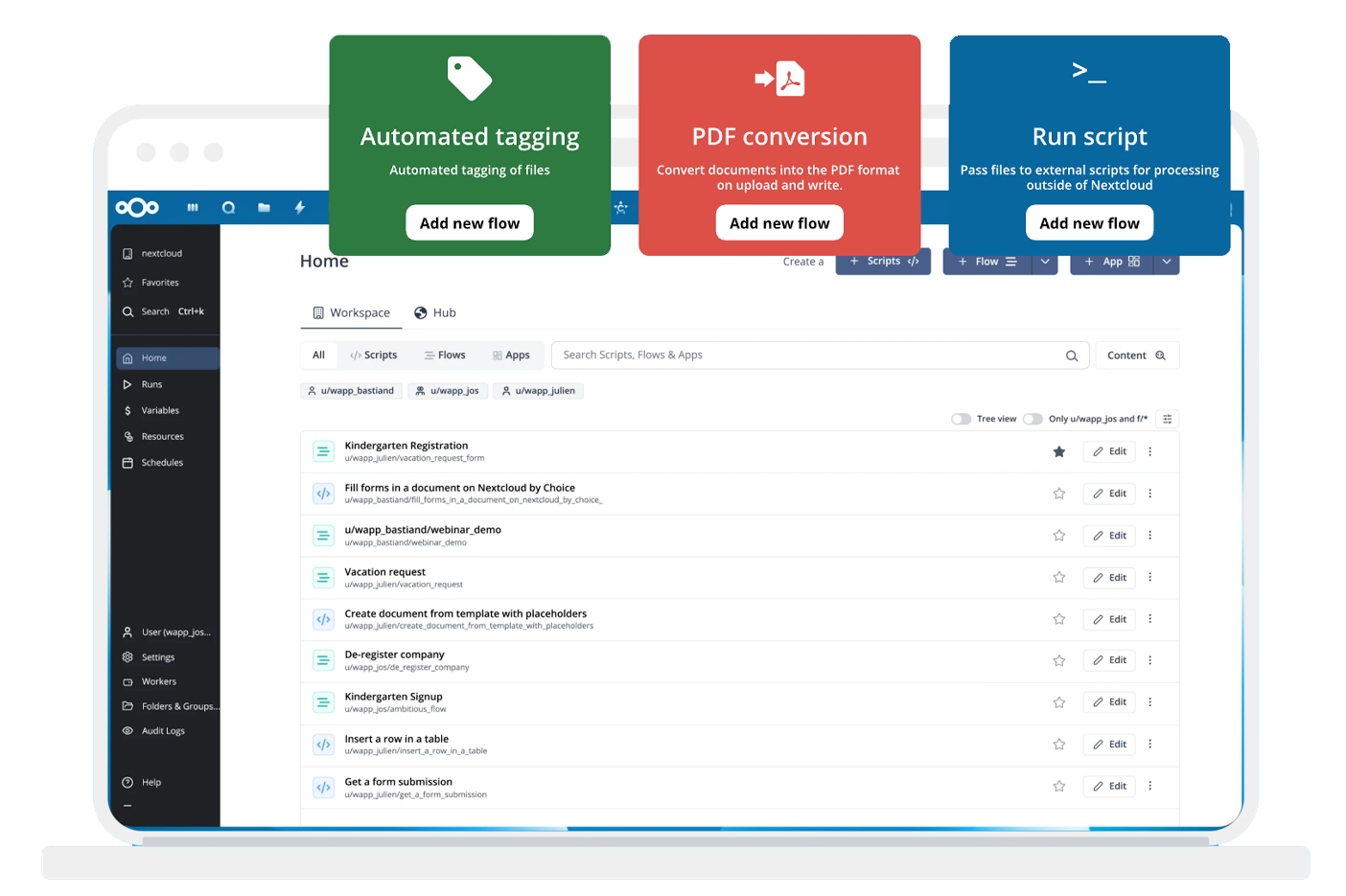
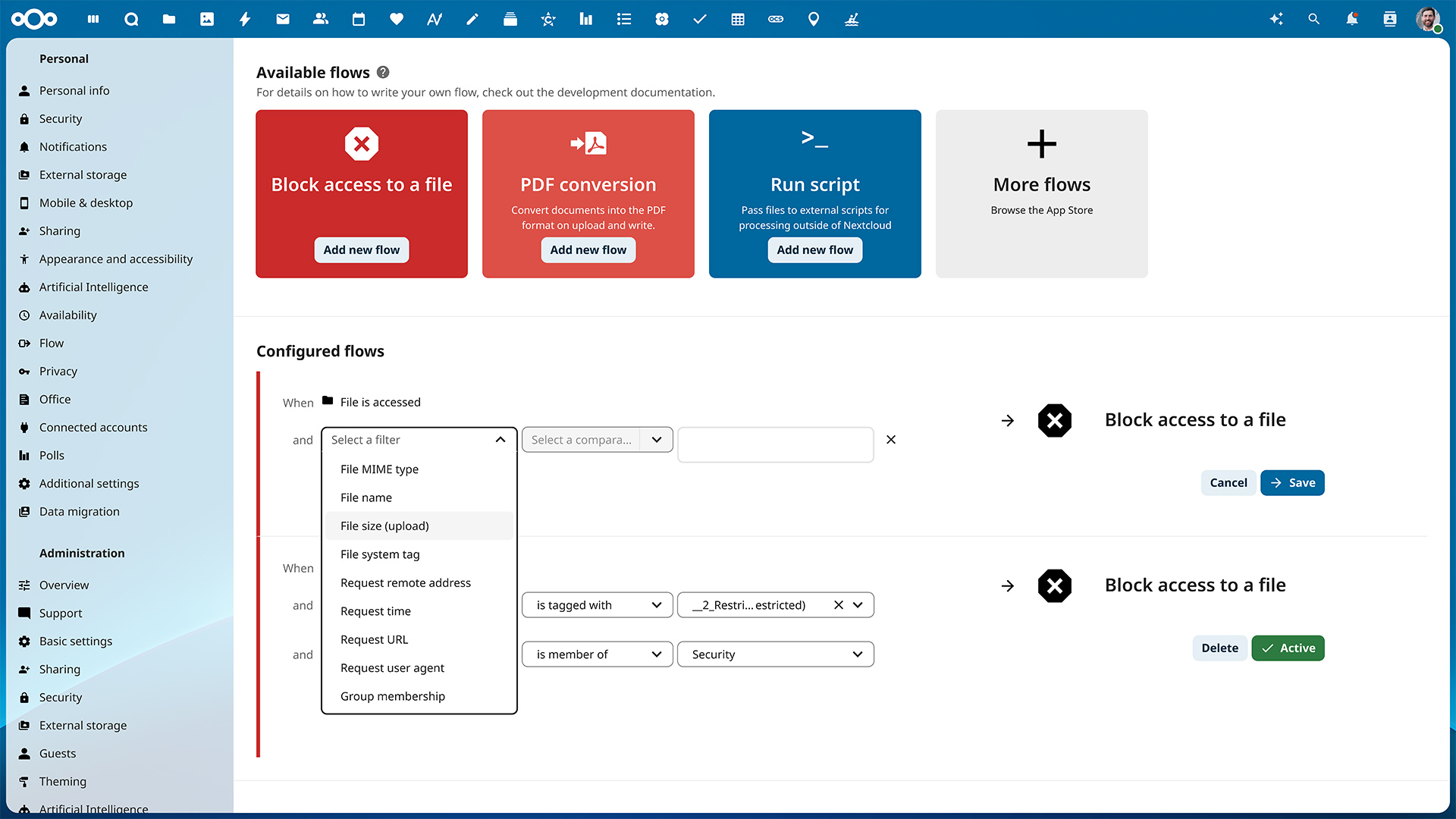
👉 The File Access Control (File Firewall) feature allows rule-based file access restrictions, with conditions including user attributes (department, position, geographic location) and file attributes (file type, tags, size).
For example, financial files can be restricted to the finance department only, and files marked as “Confidential” can be prohibited from external sharing. The data retention policy feature can automatically clean up expired files or forcefully retain specific data for a certain number of years based on compliance requirements or internal regulations.
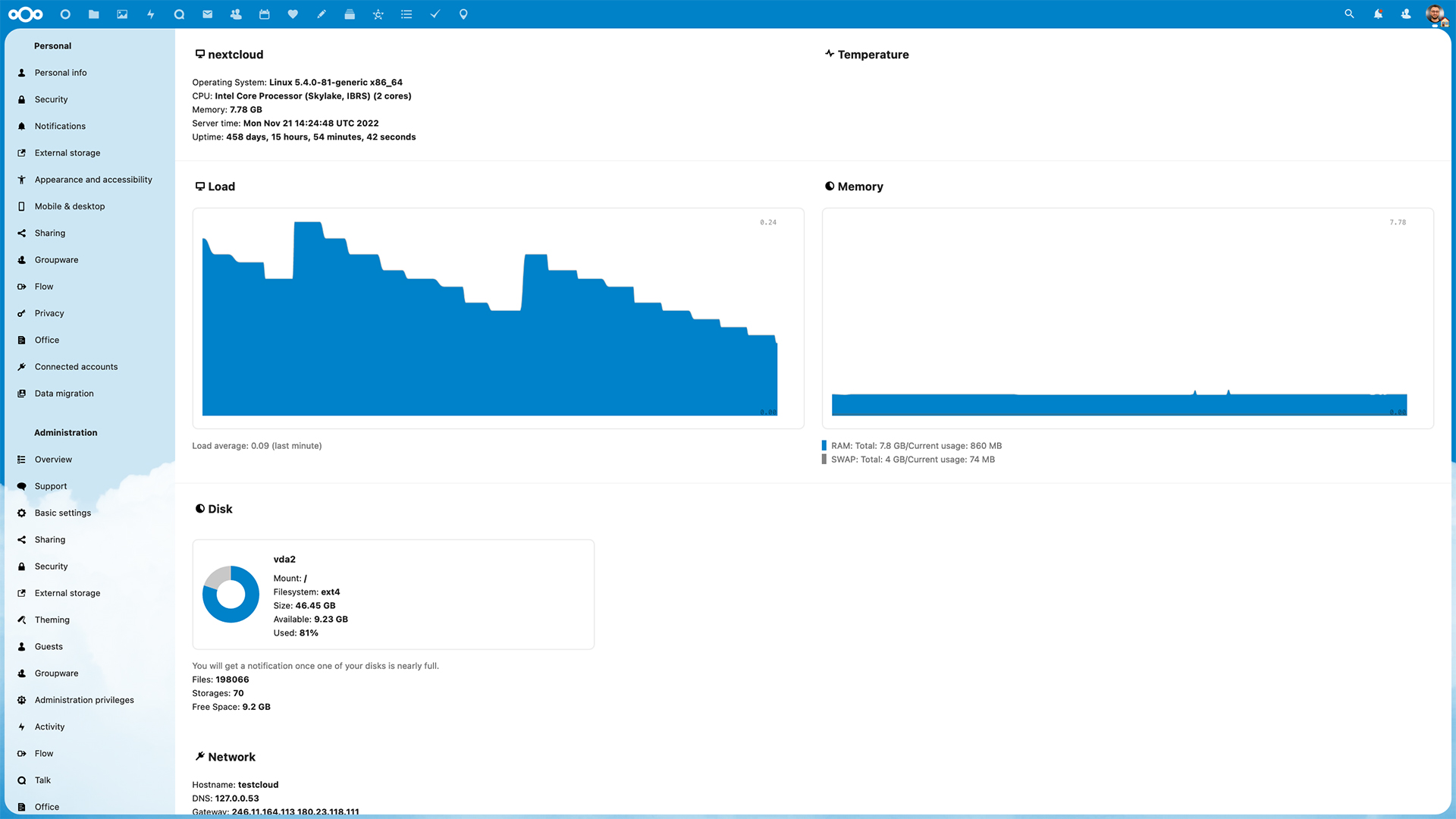
👉 In terms of security architecture, Nextcloud employs a multi-layered encryption design. All data transfers are encrypted via HTTPS/TLS, and files stored on the server undergo server-side encryption—even if the hard drive is stolen, the data cannot be read. For particularly sensitive folders, end-to-end encryption can be enabled—even server administrators cannot decrypt the content.
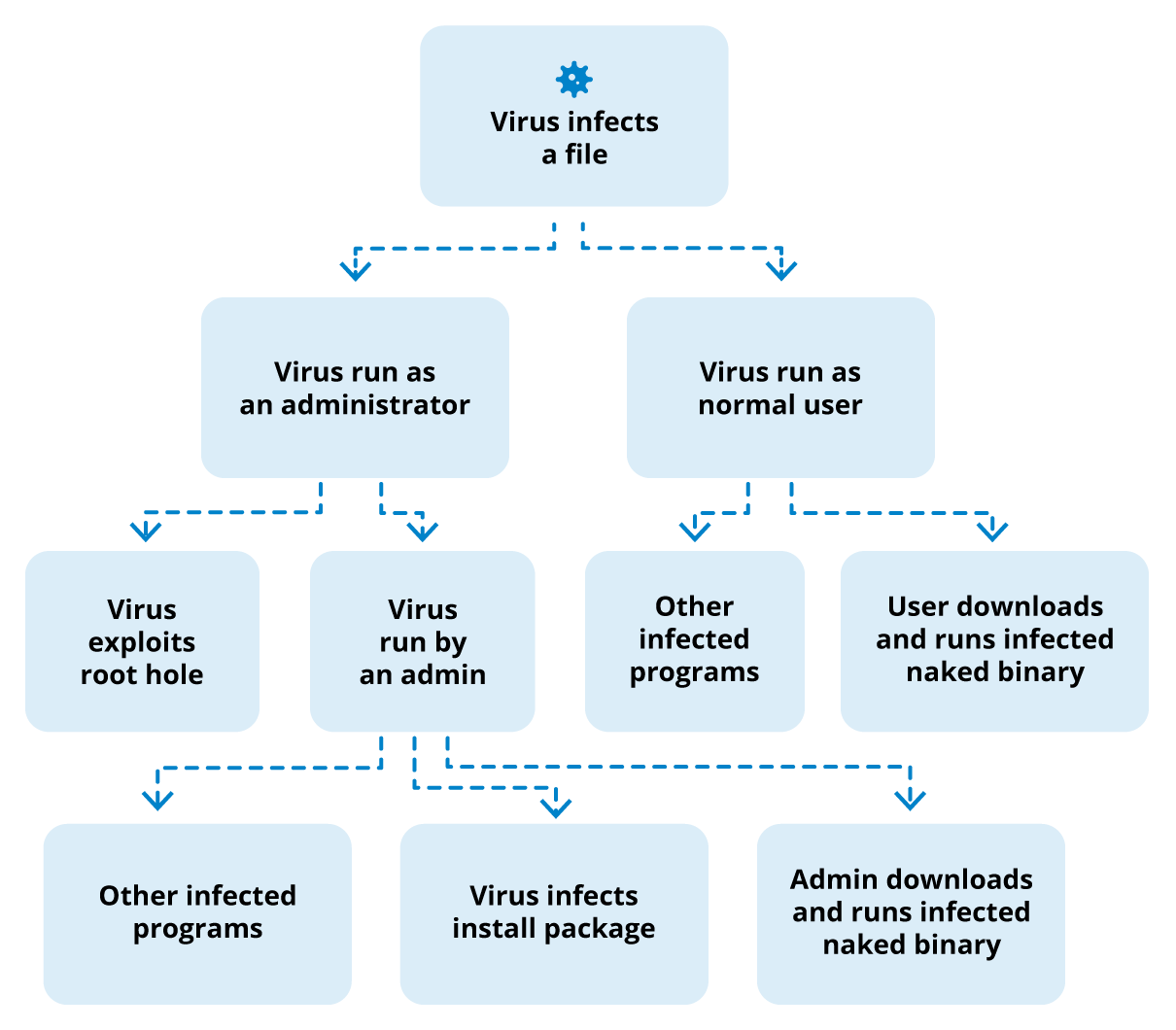
👉 Regarding identity authentication and access control, Nextcloud supports integration with existing enterprise user directories (LDAP/Active Directory), SAML 2.0/Shibboleth single sign-on, and Kerberos authentication. Two-factor authentication supports TOTP dynamic tokens, WebAuthn, hardware security keys, and other methods. Brute force protection automatically blocks suspicious login attempts, and machine learning-based anomalous login detection identifies suspicious behavior.
👉 In terms of compliance and auditing, Nextcloud provides comprehensive operation audit logs that record who accessed or modified what file and when. The platform complies with GDPR (EU General Data Protection Regulation) requirements, can also meet industry compliance needs such as HIPAA, and features ransomware protection and file recovery mechanisms.
It’s worth noting that Nextcloud is the first cloud software platform to receive the German “Blue Angel” eco-label certification and has also won the German World Summit Award, both of which attest to its leading position in security, compliance, and sustainability.
07. Deployment & Scalability: Flexibly Adapted to Any Scale
👉 In terms of deployment methods, Nextcloud offers ample flexibility. Enterprises can choose to deploy on local physical servers, private clouds, or hybrid cloud environments, or host on any major IaaS platform, including AWS, Microsoft Azure, Alibaba Cloud, Tencent Cloud, and more.
👉 For large organizations, Nextcloud’s Global Scale technology allows multiple instances to work in concert, supporting scaling to millions of users. Enterprises can deploy nodes in different regions to meet data localization requirements while maintaining a consistent user experience.
👉 In terms of extensibility, the Nextcloud official App Store offers hundreds of extension apps covering various scenarios such as project management (Deck), knowledge bases (Collectives), online forms (Forms), data visualization (Analytics), and more. Open APIs also support custom development by enterprises to integrate with existing business systems.
Customer Cases: Who Uses Nextcloud?
With its core advantages of being 100% open-source, fully self-hosted, and providing autonomous data sovereignty control, Nextcloud has been deployed over 400,000 times worldwide and is especially favored by institutions with strict requirements for data security and compliance.
✅ In the government services sector, the German Federal Government is one of the most representative users, with a large number of civil servants using Nextcloud for daily office collaboration; the French National Gendarmerie has also chosen it as their internal collaboration platform.
✅ In the enterprise application domain, Deutsche Telekom’s MagentaCLOUD is built on Nextcloud, providing cloud storage and online office services to millions of users.
✅ On the frontier technology front, the German state of Schleswig-Holstein announced a partnership with Nextcloud to explore AI applications for government documents.
Additionally, numerous universities, hospitals, and financial institutions worldwide are using Nextcloud, spanning Europe, North America, Asia-Pacific, and other regions. Due to the nature of self-hosted deployment, a large number of users do not publicly disclose their usage, so the actual scope of adoption far exceeds what is shown in public case studies.
FAQ: About Nextcloud Procurement & Deployment
Q1: How much budget is roughly needed to deploy a Nextcloud system?
Costs vary depending on enterprise scale and requirements. They mainly consist of three parts:
- Server resources (existing data center or cloud servers can be used)
- Nextcloud enterprise subscription (tiered pricing based on user count)
- Deployment implementation and operations & maintenance services
Compared to SaaS products that charge monthly on a per-usage basis, self-hosted deployment has higher upfront investment, but the total cost is more controllable in the long run—you control storage space, and data growth doesn’t incur additional fees. For specific deployment plans, feel free to call our free consultation hotline at 400 998 0226 to contact DKM ECO for an assessment.
Q2: What’s the difference between Nextcloud Enterprise Edition and Community Edition?
The core functionality of both is essentially the same, as they are based on the same open-source codebase. The main differences are:
- Service guarantees: The Enterprise Edition provides official technical support, security updates for up to 5 years, and SLA response commitments; the Community Edition relies on community support with shorter security update cycles.
- Version optimization: The Enterprise Edition undergoes additional stability validation and is pre-configured and hardened for large-scale production environments.
- Add-on capabilities (optional for Enterprise Edition): Outlook plugin, client branding customization, Microsoft Office Online Server integration, Global Scale large-scale deployment architecture, etc.
- Compliance certifications: The Enterprise Edition provides compliance documentation and certification support for GDPR, HIPAA, and more.
In short, the Community Edition is suitable for teams with the technical capability to manage operations on their own; the Enterprise Edition is suited for production environments with requirements for stability, compliance, and long-term support.
Q3: Can Nextcloud integrate with our existing IT systems?
In most cases, yes. Specific compatibility needs to be assessed based on the enterprise’s existing environment.
Nextcloud supports LDAP/Active Directory user directory integration and SAML single sign-on, can integrate existing file storage (Windows shared drives, NAS, object storage, etc.), and also provides integration capabilities with tools like Microsoft Outlook and Teams.
Q4: We don’t have a dedicated technical team. Can we still use it?
Deploying and maintaining Nextcloud does require a certain level of technical capability. As an officially authorized Nextcloud partner and reseller, DKM ECO can assist enterprises in connecting with Nextcloud’s original manufacturer technical support resources, or recommend suitable implementation plans based on your needs. For specific service details, feel free to call 400 998 0226 for consultation.
Contact DKM ECO for Your Nextcloud Solution
Not every enterprise needs self-hosted deployment, but for organizations that must ensure data is completely in their own hands, Nextcloud is a choice worth serious consideration.
As Nextcloud’s officially authorized Asia-Pacific partner and reseller, DKM ECO can provide end-to-end services from needs assessment, solution planning, deployment implementation, to long-term operations and maintenance support.
Want to know if Nextcloud is right for your enterprise? 👉 Click here to apply for a trial now, or contact us through the following channels to get a demo, learn more about the Nextcloud platform’s features, and the value it brings to enterprises!