


The correct way to use Miro | From goal alignment to execution, one whiteboard for strategic co-creation and task collaboration.
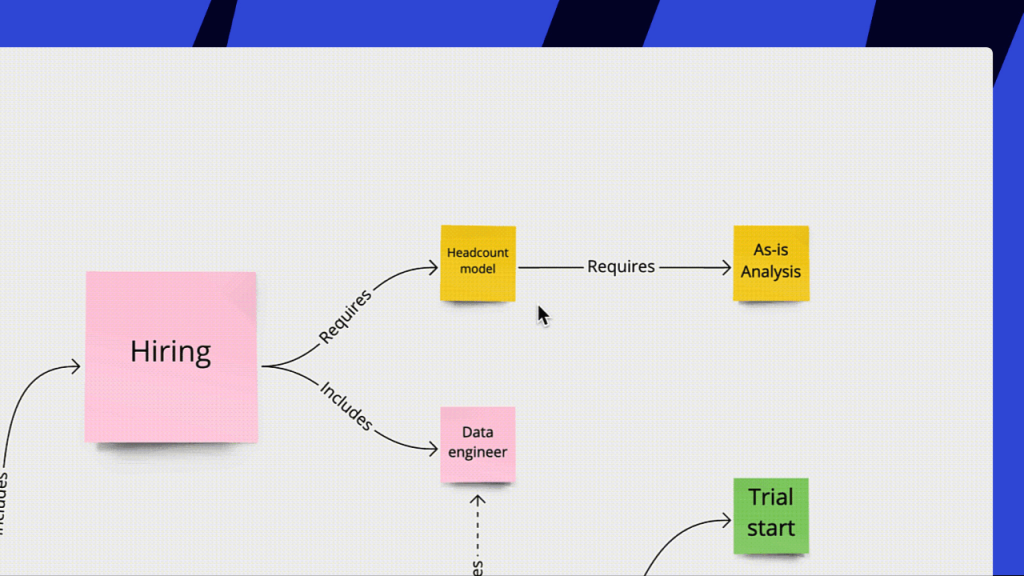
Have you ever noticed that while everyone eagerly agrees during strategy formulation, the actual execution often faces countless obstacles:
- The goals set at the beginning of the year quietly get “flexibly adjusted” by midyear;
- Cross-departmental plans often get stuck when breaking down resources and timelines;
- Strategy meetings increasingly feel like a ritual—attendees listen attentively, note-takers work hard, yet those responsible for execution struggle to move forward.
What we might be missing is not the strategy itself, but a collaborative space that can support, co-create, and track the strategy.
Miro is an intelligent digital whiteboard that supports the entire process from strategic formulation and alignment to actionable execution. It not only makes strategy traceable but also makes goals, plans, tasks, owners, and timelines all visible, connected, and reviewable.
Miro helps you streamline the entire strategy-making process
A company’s strategy meeting is not just about discussing direction—it’s about clarifying goals, breaking down tasks, allocating resources, and forming a traceable execution mechanism. In Miro, all of this becomes visual, structured, and collaborative:
- Use templates to kick off strategy meetings and avoid aimless discussions
- Capture and categorize collective ideas using sticky notes and clustering tools
- Reach consensus quickly using voting and reaction features
- Clarify logical paths using a variety of diagram tools
- Finally, turn everything into task cards and move them into execution boards
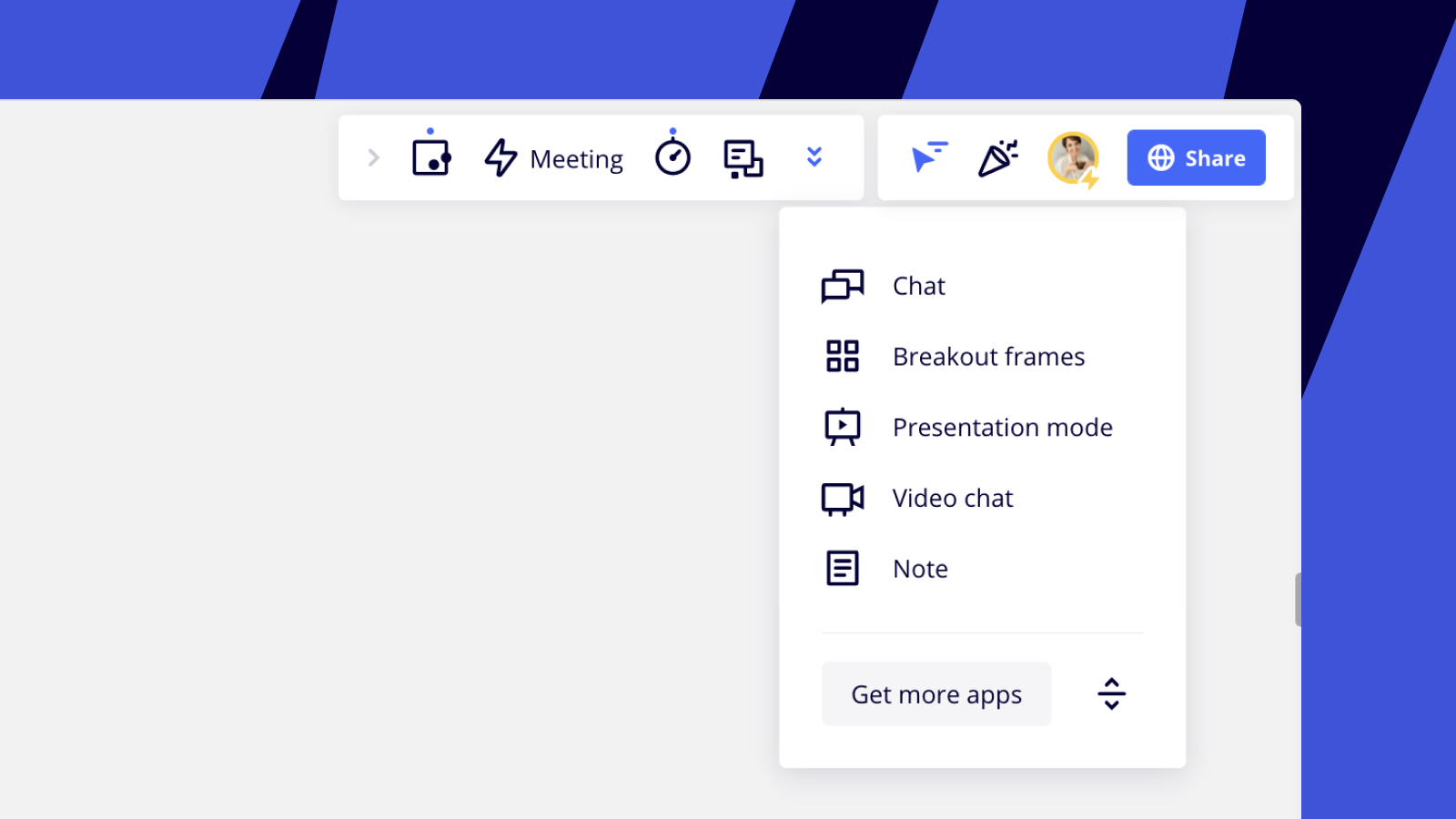
Illustration: Miro collaboration toolbar
Next, let’s walk through the core strategic planning process and experience how to use Miro to build a clear, co-creative, and trackable workflow for strategic planning and execution.
01 Create a planning space and start a collaborative strategy meeting
In Miro, you can start a strategic planning board just like creating a document.
Through Miro’s template library, you can directly select the most suitable meeting template—such as Strategic Planning, OKR Setting, or Project Kickoff—and set up a collaborative workspace in seconds.
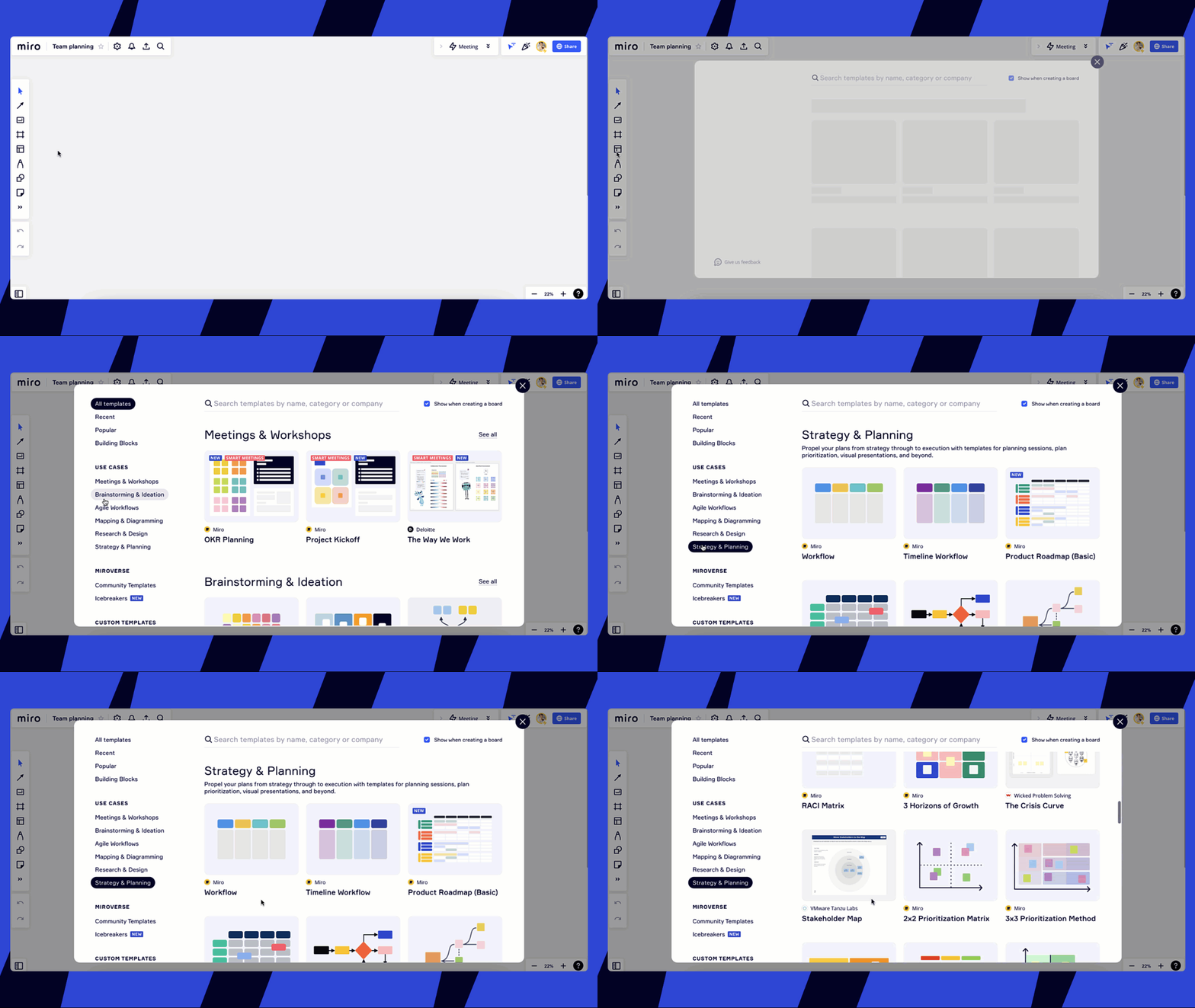
Illustration: Strategy and planning templates in the template selection tool
During the meeting, participants can join instantly via link, view the board content in real time, add notes and sticky ideas, or even start a video call to present and discuss simultaneously.
For meeting tools, you can use Miro’s built-in video function or integrate with Zoom, Webex, Microsoft Teams, and more—seamlessly connecting remote meetings and collaboration.
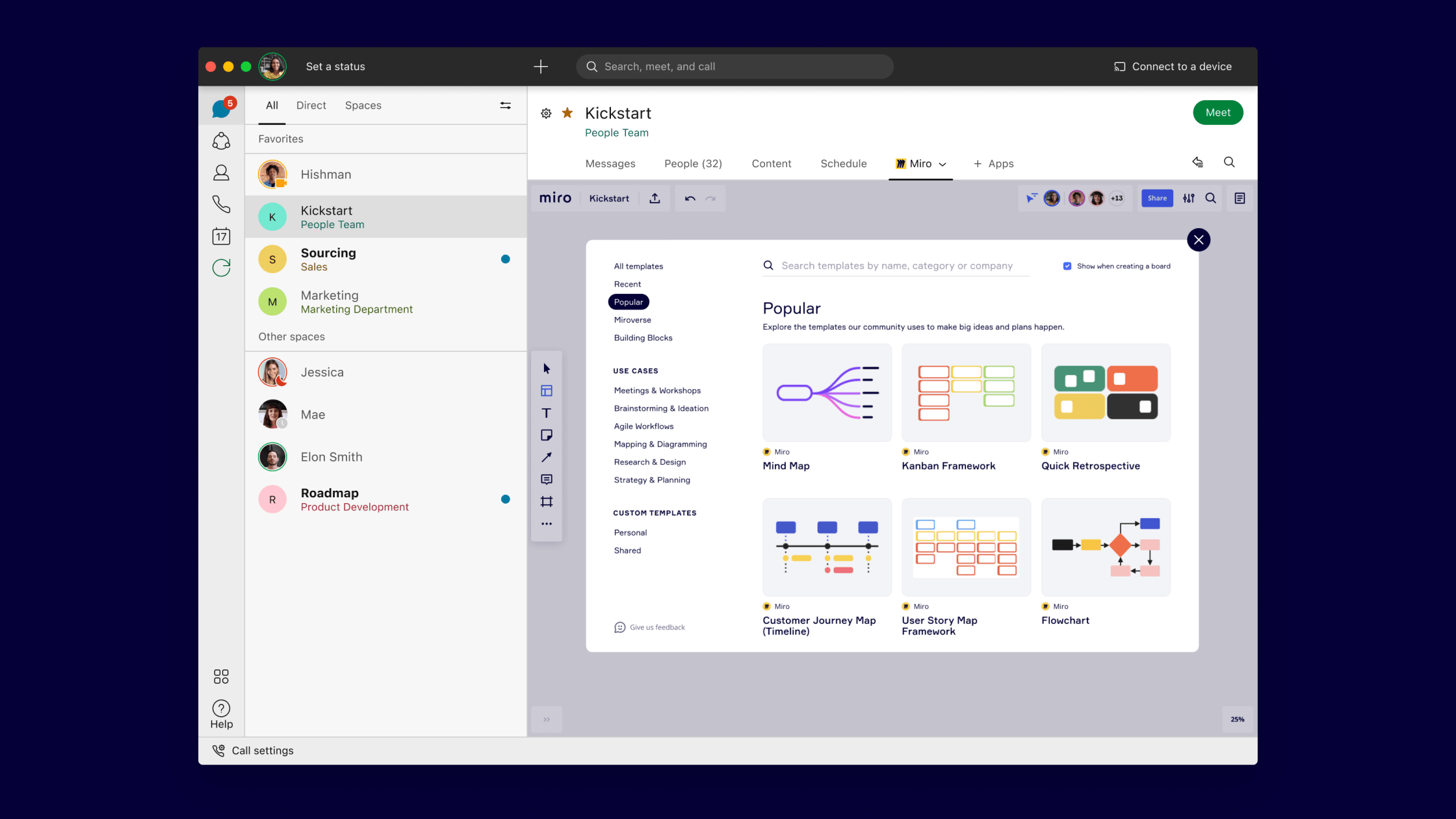
Illustration: Miro smart whiteboard in Webex meeting
Most importantly, everything—from planning the agenda and setting timers to consolidating shared insights—can be done on a single Miro board. The process supports autosave, so there’s no need for screenshots or manual meeting notes. Every interactive record and voting result becomes part of the ongoing collaboration.
02 Use Smart Meetings for structured facilitation
If you want a more guided meeting experience, Miro’s Smart Meetings tool provides a structured approach to help you efficiently drive goal-setting sessions.
You can select templates such as OKR Planning, Project Kickoff, or PI Planning to guide meeting flow, topic structure, and interactive design—significantly reducing the host’s workload.
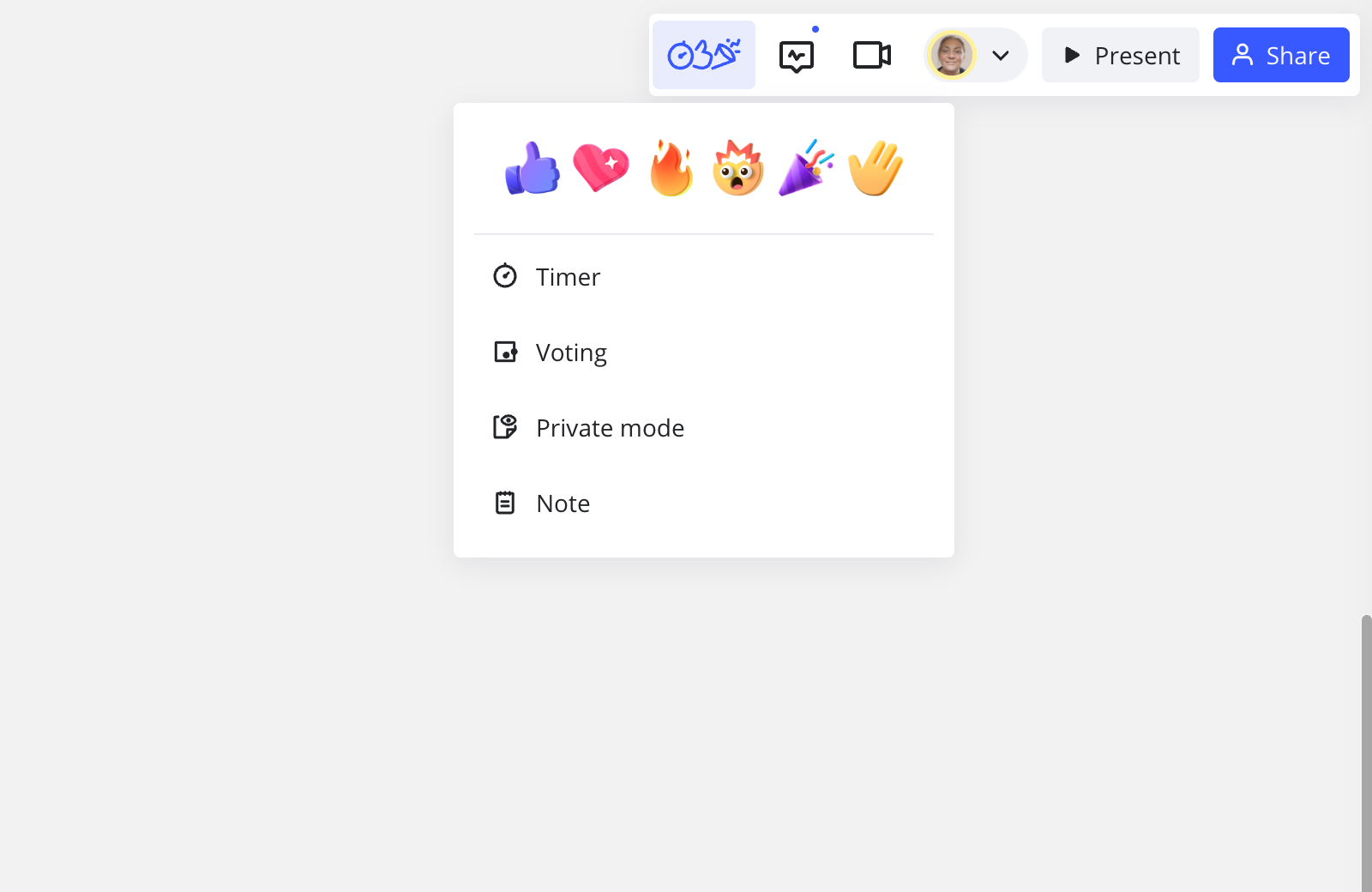
Combined with the Reactions feature, real-time engagement is enhanced, making even multi-site remote meetings feel lively and interactive.
03 Use sticky notes and clustering tools to collect and categorize ideas
Before the main discussion begins, team members can enter Breakout Frames and use Sticky Notes to write down their thoughts.
Facilitators can set a Timer—for example, “write 3 ideas in 5 minutes”—to maintain a steady rhythm.
Afterward, everyone can use Sticky Clustering to group similar ideas, apply colors and labels, and make logic instantly clear.
Once grouped, start Voting to quickly reach consensus on “which issues we should prioritize.”
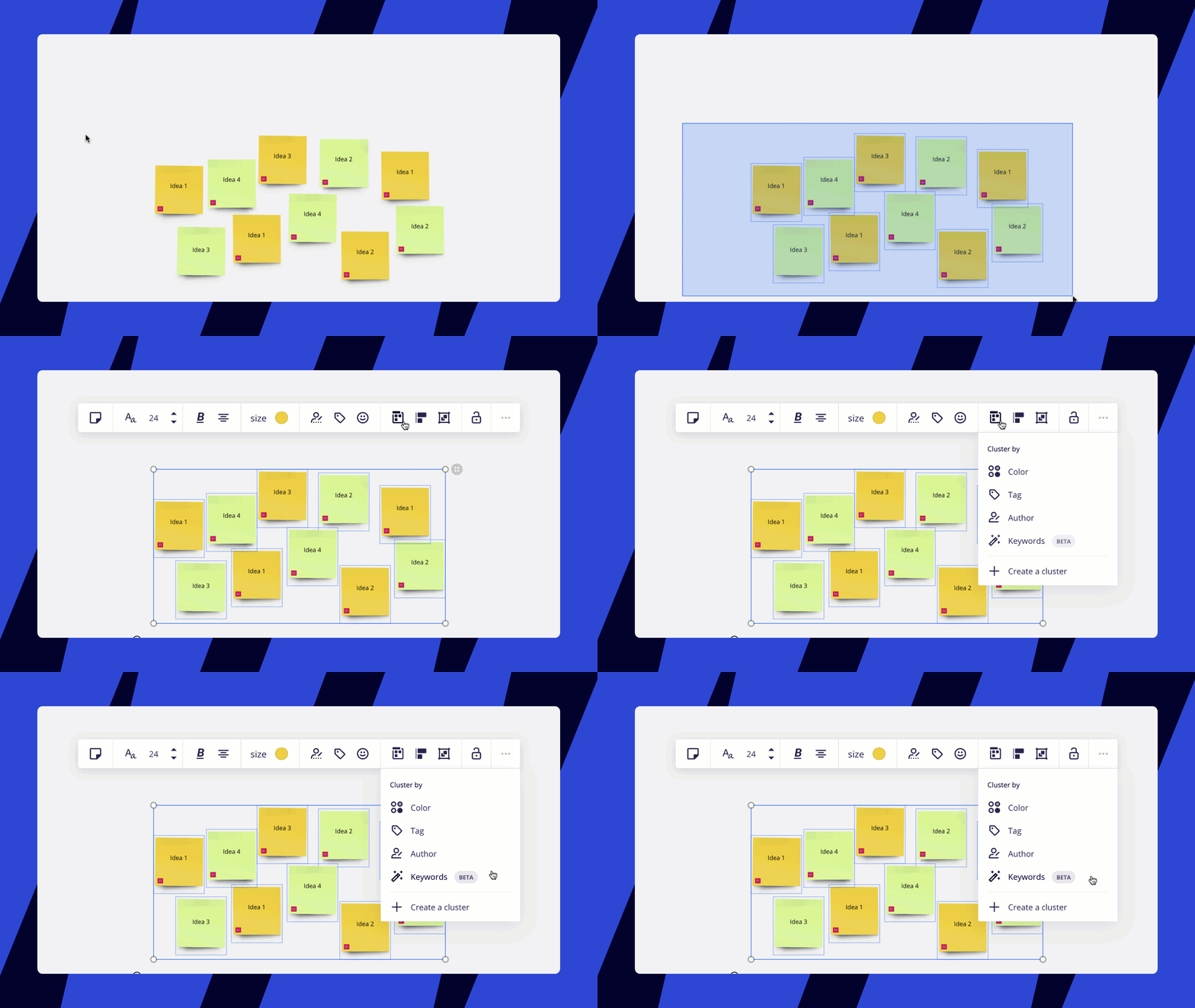
Illustration: Sticky Clustering tool
04 Use diagrams, Kanban boards, and tables to execute the strategy
Strategy discussions must turn into execution. At this stage, Miro provides a variety of structured tools to help teams transform discussions into clear, actionable blueprints:
👉 Use Shapes, Cards, and Connection Lines to visualize your strategic paths, project plans, or team structures.
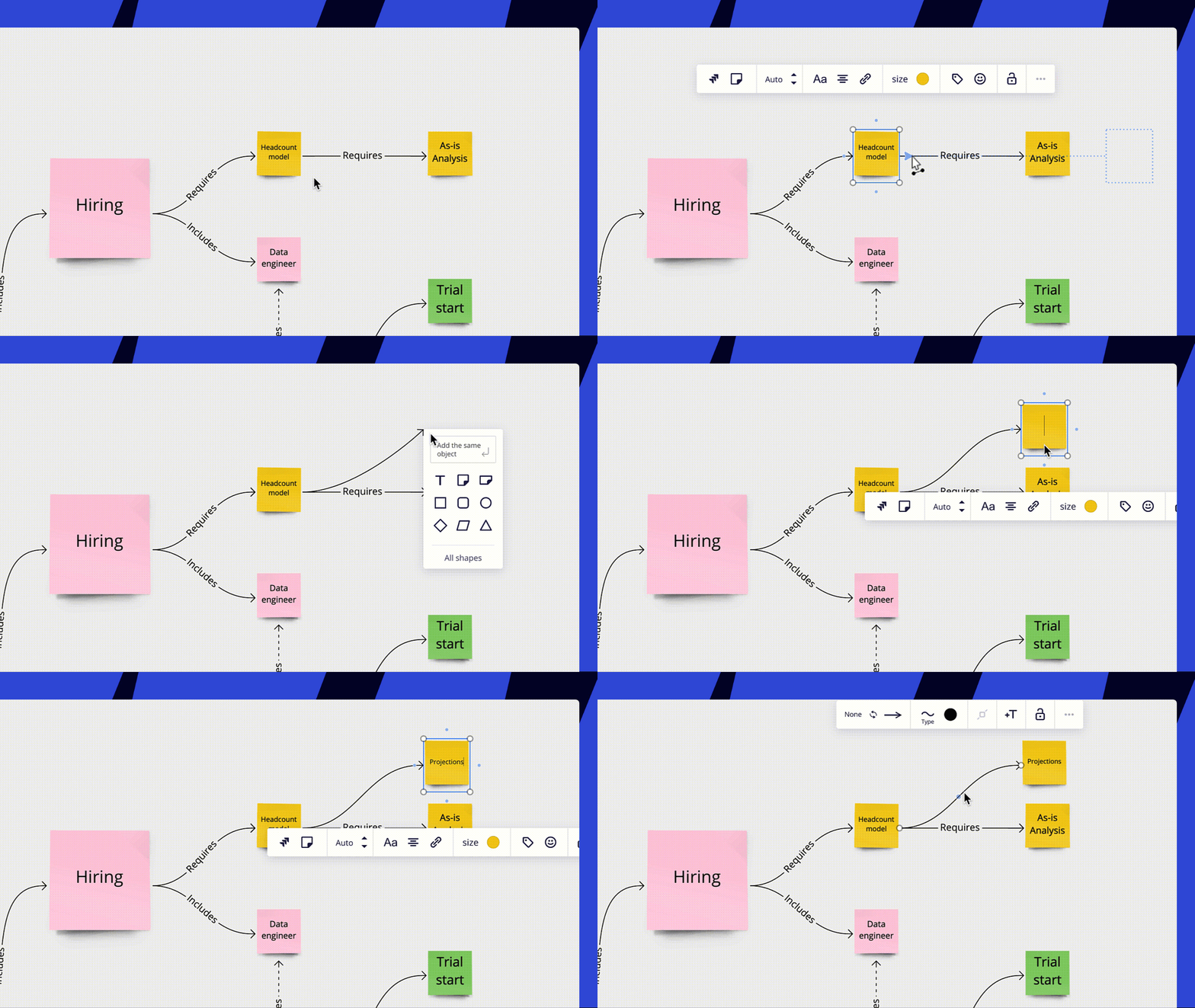
Illustration: Building a concept map with sticky notes and connectors
👉 Use the Kanban tool to organize workflows and track task progress.
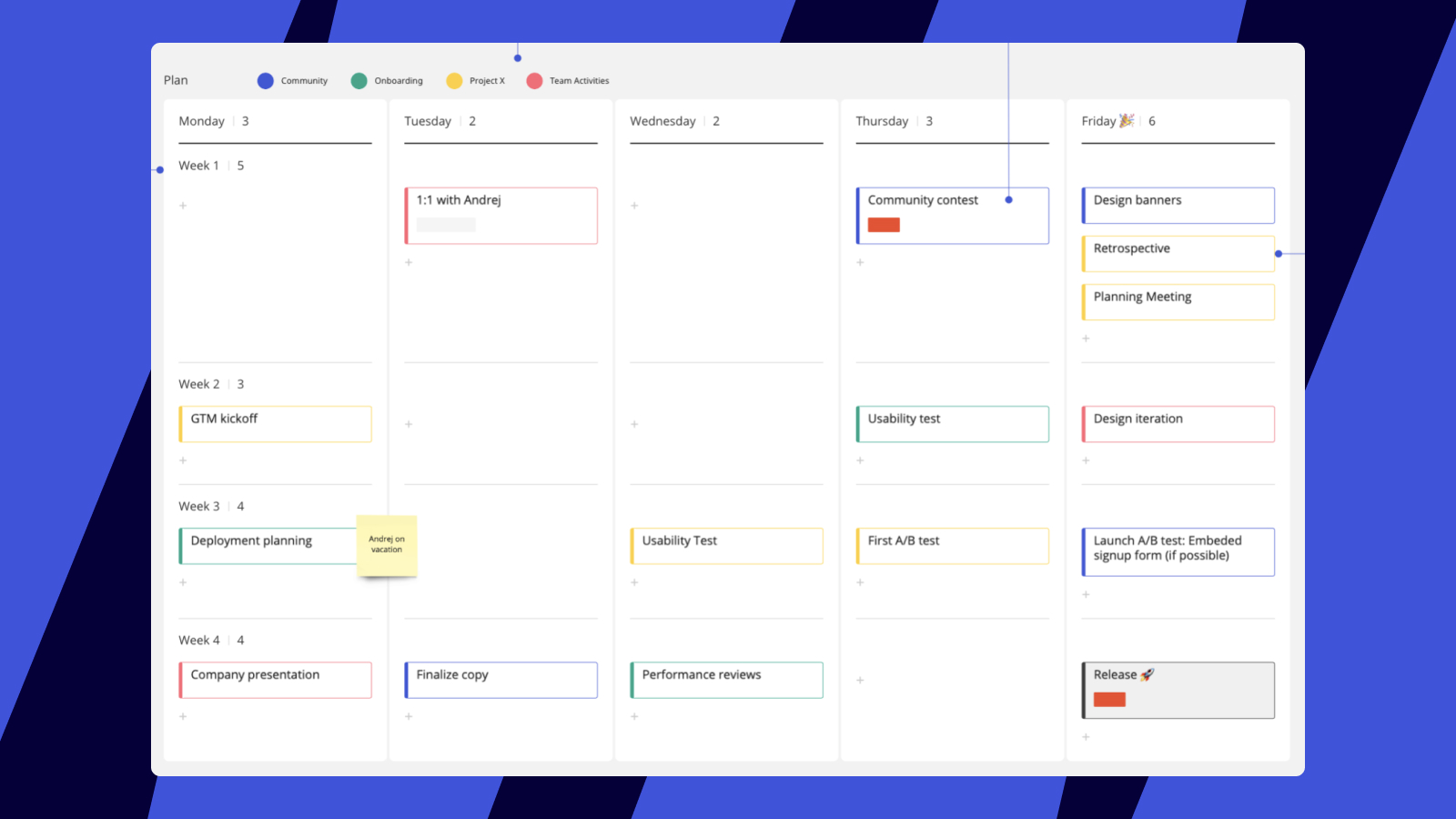
Illustration: Using a Kanban board for monthly planning
👉 Use Tables to organize resources, categorize information, or present progress summaries.
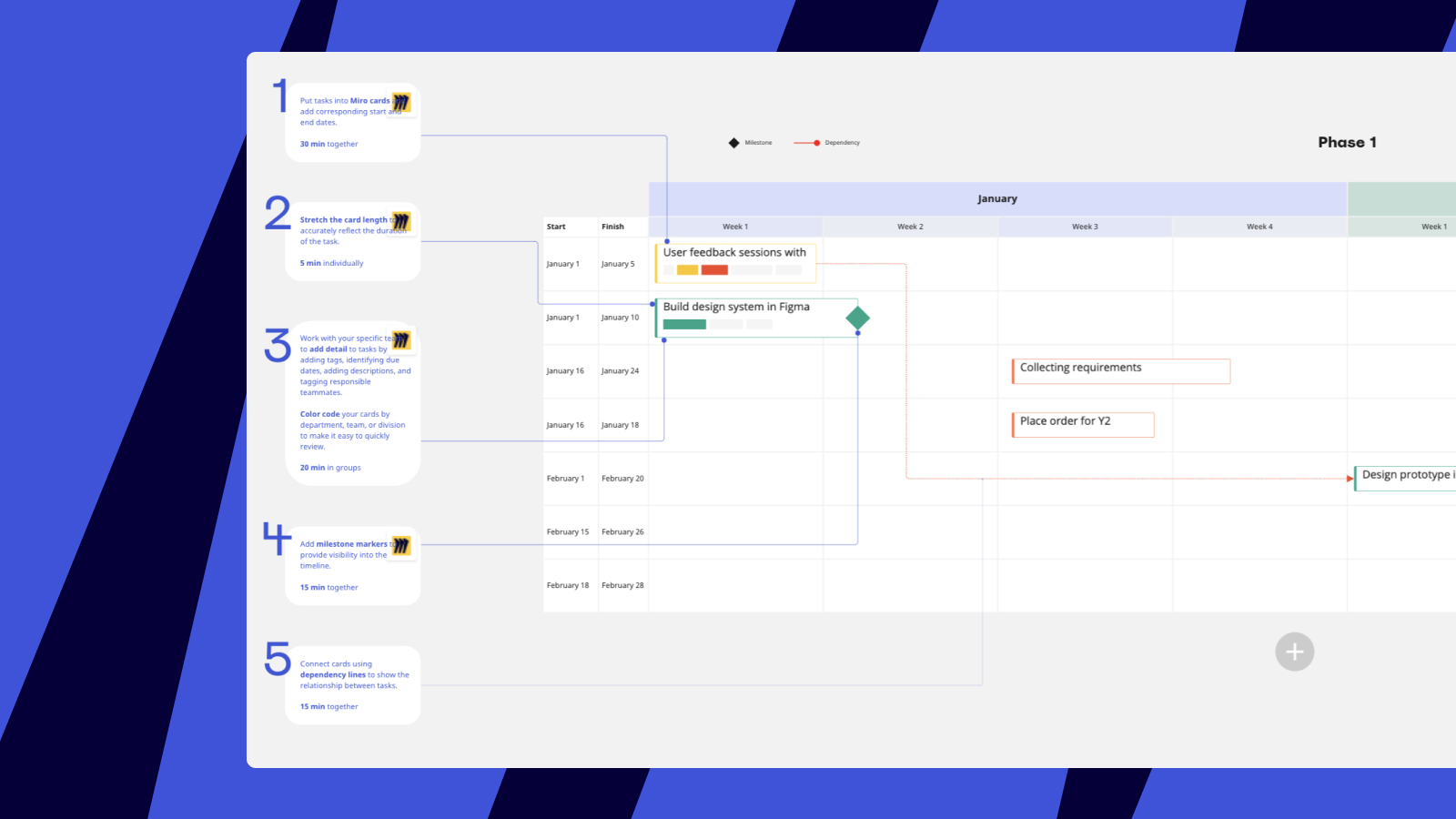
Illustration: Using tables for project planning
👉 Miro also integrates with task management systems like Jira, Asana, and Azure. You can import tasks as cards and embed them into Kanban boards to align plans, allocate resources, and track progress in one unified workspace.
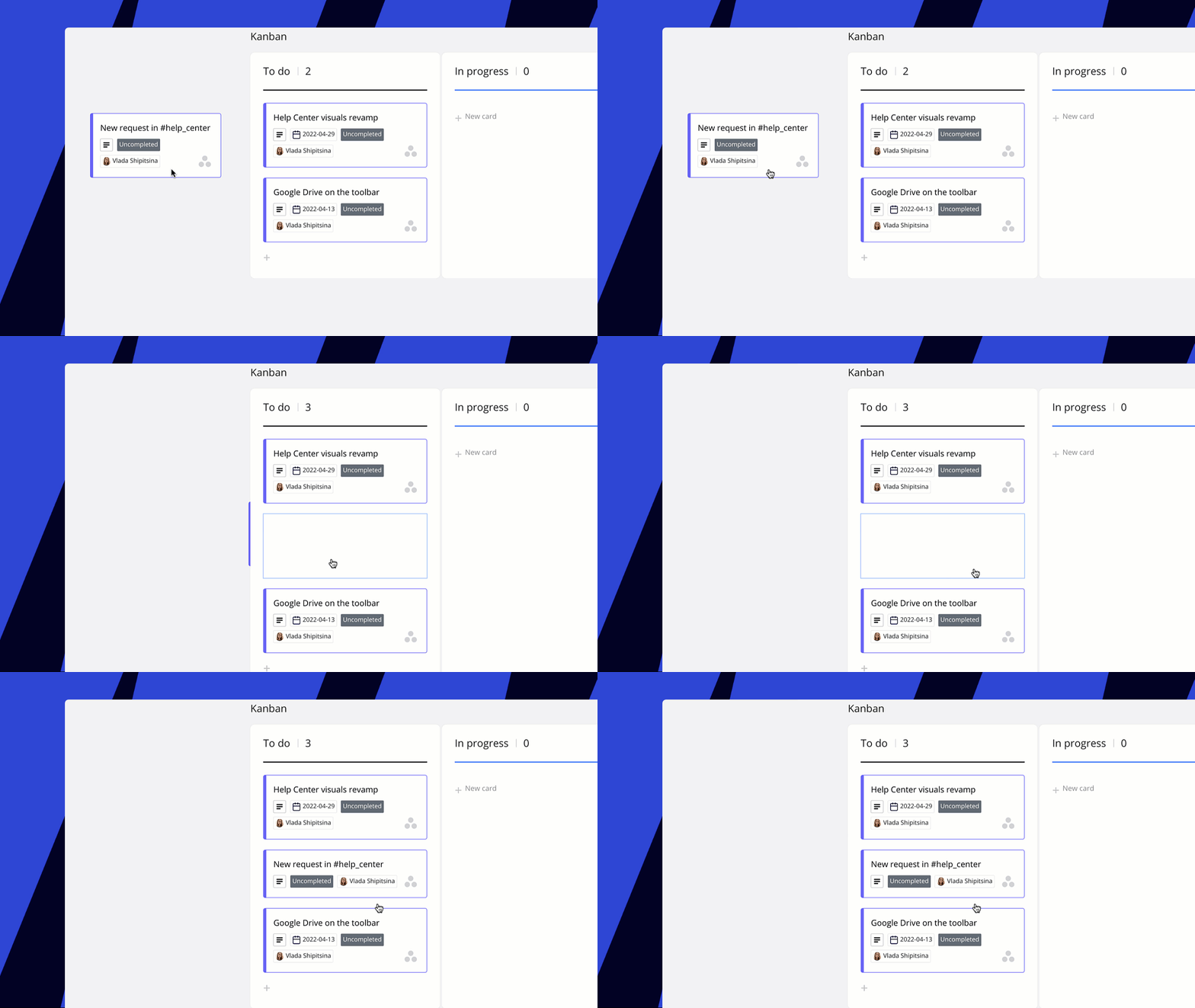
Illustration: Adding Asana cards to Miro Kanban
In this way, everything—from strategic direction to execution—can be broken down, visualized, and collaboratively followed up within a single shared space.
05 Templates + integrations make planning fast and reliable
Notably, Miro’s template library offers a wide range of tools for analysis and evaluation stages, such as:
- SWOT Analysis
- RICE Prioritization
- PEST Analysis
All templates support online preview and one-click addition, reducing preparation costs while improving meeting quality. In addition, Miro supports over 160 integrations. You can explore more practical extensions in the Miro Marketplace. 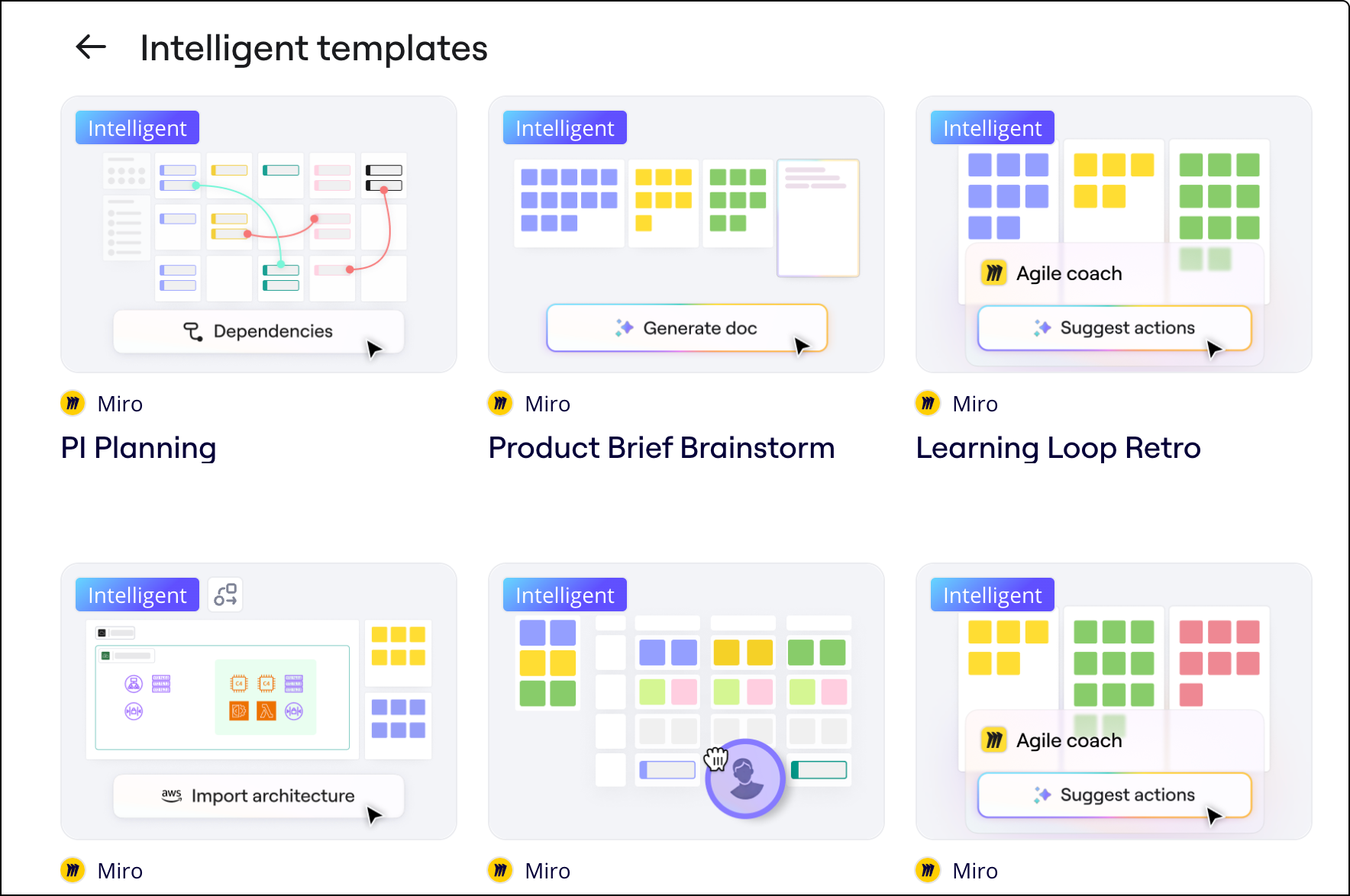
For your next strategy meeting, try a new approach
A strategy is not a document decided behind closed doors by a few people—it’s a continuous, cross-team, and cross-functional collaboration process.
Next time you hold a quarterly planning meeting, OKR breakdown session, or cross-departmental roadmap review, open a Miro board instead—so that everyone can participate, every input is captured, every discussion is traceable, and every plan can be truly executed.