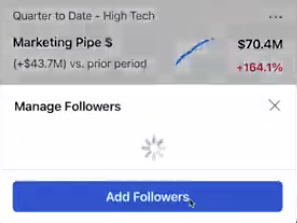
Tableau 2025.2 Released: Smarter Display, Spatial Parameters & AI-Driven Collaboration
In the era of Agentic AI, the gap between speed and slowness defines a company’s competitive edge. From the days of “drag-and-drop analysis” to today’s “AI-powered proactive analytics,” Tableau has consistently pushed boundaries to deliver smarter, more efficient data insights for users worldwide.
With the release of Tableau 2025.2, this vision becomes reality!
- Show Me 2.0 enables beginners to preview all chart types with one click, accelerating onboarding and unlocking freer exploration
- Dynamic color ranges and spatial parameters make outliers and map comparisons instantly visible
- Prep workflows now support on-the-fly ownership transfer and cancellable runs, supercharging data operations
- Features like Google Workspace add-ons and cloud session recovery streamline team collaboration
- Conversational metric filtering and smart summaries keep critical business data at your fingertips
- From intelligent trend forecasting to actionable insights and automated workflow triggers, “insight-to-action” is now within reach
But the highlights don’t end here. Before upgrading, let’s dive into Tableau 2025.2’s latest features~
Tableau Desktop
》Show Me 2.0
The beloved “Show Me” feature now shines brighter. Optimized for faster onboarding, all visualization types can be previewed directly without pre-selecting fields.
This update lowers the barrier for newcomers, allowing easier data exploration or letting Tableau recommend starting points.

》Dynamic Color Ranges
Tableau 2025.2 helps highlight key data despite outliers. Adjust color scales using parameters—no filtering needed—to keep focus on what matters most. Fast and flexible, this ensures clarity in every chart.
PS: Addresses user requests on Salesforce IdeaExchange for “global dynamic coloring.”
》Dynamic Spatial Parameters
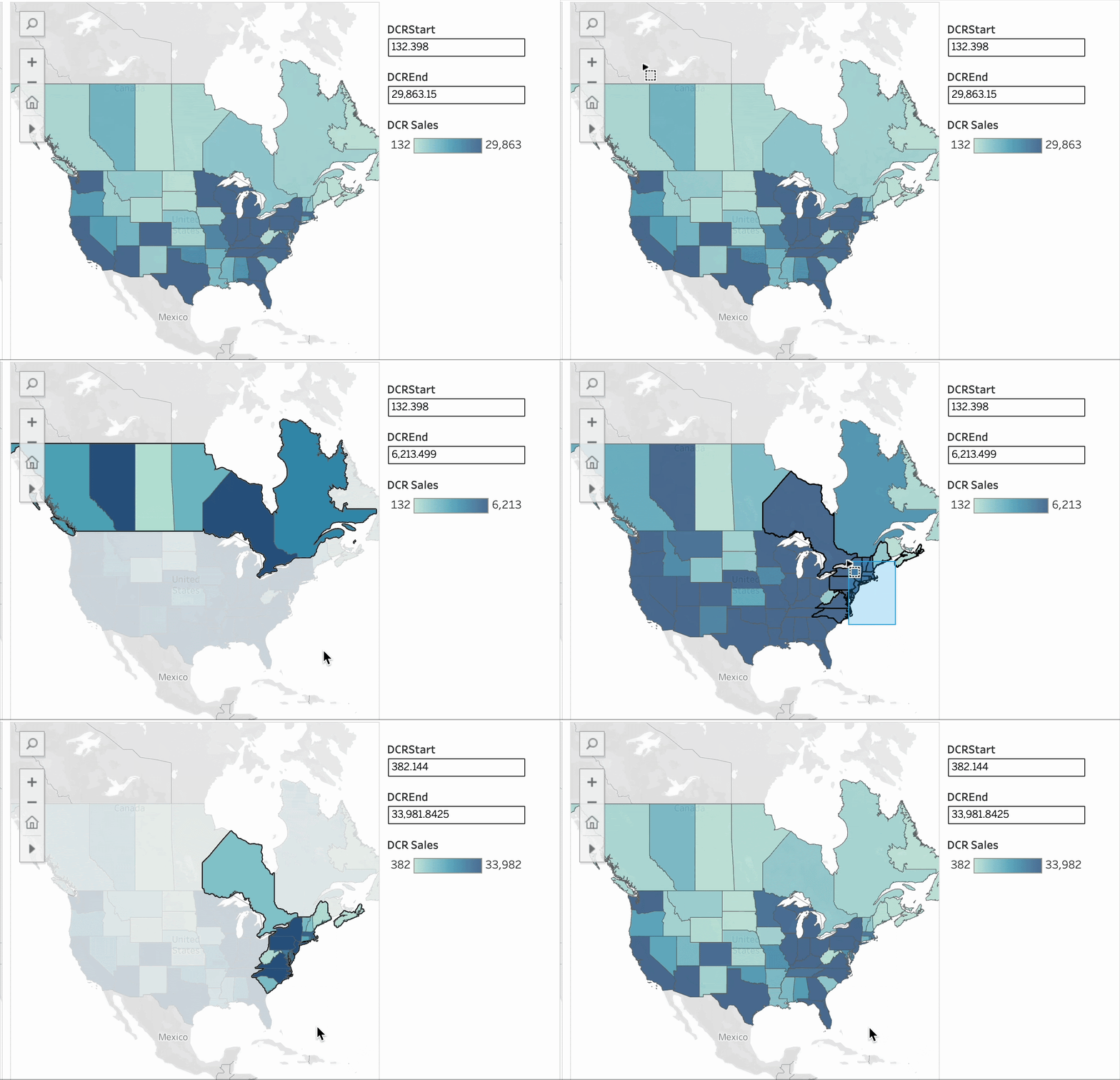
New spatial parameters let you filter data via map interactions, sync mark sizes during zooming, and keep multiple maps synchronized without refreshes.
PS: Fulfills 1-3 user suggestions for “multi-map view sync” on Salesforce IdeaExchange.

》Databricks Connector Upgrade
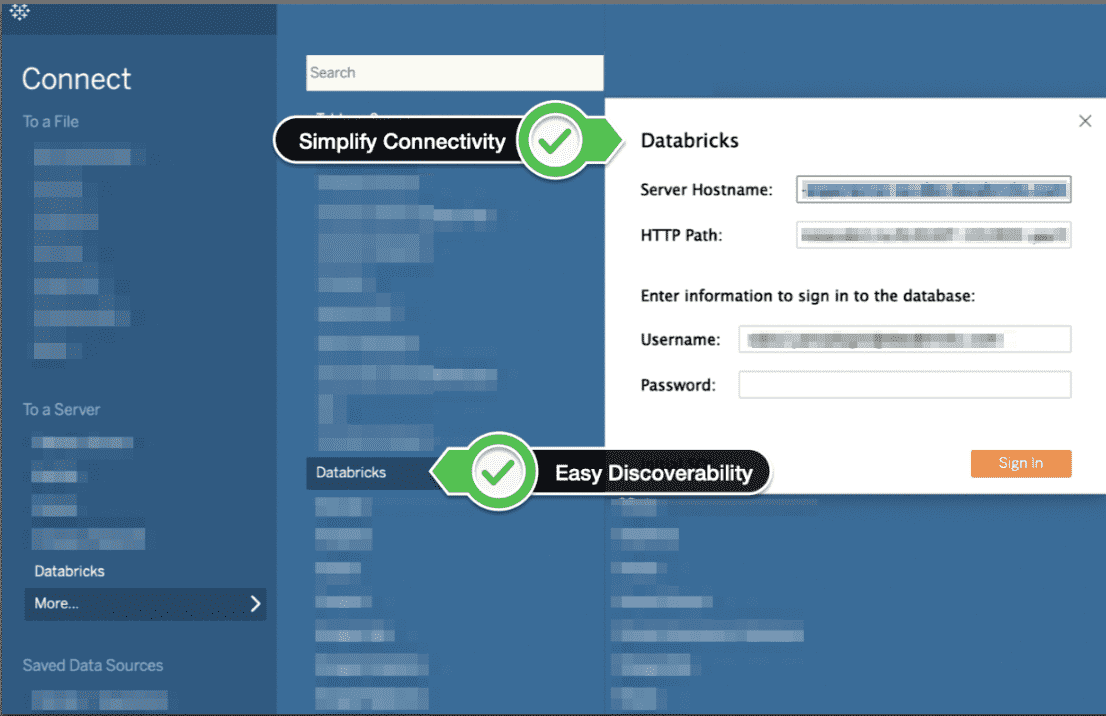
The enhanced Databricks connector offers higher security (OAuth/refresh tokens) and optimized SQL queries for smoother connectivity, refreshes, and modeling.
》New Connectors on Tableau Exchange
CData Virtuality, MongoDB SQL Interface, MotherDuck/DuckDB, and StarRocks connectors are now available for enterprise deployment.

》macOS Sequoia Support
Tableau Desktop, Prep, and Public now run on macOS Sequoia. Report issues to Tableau Support.
Tableau Prep
》Flow Ownership Transfer
Admins or owners can reassign control mid-flow without waiting for completion. Cancel running flows anytime for agile management.
PS: Addresses “change flow ownership on Tableau Server” requests.

》I/O Destination Restrictions
Limit Prep users to trusted data sources/sinks. Use REST API to manage permissions and prevent leaks.
👉 Also includes: New Exchange connectors, Databricks upgrades, macOS Sequoia support.
Tableau Public
》Trusted Extensions
Safely test partner-developed viz extensions marked “Trusted” on Tableau Exchange.
PS: Responds to “Public viz extension support” requests.

》Manual Profile Categorization
Organize Public profile vizs into custom collections to showcase your style.
PS: Fulfills “Public project grouping” suggestions.
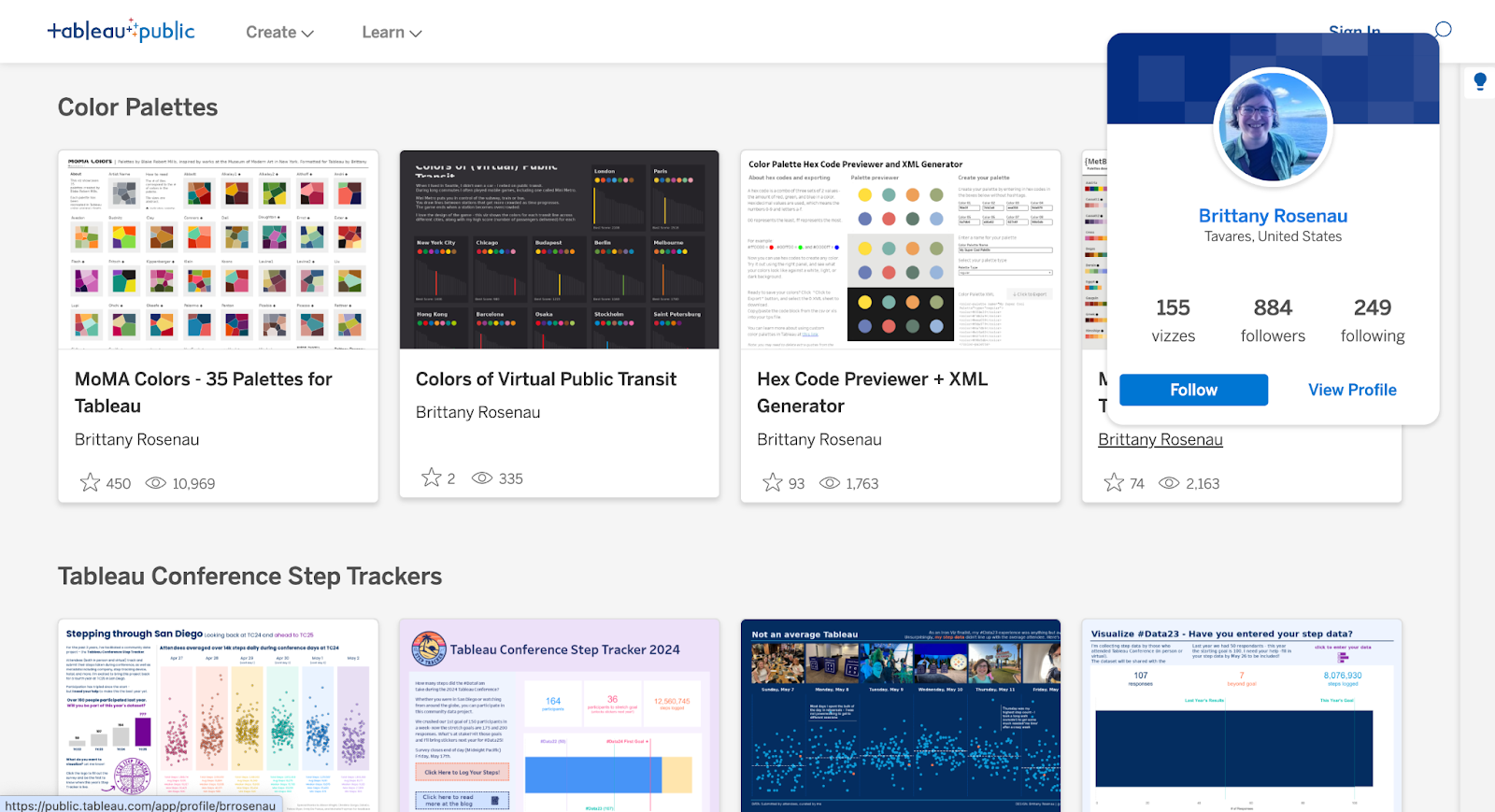
》Content Exploration Hub
Discover inspiring vizs, learning resources, and engage with the DataFam community.

》Creator Growth Tools
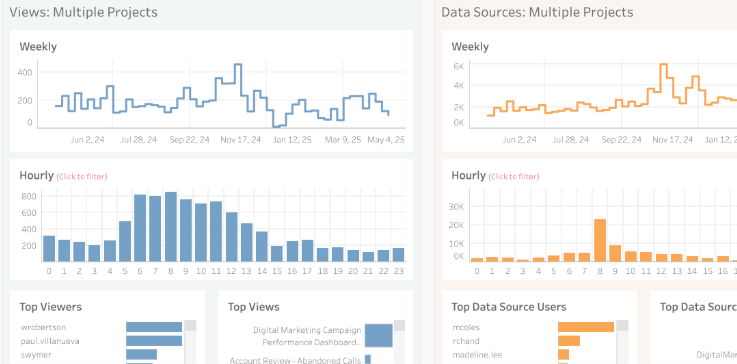
Track followers, viewer interactions, and explore creator profiles easily.
PS: Addresses “more follower metrics” requests.

👉 Also includes: Show Me 2.0, dynamic color ranges, macOS Sequoia support.
Tableau Cloud
》Multi-IdP SCIM Sync
Admins can now configure up to 20 IdPs per site for user/group provisioning via SCIM 2.0.

》Tableau Exchange + Cloud Integration
MotherDuck/DuckDB, dbt Semantic Layer, and StarRocks connectors now work with Tableau Bridge.
PS: Fulfills “read DuckDB embedded DB” requests.
》Single-Use Refresh Tokens
Enhances Box.com/Databricks OAuth security with auto-rotated tokens.
》Google Workspace Add-on
Embed vizs or Pulse metrics directly into Google Docs/Slides with native Tableau UI.

PS: Free for all Cloud users. Addresses “embed in Google Slides” requests.
》Session Recovery
Large vizs remain interactive offline. Reconnect seamlessly with a new status button.

》Admin Insights Expansion
Now available for Developer Program, Teaching, and Partner sites.

》Subscription Scheduling
View detailed schedules to optimize delivery times and reduce peak loads.

》Performance Insights Dashboard
Identify slow-loading dashboards with new built-in reports.
PS: Responds to “custom dashboard load stats” requests.

》Enhanced Activity Logs
New event types cover Private Connect, Recycle Bin, Prep Endpoints, and TabGPT changes.
》vizql_http_requests Logs
Monitor dashboard interactions in real-time for performance optimization.
PS: Launches July 2025. Addresses “view user filters” requests.

》React Embedding
Integrate Cloud content into custom React apps via NPM package.
》SCIM External Tokens
Use IdP-generated tokens instead of Tableau’s default SCIM bearer tokens.
》MFA Management
Admins can reset MFA authenticators across tenant sites.
》SAML RelayState
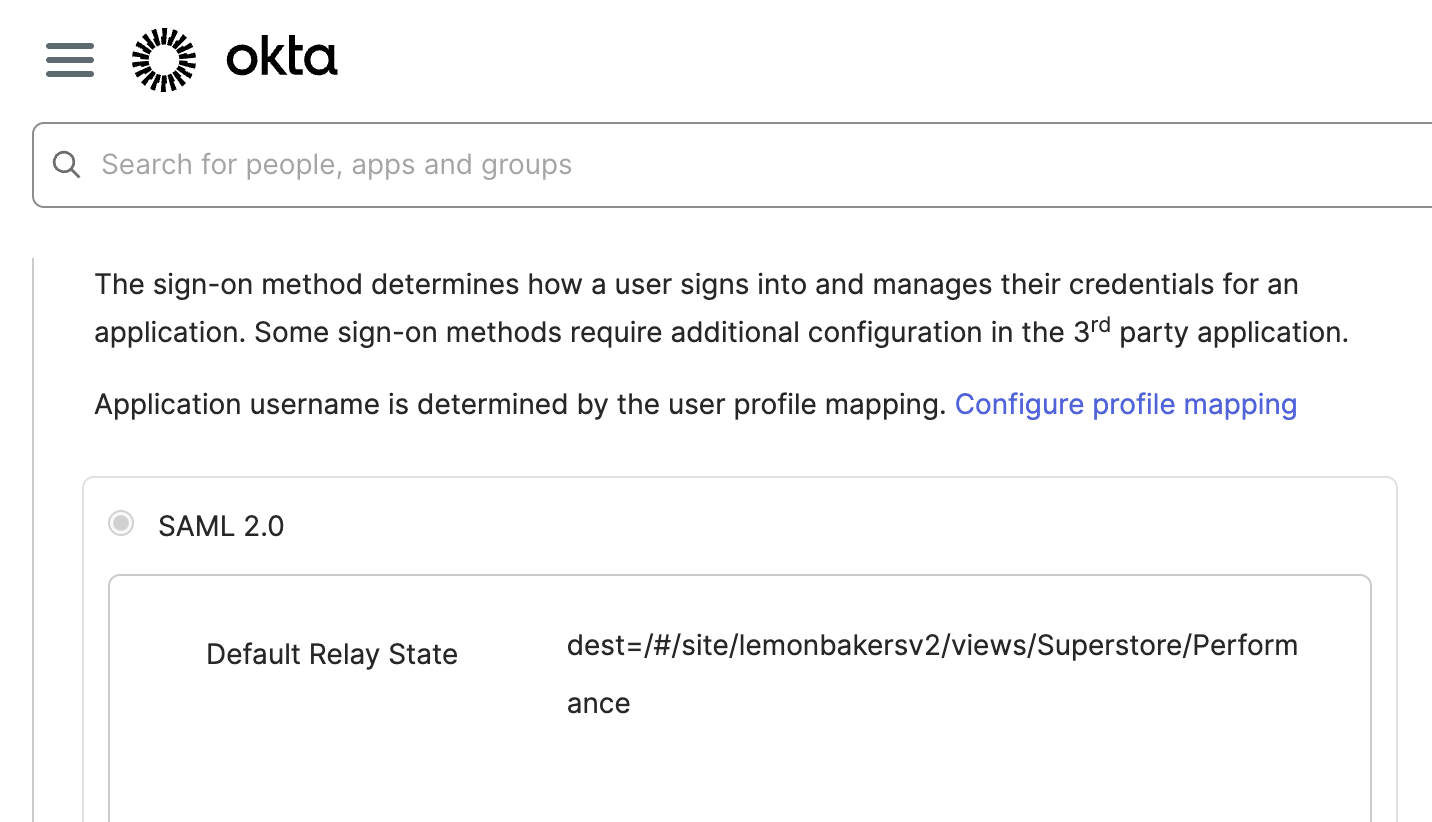
Direct users to specific vizs post-login via IdP RelayState parameters.
👉 Also includes: Show Me 2.0, dynamic color/spatial features, Databricks upgrades, flow ownership.
Tableau Next
As Salesforce’s next-gen AI-powered analytics platform, Tableau Next features are detailed separately.
》Concierge AI Assistant
Ask natural language questions to get actionable answers with visualized insights.

》Data Pro (Beta)
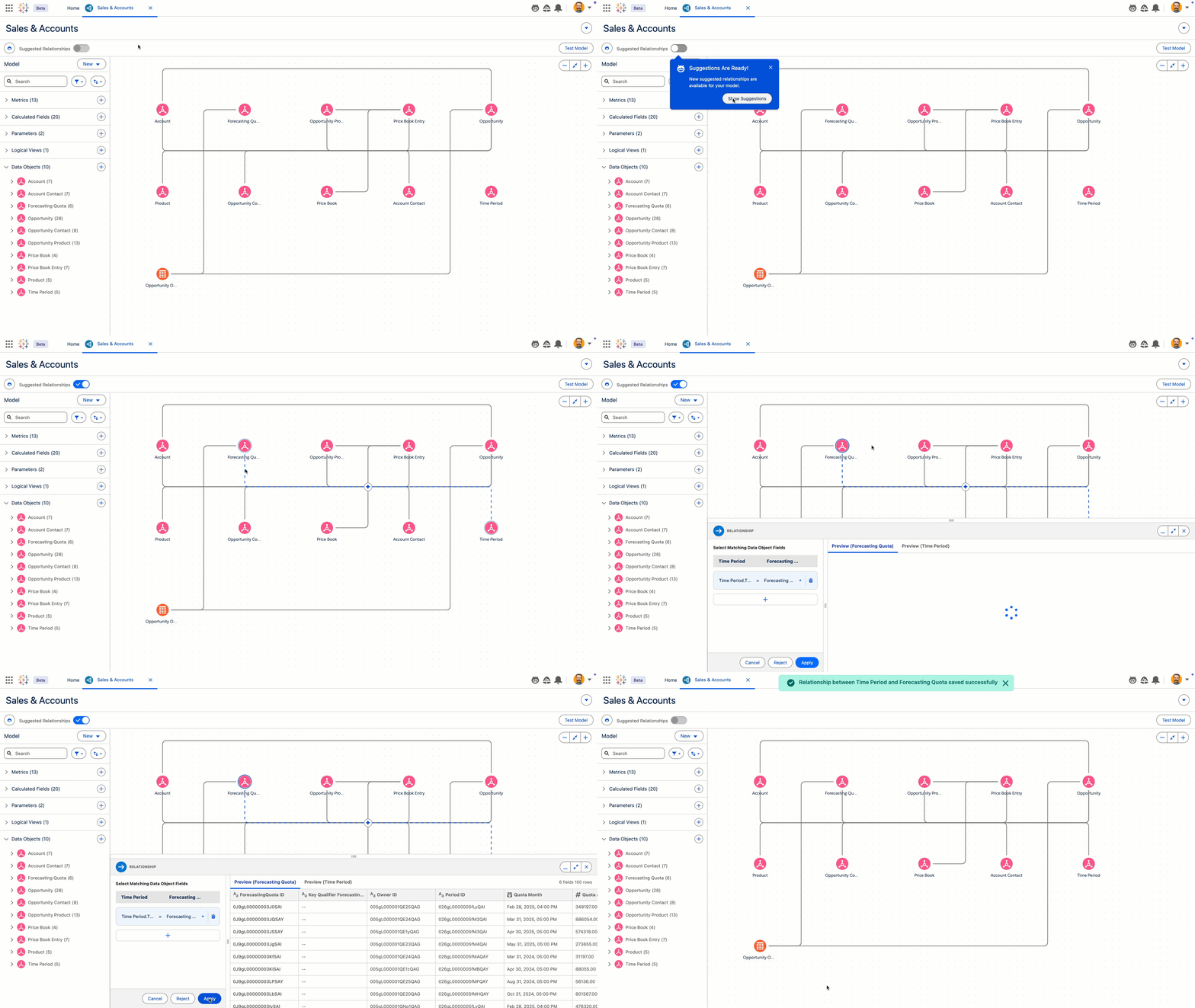
AI agent for accelerating data prep/modeling, with semantic model management features.
》Agent Analytics App (Pilot)
Monitor AI agent performance across support/sales use cases with out-of-box reports.

》Next Workspaces
Unified interface for reusing assets and streamlining analysis workflows.

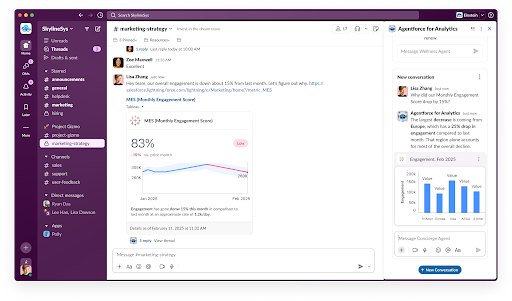
》Slack Integration
Share live metrics/dashboards in Slack channels, DMs, or Canvases.
》Salesforce Mobile Support
Get mobile alerts for metric changes and drill into performance drivers.

》Goal Tracking
Visualize progress with trend forecasts, ETA, and confidence intervals.
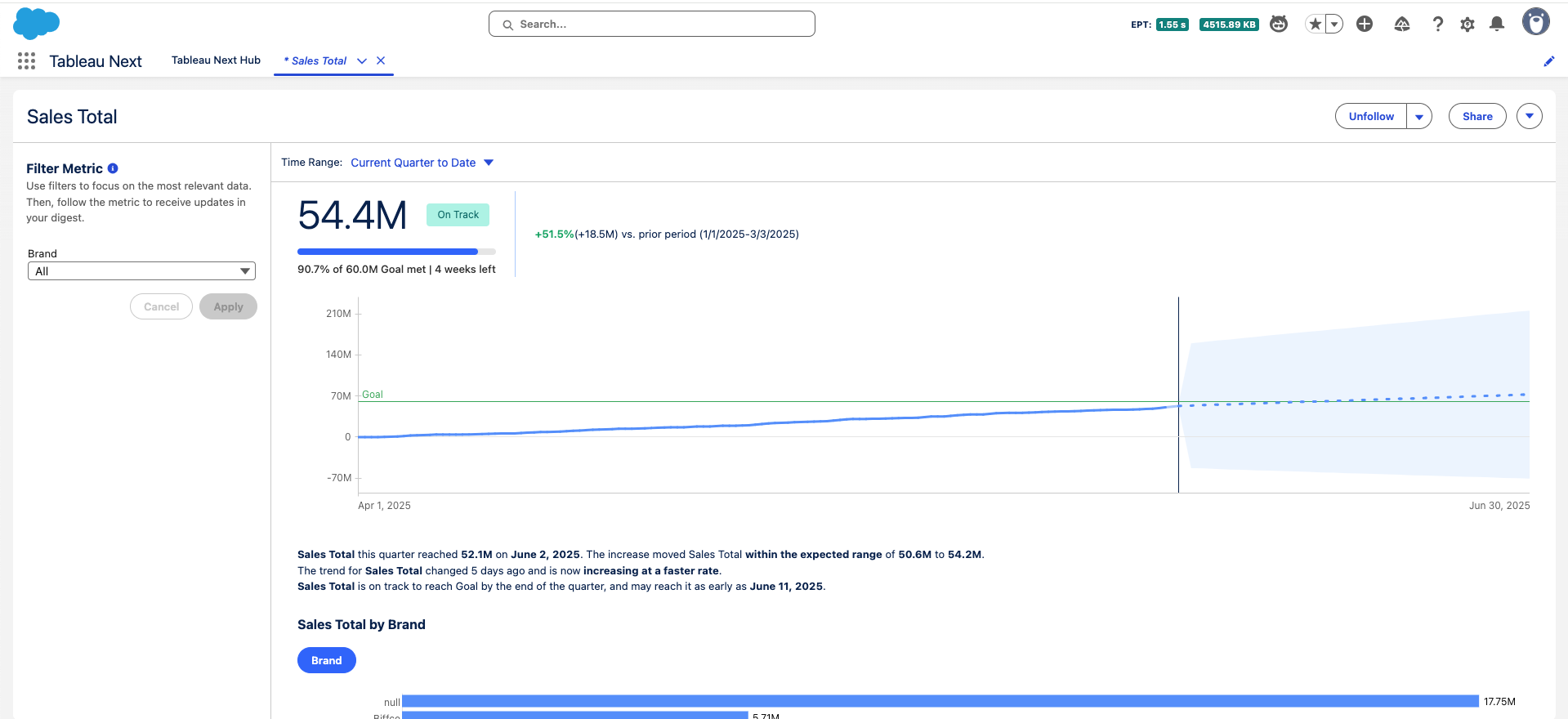
》Metric Record Tables
View underlying records impacting metrics without leaving Salesforce.

》Dynamic Time Ranges
Compare metrics across custom periods with auto-generated NL summaries.

》System Event Notifications
Get alerts when added as metric followers or for key collaboration events.
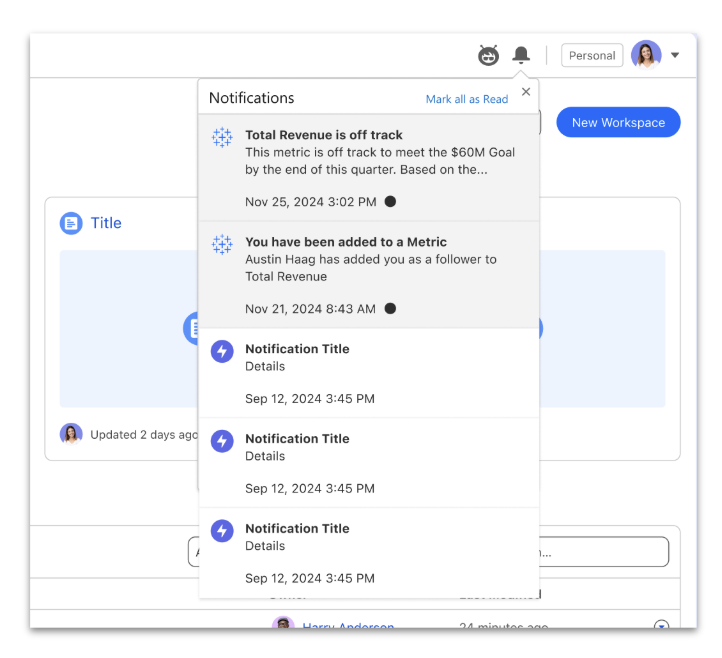
》Analytics Asset Sharing
Simplified permission management for workspaces, vizs, dashboards, and semantic models.

》Time Series Forecasting
Generate forecasts using Ridge regression and Holt-Winters models with just a measure + date.

》Embeddable Dashboards/Metrics
Embed into Salesforce Lightning pages with contextual filters via Lightning App Builder.
》Actionable Insights
Configure actions to link viz data to Salesforce records or dynamic URLs.
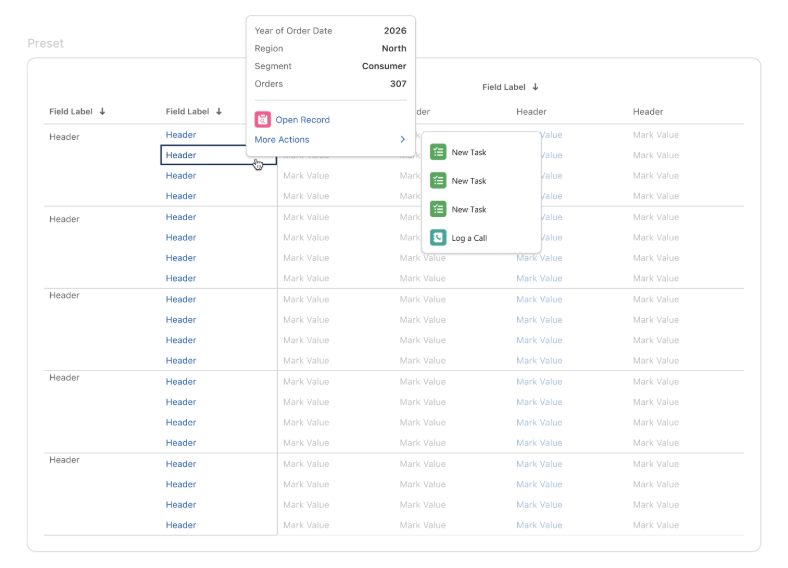
》Salesforce Flow Triggers
Launch Flows directly from vizs using selected records as inputs.

》Semantic Learning
Continuously improve AI agent accuracy by expanding knowledge bases through Q&A.

》Data Lake Object Support
Build semantic models directly on files without Data Model Objects.
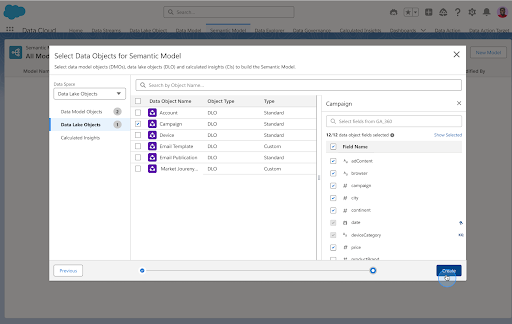
》Shared Dimensions
Reuse dimensions across fact tables for flexible, scalable semantic models.

Tableau Pulse
(Built into Tableau Cloud; features may not launch in 2025.2)
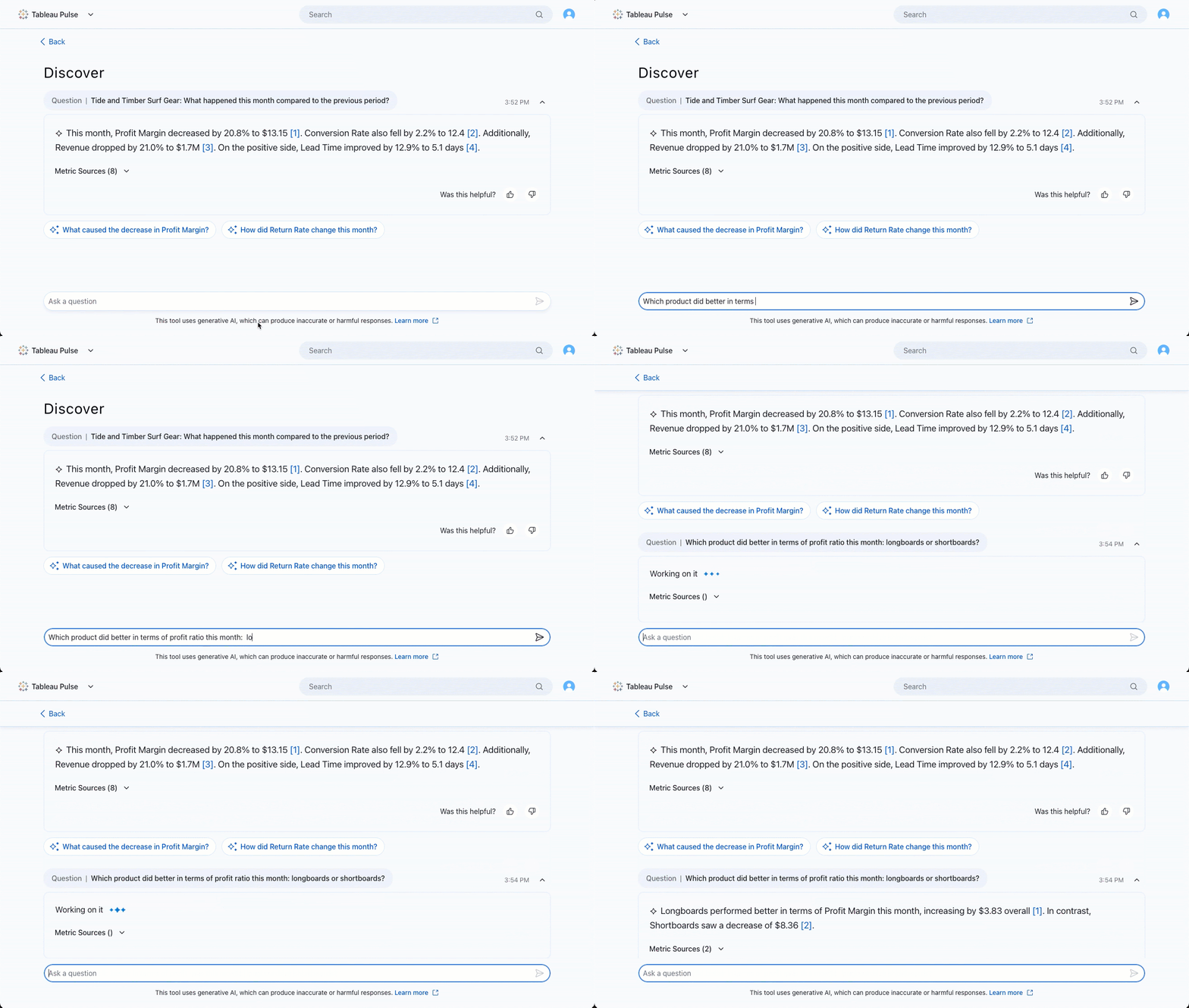
》Enhanced Q&A: Metric Filtering
Use natural language to analyze dimensions and compare metrics conversationally.
PS: Addresses “Pulse metric filtering” requests.
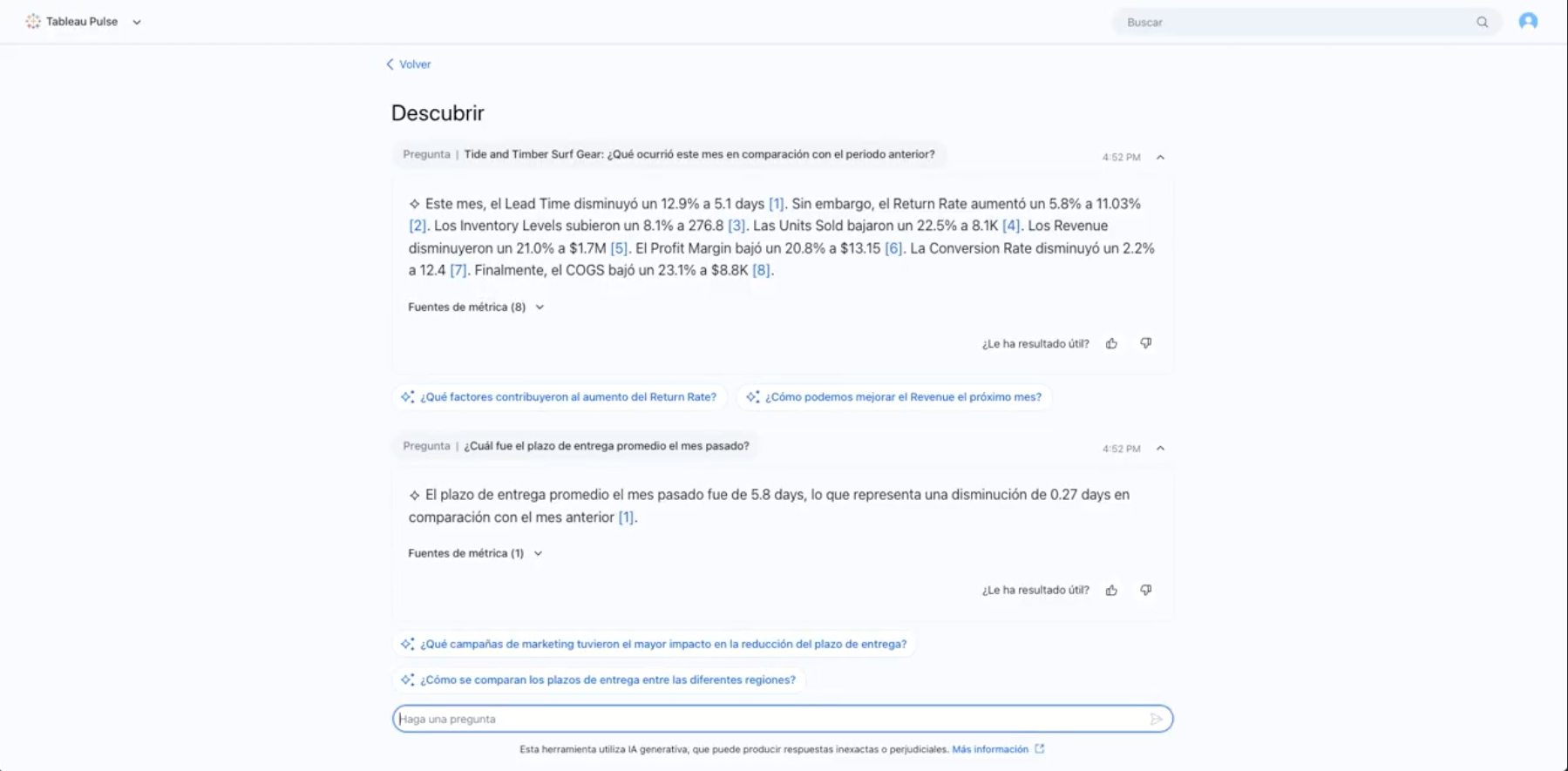
》Multilingual Q&A
Ask questions in your preferred language regardless of site/data language settings.
PS: Fulfills “Pulse multilingual support” requests.
》Custom Calendars
Align analyses with fiscal/operational calendars beyond Gregorian standards.

》Instant Email Alerts
Receive urgent metric alerts (max 1/day) even with weekly/monthly digest settings.

》Metric Certification
Green badges identify trusted, recommended metrics in Pulse.

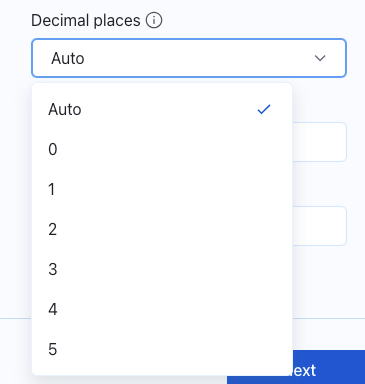
》Custom Decimal Places
Manually adjust metric value precision.
》Custom Date Comparisons
Compare metrics against specific dates (not just time ranges).

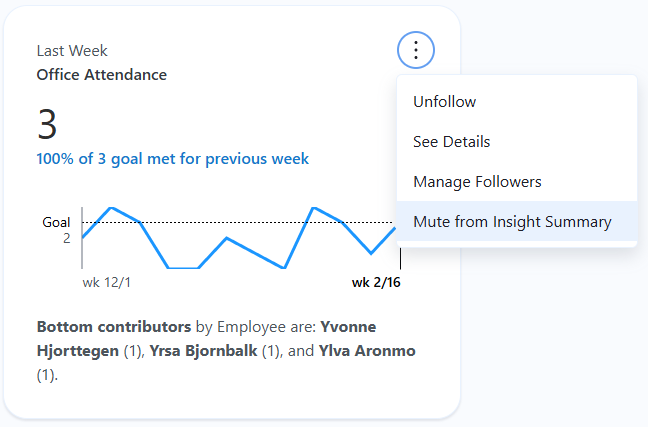
》Mute Secondary Metrics
Hide less critical metrics from insight summaries while continuing to track them.
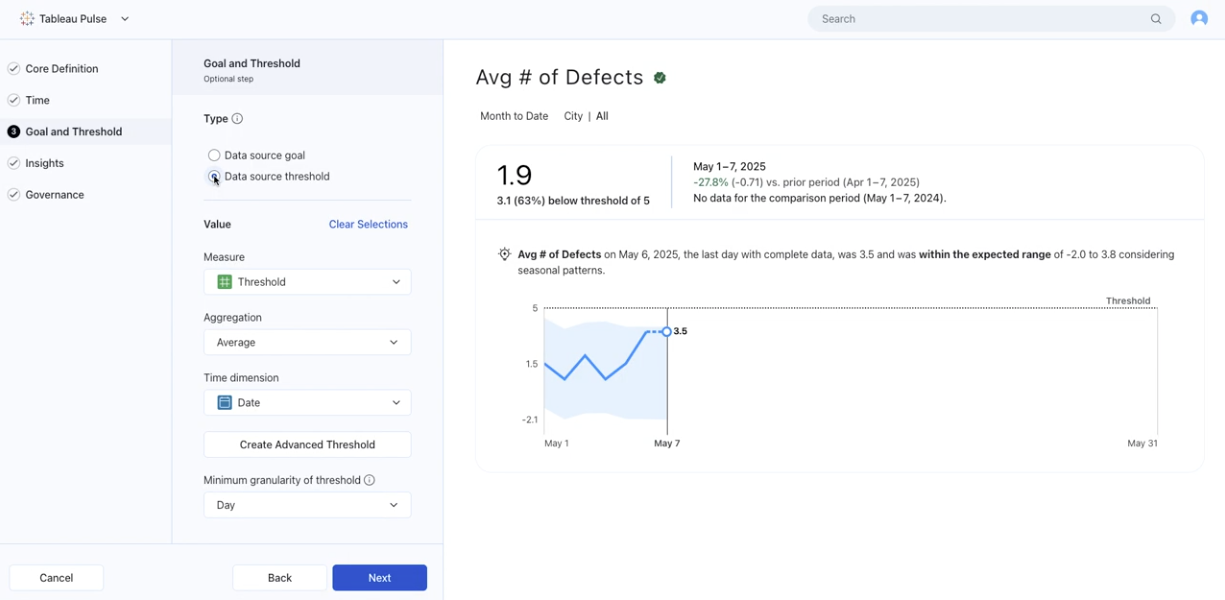
》Threshold Tracking
Monitor metrics against custom thresholds (not just period-end goals).
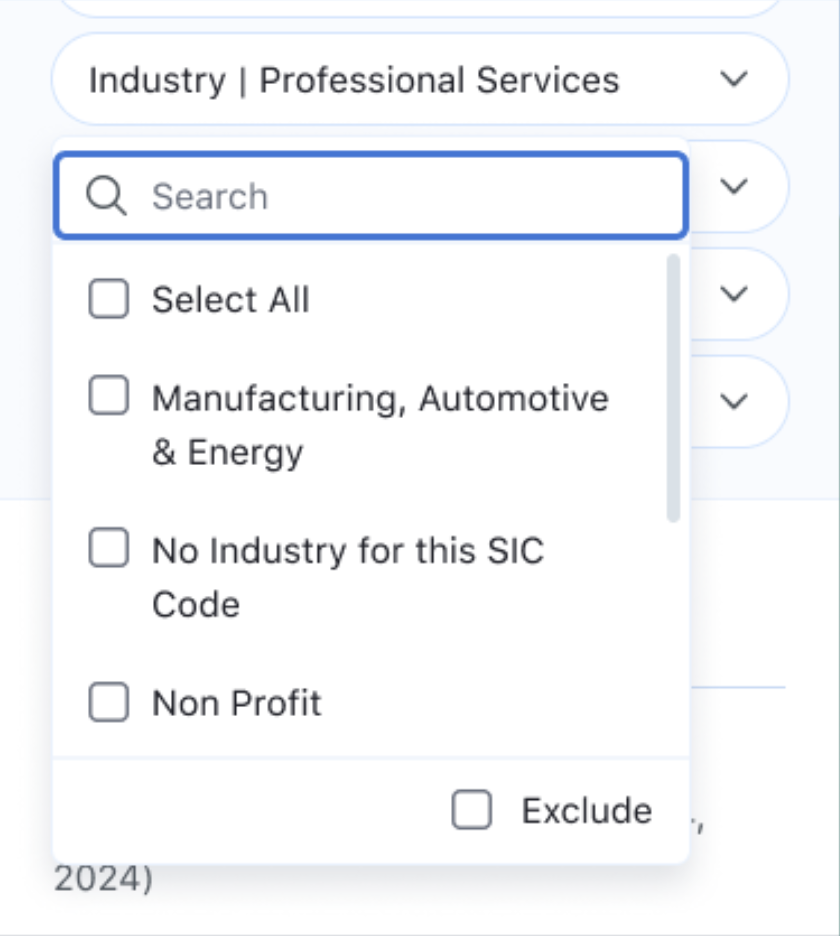
》Mobile Filtering
Apply dimension filters to Pulse metrics in the Tableau Mobile app.
》Mobile Follower Management
Manage metric followers on mobile to streamline sharing.