


From Chaos to Efficiency: 8 HubSpot Sales Automation Tools to Build a High-Performance Team
In many companies, sales teams are slowed down by repetitive, tedious tasks. Despite their best efforts, they often face persistent challenges:
Disorganized lead data entry, uneven lead distribution, chaotic follow-up timing, slow deal progression—even the most basic reporting can take up a significant amount of time.
At the root of these problems lies one core issue: a lack of systematization and automation in the sales process.
While countless sales automation tools exist in the global market, HubSpot Sales Hub has become the choice for tens of thousands of businesses not simply because it can automate emails—but because it fundamentally transforms the entire sales process. By handing off time-consuming and error-prone manual work to the system, it frees up teams to focus on high-value conversations and creative strategy.
That said, automation ≠ fully automatic. If you blindly send bulk emails or make mass cold calls, you’ll likely annoy prospects and hurt your results. Instead, here are eight powerful automation features in HubSpot Sales Hub that can help your team work smarter—not just harder:
01. Lead Management and Automatic Assignment
Automated lead rotation is one of the first areas where teams feel a dramatic efficiency boost.
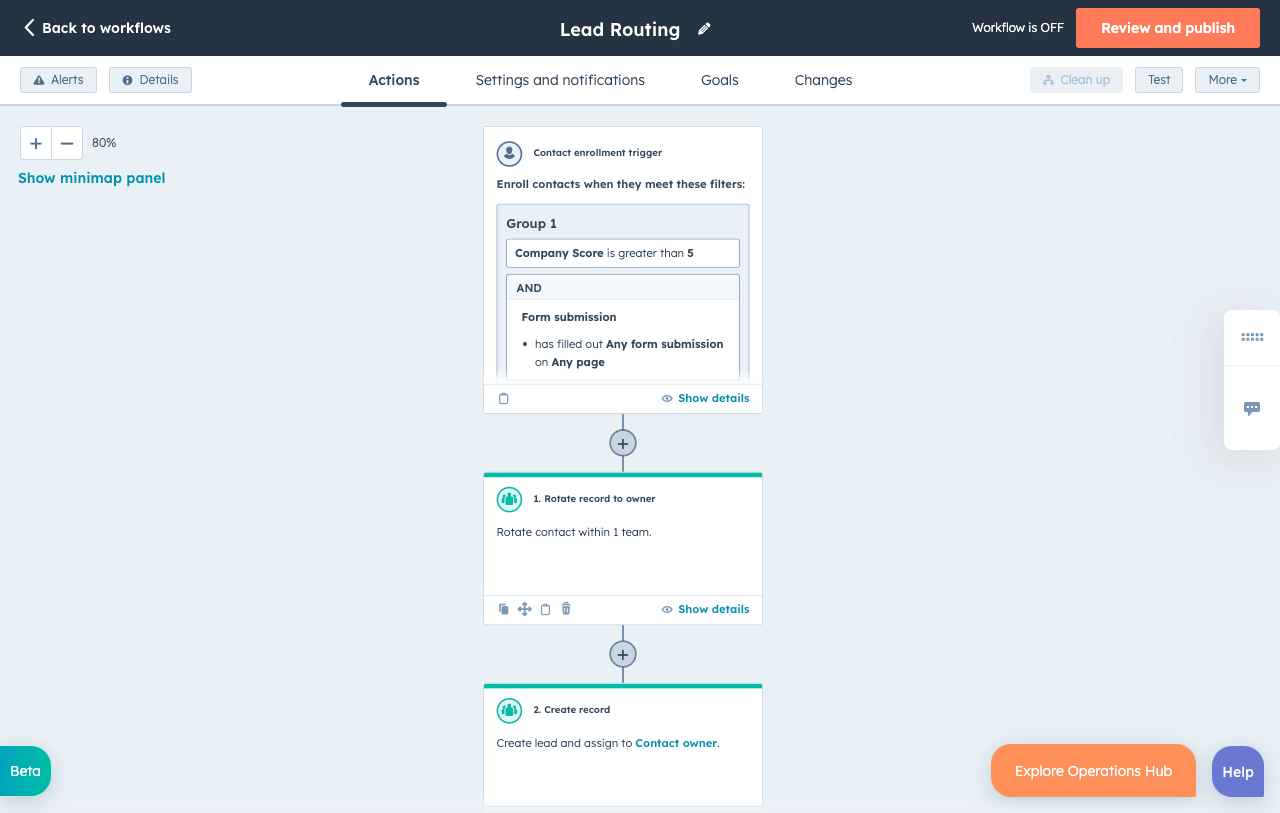
Without automation, lead assignment is often manual—left to gut decisions or even a chaotic “first come, first served” approach. The result: high-value leads get wasted, and team dynamics suffer due to unfair distribution.
With HubSpot’s workflow automation, you can set rules to assign leads automatically based on geography, industry, lead score, and more. Every new lead is instantly routed to the most suitable rep—no need for human intervention.
This process improves speed, eliminates favoritism or human error, and ensures a transparent foundation for fair performance evaluation.
02. Efficient Automated Follow-Up Sequences
If lead assignment solves the starting point of your sales process, Sequences in HubSpot tackle the conversion point.
Traditional follow-ups rely heavily on individual discipline, often leading to missed steps and inconsistent cadence—especially in industries with long sales cycles or high lead volumes.
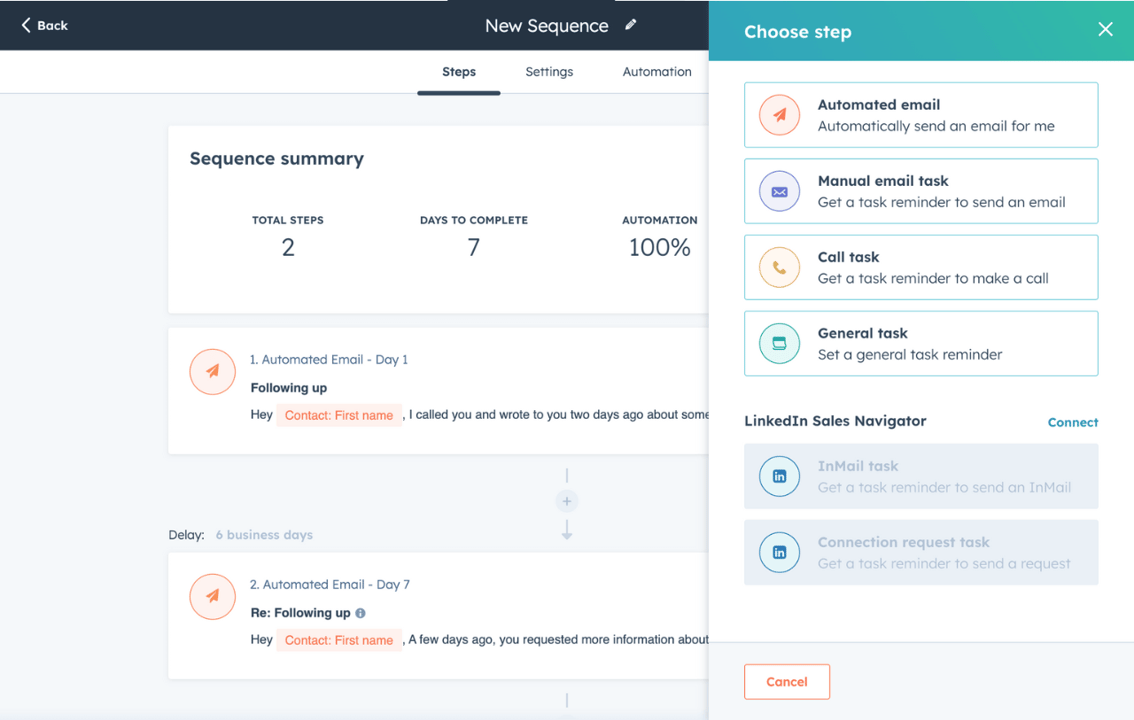
With HubSpot Sequences, you can create custom follow-up flows—Day 1: introduction email, Day 3: case study, Day 5: reminder. Each step can be triggered by prospect behavior (e.g., email opened), and the sequence automatically stops when a reply is received—preventing over-communication.
For new sales reps, Sequences offer a guided, structured rhythm that helps them quickly ramp up and perform like pros. This kind of strategic follow-up has been proven to significantly increase conversion rates.
03. Email Automation and Personalization
Personalized bulk emailing is a major differentiator between HubSpot and generic blast tools.
Email remains a key channel for reaching high-value prospects, but traditional mass emails feel robotic and impersonal.
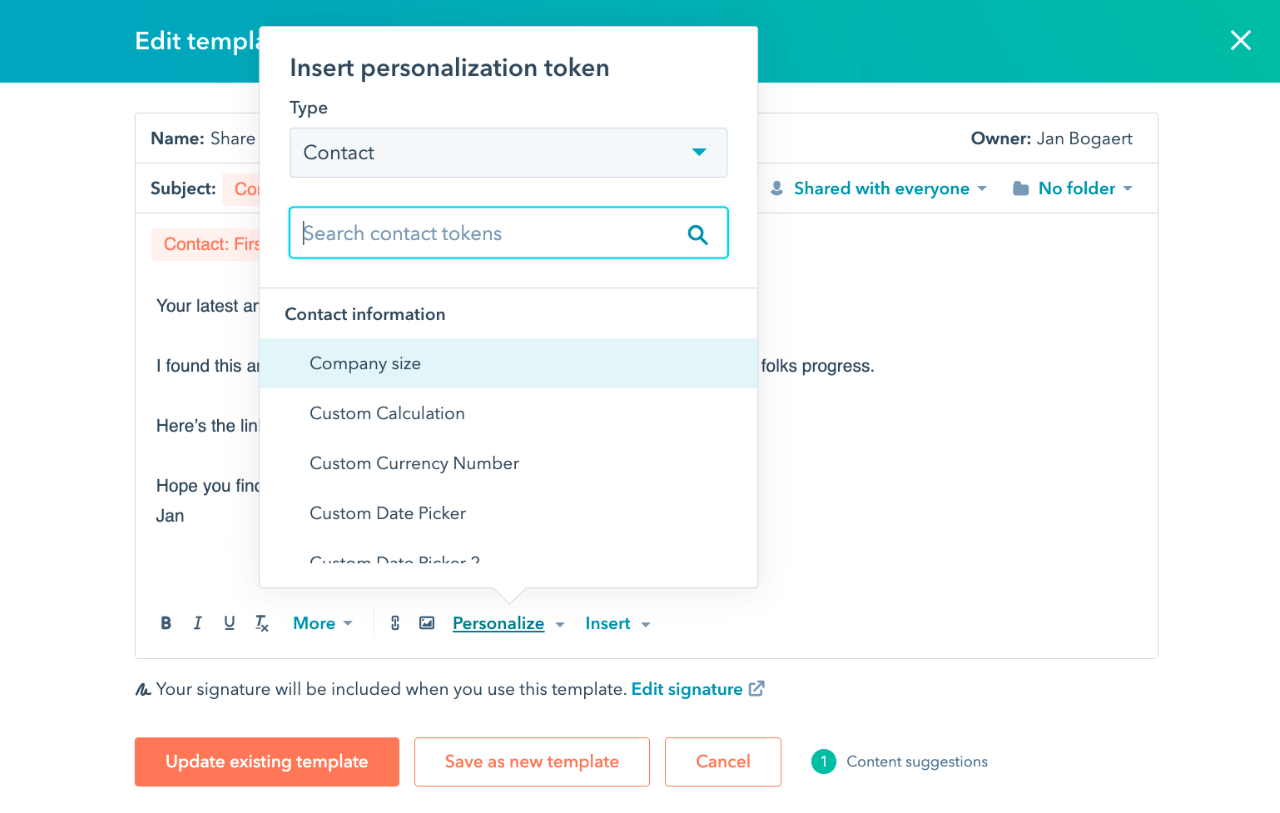
With HubSpot’s CRM-powered personalization, you can insert dynamic tokens like name, company, or past interactions into templates. The system auto-populates them for each recipient—so every email feels one-to-one.
This improves open and response rates, while letting your team focus on strategy and content—not repetitive tasks.
04. Automated Meeting Scheduling
“Time management” and “meeting efficiency” are often overlooked pain points in sales.
With HubSpot Meetings, reps can share a booking link so prospects can select a convenient time, automatically syncing to both parties’ calendars and logging the event in CRM.
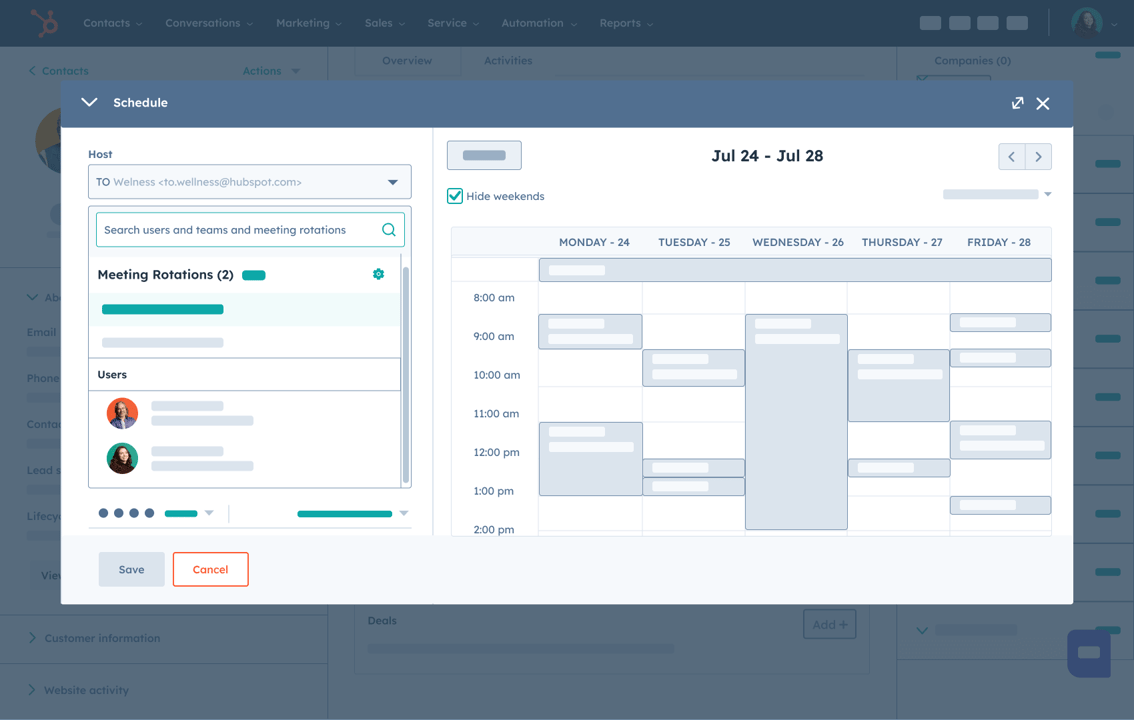
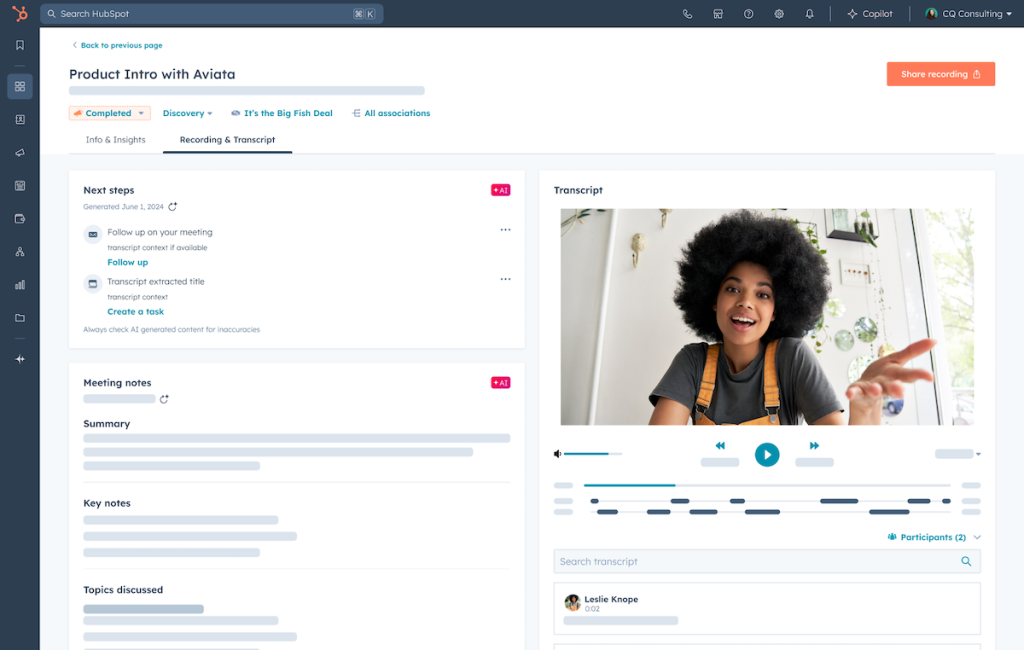
Before the meeting, HubSpot’s AI assistant compiles relevant customer data and suggestions. Afterward, it flags action items, helps draft summaries, and generates personalized follow-ups—saving your team hours of prep and admin.
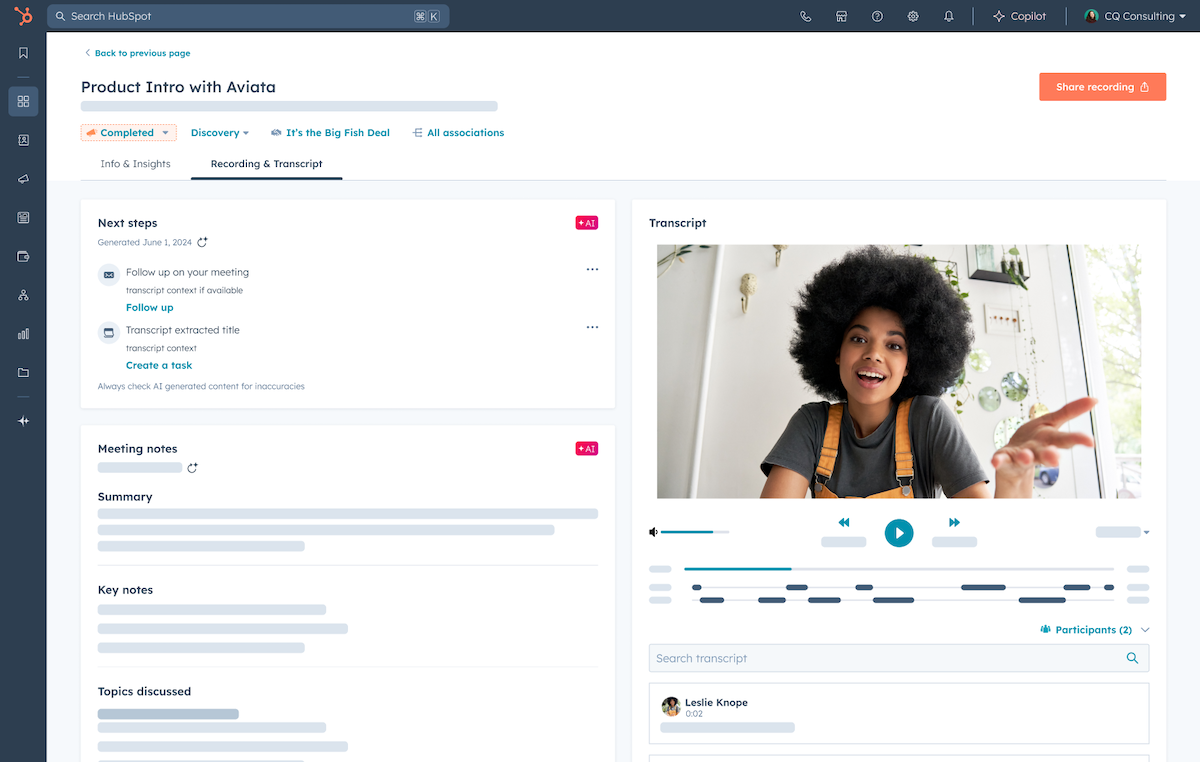
Each meeting can also trigger follow-up workflows like reminders, summaries, and next steps—standardizing your entire appointment process.
05. Smart Deal and Interaction Tracking
One of Sales Hub’s most beloved features by managers is deal automation and interaction logging.
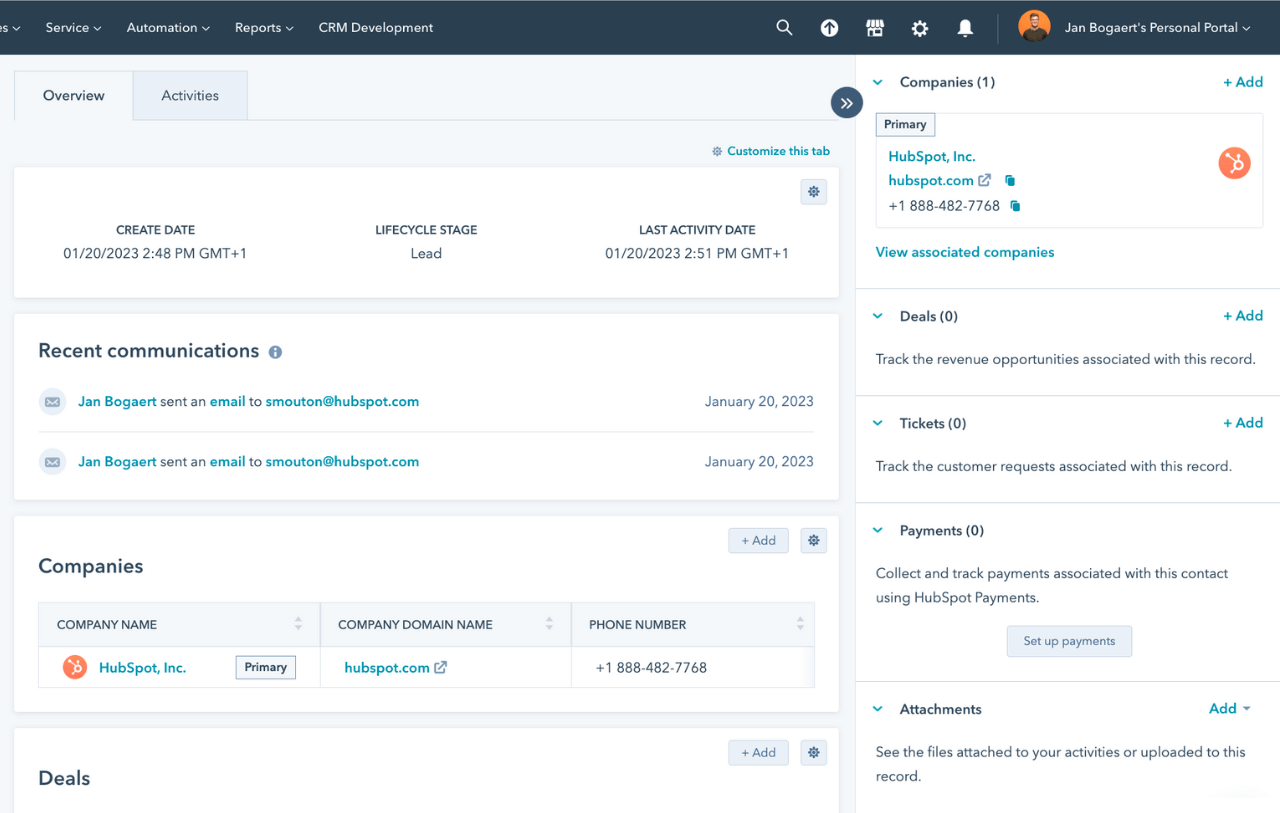
Previously, sales reps had to manually update deal stages—often inconsistently and late. With HubSpot, all customer interactions (emails, calls, meetings, quotes) are automatically logged in real time.
For example: when a prospect opens a quote, the deal stage updates to “Quote Sent.” If a meeting is booked, a follow-up task is auto-created.
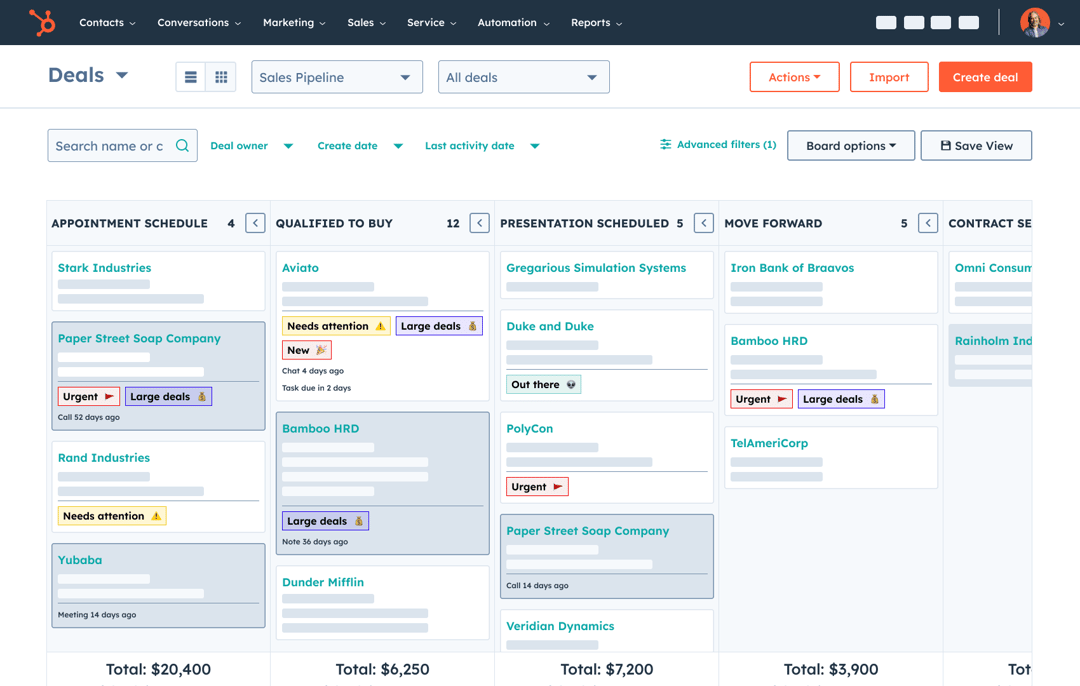
This not only saves time but also provides full visibility into deal histories and real-time progress, enabling better decisions and resource allocation.
06. Automated Performance Reporting
Data-driven management starts with reporting automation.
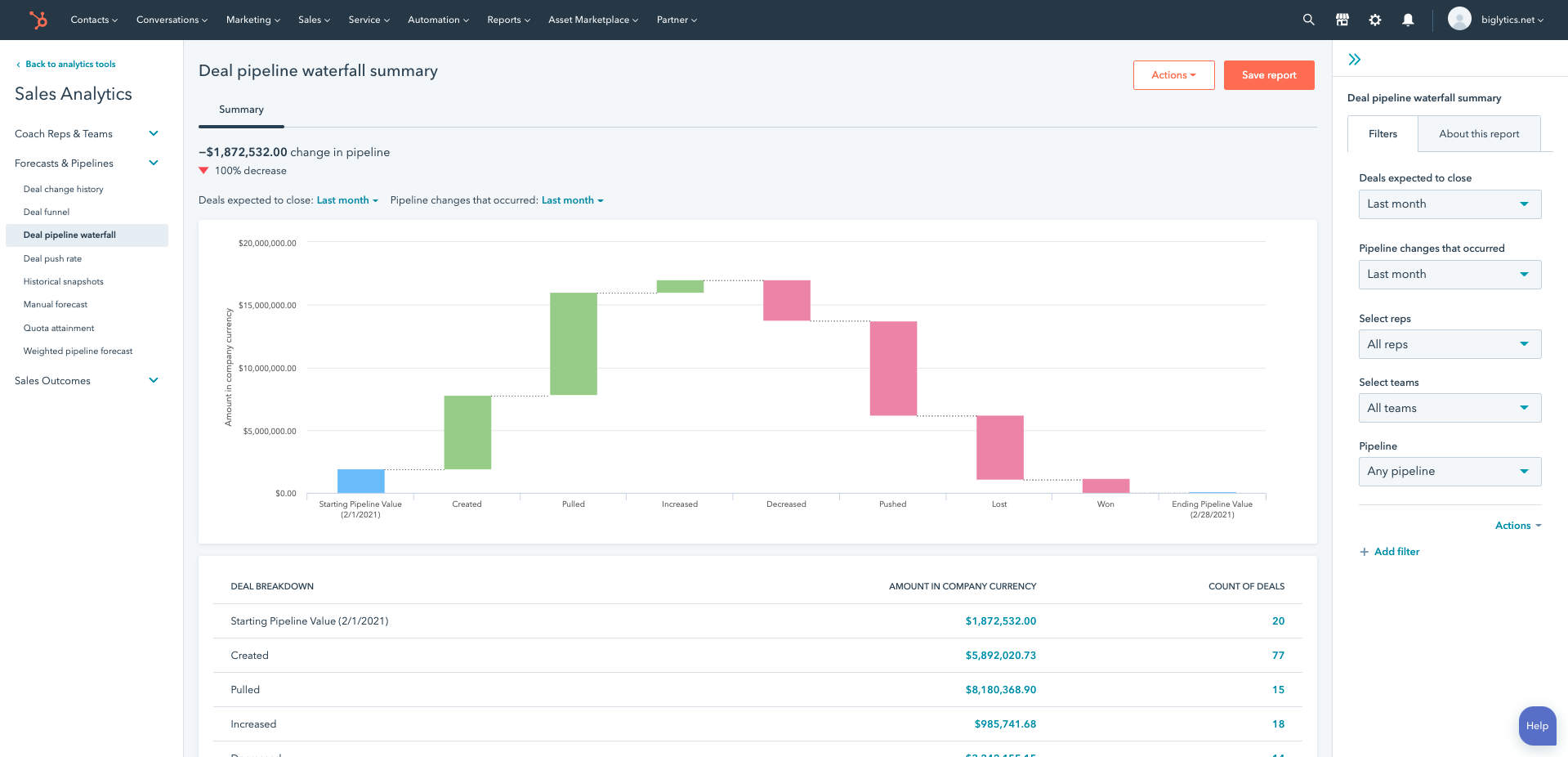
HubSpot Sales Hub supports customizable, multi-dimensional reports on lead conversion, follow-up efficiency, deal velocity, and rep performance. Reports can be automatically emailed to managers and teams—no more manual spreadsheets.
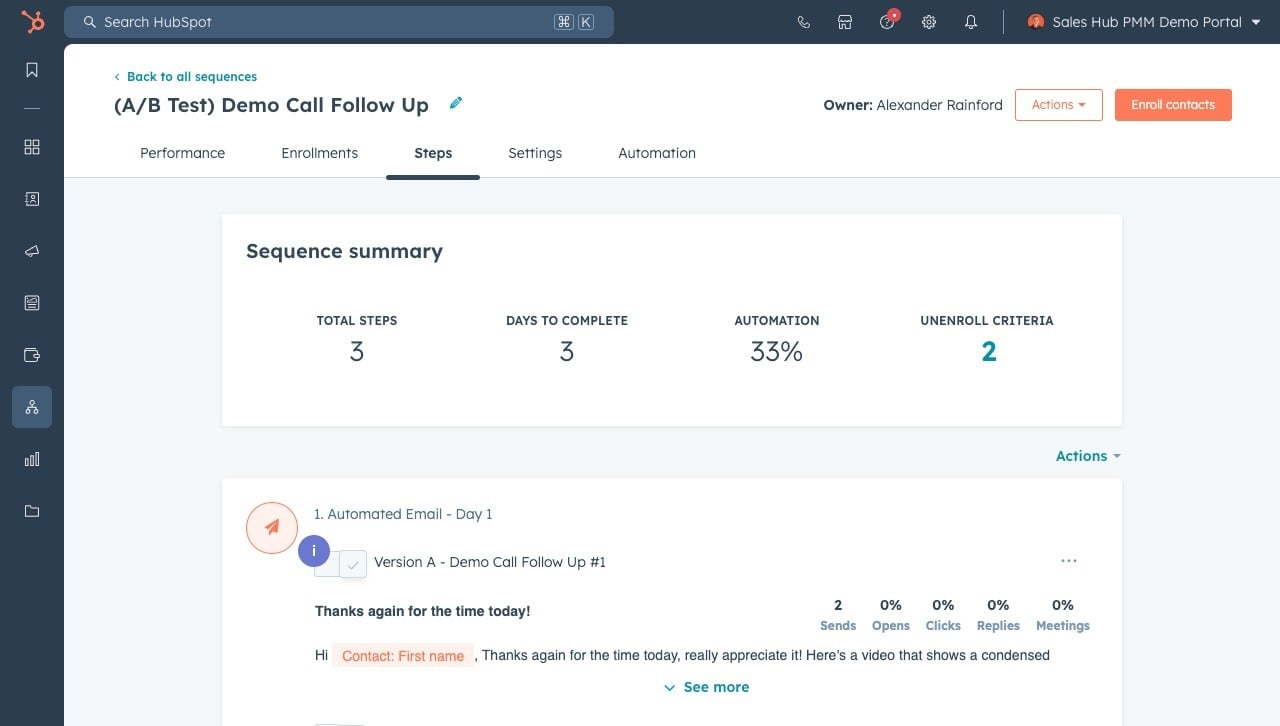
You can also run A/B tests directly within HubSpot to compare sequence strategies or email templates, with results auto-analyzed to help you continually improve.
07. Office Workflow Integration
When adopting new tools, many companies struggle with “data silos.” HubSpot solves this with seamless integration.
It connects natively with Gmail, Google Workspace, Outlook, and Office 365, so reps can launch HubSpot workflows directly from their inboxes.
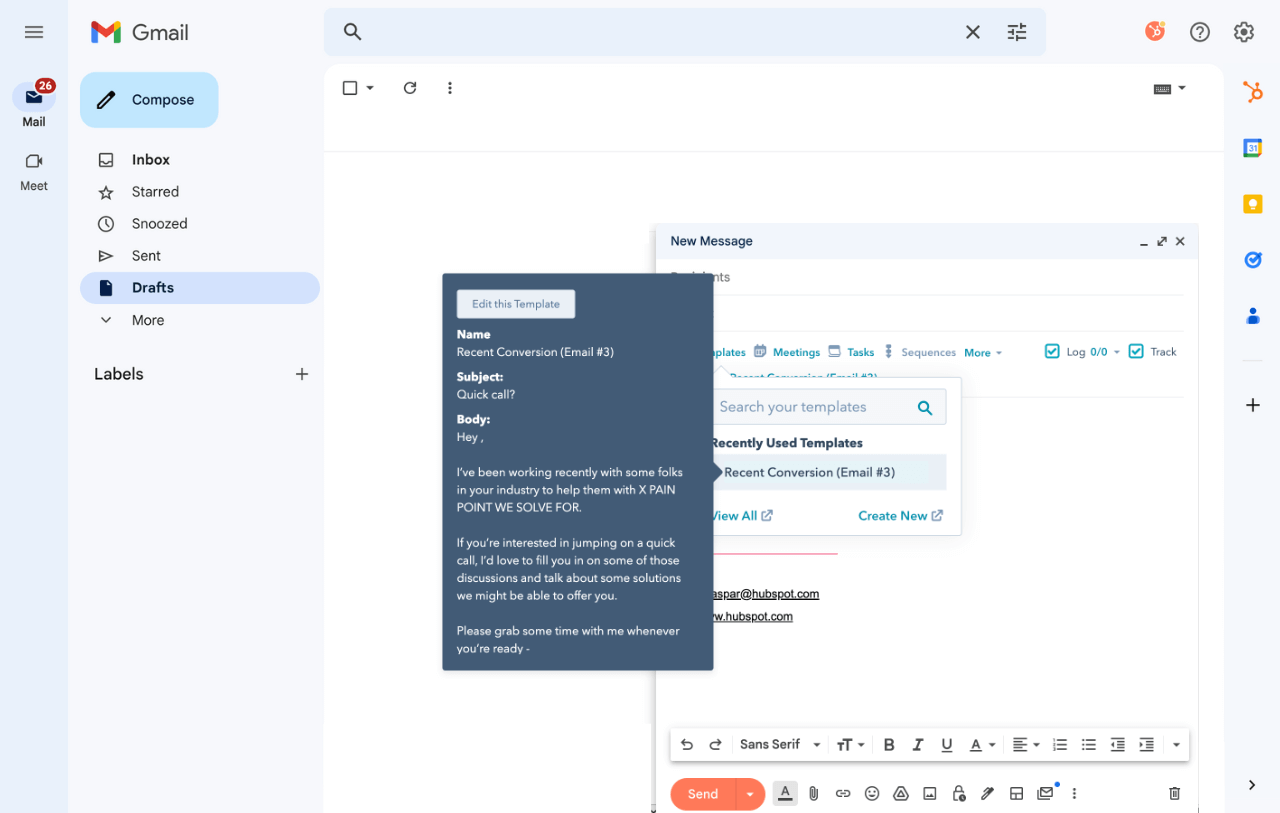
For deeper integration, use HubSpot’s APIs to connect with marketing, finance, and HR systems—ensuring smooth data flow and cross-functional alignment. This reduces learning curves and positions sales data as a company-wide strategic asset.
08. Lead Scoring and Priority Management
Finally, lead scoring and prioritization are critical for focusing on the right deals.
HubSpot allows you to automatically score leads based on attributes, behaviors, and engagement frequency. Reps no longer have to guess who’s worth pursuing—automation ensures they focus on the highest-potential prospects.
For managers, these scores enable smarter resource allocation and performance incentives—so every effort goes where it matters most.
Whether you’re a sales leader or a front-line rep, if your team struggles with inefficient workflows, lost leads, or chaotic follow-ups, it’s time to try HubSpot Sales Automation.
Once you experience automated workflows, real-time data visibility, and smart lead engagement, you’ll realize that transformative sales management isn’t far off. Let machines handle the repetitive tasks—so your people can focus on what truly drives growth.